A CSS link hover effect is the motion or underline animation that fires when a pointer enters an anchor. These 20 hand-coded effects are ready-to-ship link styles for navigation menus, in-body text, and footers — copy the CSS, attach to your existing anchors, and ship.
.cle-squig-nav {
  display: flex;
  gap: 28px;
}
.cle-squig {
  position: relative;
  padding-bottom: 14px;
  color: #c5e8ff;
  font:
    600 18px/1.2 "Caveat",
    "Comic Sans MS",
    cursive;
  text-decoration: none;
  transition: color 0.25s;
}
.cle-squig.is-active {
  color: #ddff8a;
}
.cle-squig::after {
  content: "";
  position: absolute;
  left: -2px;
  right: -2px;
  bottom: 0;
  height: 10px;
  background-image: url("data:image/svg+xml;utf8,<svg xmlns='http://www.w3.org/2000/svg' viewBox='0 0 80 10' preserveAspectRatio='none'><path d='M2 5 Q 12 0 22 5 T 42 5 T 62 5 T 78 5' stroke='%23ddff8a' stroke-width='2' fill='none' stroke-linecap='round'/></svg>");
  background-repeat: no-repeat;
  background-size: 0% 100%;
  background-position: left center;
  transition: background-size 0.55s cubic-bezier(0.65, 0, 0.35, 1);
}
.cle-squig:hover::after,
.cle-squig:focus-visible::after,
.cle-squig.is-active::after {
  background-size: 100% 100%;
} <nav class="cle-squig-nav"> <a href="#" class="cle-squig">home</a> <a href="#" class="cle-squig is-active">blog</a> <a href="#" class="cle-squig">work</a> <a href="#" class="cle-squig">about</a> </nav>
.cle-tilde-row {
  margin: 0;
  display: flex;
  gap: 20px;
  flex-wrap: wrap;
}
.cle-tilde {
  position: relative;
  padding-bottom: 8px;
  color: #ffd479;
  font:
    500 15px/1.2 Georgia,
    "Times New Roman",
    serif;
  text-decoration: none;
  background-image: linear-gradient(#ffd479, #ffd479);
  background-repeat: no-repeat;
  background-size: 100% 1px;
  background-position: 0 100%;
  transition:
    background-image 0.4s,
    background-size 0.4s;
}
.cle-tilde:hover,
.cle-tilde:focus-visible {
  background-image: url("data:image/svg+xml;utf8,<svg xmlns='http://www.w3.org/2000/svg' viewBox='0 0 60 6' preserveAspectRatio='none'><path d='M0 3 Q 15 0 30 3 T 60 3' stroke='%23ffd479' stroke-width='1.5' fill='none' stroke-linecap='round'/></svg>");
  background-size: 100% 6px;
} <p class="cle-tilde-row"> <a href="#" class="cle-tilde">Root</a> <a href="#" class="cle-tilde">Perfect Fifth</a> <a href="#" class="cle-tilde">Perfect Fourth</a> <a href="#" class="cle-tilde">Major Third</a> </p>
.cle-dot {
  display: inline-flex;
  align-items: center;
  gap: 6px;
  padding: 4px 8px;
  color: #ddff8a;
  font:
    700 16px/1.2 system-ui,
    sans-serif;
  text-decoration: underline;
  text-decoration-color: #ddff8a;
  text-decoration-thickness: 2px;
  text-underline-offset: 4px;
  border: 1.5px dotted transparent;
  border-radius: 3px;
  transition: border-color 0.2s;
}
.cle-dot-bullet {
  color: #ddff8a;
  font-size: 14px;
}
.cle-dot-caret {
  opacity: 0;
  color: #ddff8a;
  font-weight: 700;
  transition: opacity 0.2s;
}
.cle-dot:hover,
.cle-dot:focus-visible {
  border-color: #ddff8a;
}
.cle-dot:hover .cle-dot-caret,
.cle-dot:focus-visible .cle-dot-caret {
  opacity: 1;
  animation: cle-dot-blink 0.9s steps(1) infinite;
}
@keyframes cle-dot-blink {
  0%,
  50% {
    opacity: 1;
  }
  51%,
  100% {
    opacity: 0;
  }
}
@media (prefers-reduced-motion: reduce) {
  .cle-dot:hover .cle-dot-caret,
  .cle-dot:focus-visible .cle-dot-caret {
    animation: none;
    opacity: 1;
  }
} <a href="#" class="cle-dot"> <span class="cle-dot-bullet" aria-hidden="true">◉</span> Let's Goooo! <span class="cle-dot-caret" aria-hidden="true">_</span> </a>
Check out the link here
.cle-circle-bg {
  padding: 24px;
  background: #f4f5f9;
  border-radius: 10px;
}
.cle-circle-wrap {
  margin: 0;
  font:
    500 16px/1.5 system-ui,
    sans-serif;
  color: #2a2a3e;
}
.cle-circle {
  position: relative;
  display: inline-block;
  padding: 0 6px;
  color: #6b8cff;
  font-weight: 600;
  text-decoration: none;
}
.cle-circle-svg {
  position: absolute;
  inset: -4px -2px;
  width: calc(100% + 4px);
  height: calc(100% + 8px);
  color: #6b8cff;
  pointer-events: none;
  overflow: visible;
}
.cle-circle-svg ellipse {
  stroke-dasharray: 200;
  stroke-dashoffset: 200;
  transform-origin: center;
  transform: rotate(-3deg);
  transition: stroke-dashoffset 0.7s cubic-bezier(0.65, 0, 0.35, 1);
}
.cle-circle:hover .cle-circle-svg ellipse,
.cle-circle:focus-visible .cle-circle-svg ellipse {
  stroke-dashoffset: 0;
} <div class="cle-circle-bg">
<p class="cle-circle-wrap">
Check out
<a href="#" class="cle-circle">
the link
<svg class="cle-circle-svg" viewBox="0 0 100 36" aria-hidden="true">
<ellipse
cx="50"
cy="18"
rx="46"
ry="14"
fill="none"
stroke="currentColor"
stroke-width="2"
/>
</svg>
</a>
here
</p>
</div> .cle-chev-bg {
padding: 28px 32px;
background: #f6f8ff;
border-radius: 10px;
}
.cle-chev-stack {
display: flex;
flex-direction: column;
gap: 22px;
align-items: flex-start;
}
.cle-chev {
--line: #646b8c;
--color: #2b3044;
--background-size: 100%;
--background-delay: 0.15s;
--stroke-dashoffset: 46;
--stroke-duration: 0.15s;
--stroke-easing: linear;
--stroke-delay: 0s;
position: relative;
display: inline;
color: var(--color);
font:
500 16px/20px "Inter",
system-ui,
sans-serif;
text-decoration: none;
}
.cle-chev span {
background-image: linear-gradient(0deg, var(--line) 0%, var(--line) 100%);
background-position: 100% 100%;
background-repeat: no-repeat;
background-size: var(--background-size) 1px;
transition: background-size 0.2s linear var(--background-delay);
transform: translateZ(0);
}
.cle-chev-arrow {
vertical-align: top;
display: inline;
line-height: 1;
width: 13px;
height: 20px;
position: relative;
left: -2px;
fill: none;
stroke-linecap: round;
stroke-linejoin: round;
stroke-width: 1px;
stroke: var(--line);
stroke-dasharray: 7.95 30;
stroke-dashoffset: var(--stroke-dashoffset);
transition: stroke-dashoffset var(--stroke-duration) var(--stroke-easing) var(--stroke-delay);
}
.cle-chev:hover,
.cle-chev:focus-visible {
--background-size: 0%;
--background-delay: 0s;
--stroke-dashoffset: 26;
--stroke-duration: 0.3s;
--stroke-easing: cubic-bezier(0.3, 1.5, 0.5, 1);
--stroke-delay: 0.195s;
}
.cle-chev-multi {
max-width: 180px;
} <div class="cle-chev-bg">
<div class="cle-chev-stack">
<a href="#" class="cle-chev"
><span>Link here</span
><svg class="cle-chev-arrow" viewBox="0 0 13 20" aria-hidden="true">
<polyline points="0.5 19.5 3 19.5 12.5 10 3 0.5" /></svg
></a>
<a href="#" class="cle-chev cle-chev-multi"
><span>Link here with multiple lines</span
><svg class="cle-chev-arrow" viewBox="0 0 13 20" aria-hidden="true">
<polyline points="0.5 19.5 3 19.5 12.5 10 3 0.5" /></svg
></a>
</div>
</div> .cle-curblink {
position: relative;
display: inline-block;
padding-bottom: 6px;
color: #00e5ff;
font:
600 16px/1.2 ui-monospace,
"SF Mono",
monospace;
text-decoration: none;
letter-spacing: 0.02em;
transition:
color 0.2s,
text-shadow 0.25s;
}
.cle-curblink::after {
content: "";
position: absolute;
left: 0;
bottom: 0;
width: 100%;
height: 2px;
background: #00e5ff;
transform-origin: left;
animation: cle-curblink-pulse 1s steps(1, end) infinite;
}
.cle-curblink:hover,
.cle-curblink:focus-visible {
color: #fff;
text-shadow: 0 0 12px rgba(0, 229, 255, 0.55);
}
.cle-curblink:hover::after,
.cle-curblink:focus-visible::after {
background: #fff;
box-shadow: 0 0 8px rgba(0, 229, 255, 0.7);
}
@keyframes cle-curblink-pulse {
0%,
50% {
opacity: 1;
}
51%,
100% {
opacity: 0;
}
}
@media (prefers-reduced-motion: reduce) {
.cle-curblink::after {
animation: none;
opacity: 1;
}
} <a href="#" class="cle-curblink">Open editor</a>
.cle-neonblink {
  display: inline-block;
  padding: 6px 18px;
  color: #ff6c8a;
  font:
    700 17px/1.2 "Courier New",
    monospace;
  letter-spacing: 0.18em;
  text-decoration: none;
  text-shadow: 0 0 8px rgba(255, 108, 138, 0.4);
  border: 1.5px solid rgba(255, 108, 138, 0.4);
  border-radius: 4px;
  background: #15081a;
  transition:
    color 0.2s,
    border-color 0.2s,
    background 0.3s;
}
.cle-neonblink:hover,
.cle-neonblink:focus-visible {
  color: #ffe1ea;
  border-color: #ff6c8a;
  background: #1f0d24;
  animation: cle-neonblink-flicker 1.1s steps(1, end);
}
@keyframes cle-neonblink-flicker {
  0% {
    opacity: 1;
    text-shadow: none;
  }
  3% {
    opacity: 0.2;
    text-shadow: none;
  }
  6% {
    opacity: 1;
    text-shadow:
      0 0 14px #ff6c8a,
      0 0 4px #fff;
  }
  10% {
    opacity: 0.4;
    text-shadow: none;
  }
  13% {
    opacity: 1;
    text-shadow:
      0 0 14px #ff6c8a,
      0 0 4px #fff;
  }
  18% {
    opacity: 0.1;
    text-shadow: none;
  }
  22% {
    opacity: 1;
    text-shadow:
      0 0 14px #ff6c8a,
      0 0 4px #fff;
  }
  35% {
    opacity: 0.5;
    text-shadow: 0 0 8px #ff6c8a;
  }
  38% {
    opacity: 1;
    text-shadow:
      0 0 18px #ff6c8a,
      0 0 6px #fff;
  }
  55% {
    opacity: 0.6;
    text-shadow: 0 0 6px #ff6c8a;
  }
  58% {
    opacity: 1;
    text-shadow:
      0 0 22px #ff6c8a,
      0 0 8px #fff;
  }
  100% {
    opacity: 1;
    text-shadow:
      0 0 22px #ff6c8a,
      0 0 8px #fff;
  }
}
@media (prefers-reduced-motion: reduce) {
  .cle-neonblink:hover,
  .cle-neonblink:focus-visible {
    animation: none;
    text-shadow:
      0 0 22px #ff6c8a,
      0 0 8px #fff;
  }
} <a href="#" class="cle-neonblink">VACANCY</a>
.cle-heartbeat {
  display: inline-flex;
  align-items: center;
  gap: 10px;
  padding: 4px 6px;
  color: #f0eeff;
  font:
    600 15px/1.2 system-ui,
    sans-serif;
  text-decoration: none;
  border-bottom: 1px solid transparent;
  transition:
    border-color 0.25s,
    color 0.25s;
}
.cle-heartbeat-dot {
  position: relative;
  width: 9px;
  height: 9px;
  border-radius: 50%;
  background: #ff3d6e;
  animation: cle-heartbeat-thump 1.6s ease-in-out infinite;
  flex-shrink: 0;
}
.cle-heartbeat-dot::after {
  content: "";
  position: absolute;
  inset: 0;
  border-radius: inherit;
  background: inherit;
  animation: cle-heartbeat-ring 1.6s ease-out infinite;
}
.cle-heartbeat:hover,
.cle-heartbeat:focus-visible {
  color: #fff;
  border-bottom-color: rgba(255, 61, 110, 0.5);
}
/* Real heartbeat curve: lub (small bump) → DUB (big bump) → long pause */
@keyframes cle-heartbeat-thump {
  0% {
    transform: scale(1);
  }
  10% {
    transform: scale(1.18);
  }
  20% {
    transform: scale(1);
  }
  30% {
    transform: scale(1.32);
  }
  45% {
    transform: scale(1);
  }
  100% {
    transform: scale(1);
  }
}
@keyframes cle-heartbeat-ring {
  0% {
    transform: scale(1);
    opacity: 0;
  }
  30% {
    opacity: 0.55;
  }
  100% {
    transform: scale(3);
    opacity: 0;
  }
}
@media (prefers-reduced-motion: reduce) {
  .cle-heartbeat-dot,
  .cle-heartbeat-dot::after {
    animation: none;
  }
} <a href="#" class="cle-heartbeat"> <span class="cle-heartbeat-dot" aria-hidden="true"></span> <span>Live updates</span> </a>
.cle-sweep {
  position: relative;
  display: inline-block;
  color: #f0eeff;
  font:
    600 16px/1.4 system-ui,
    sans-serif;
  text-decoration: none;
  padding-bottom: 6px;
  overflow: hidden;
}
/* Permanent underline that draws in from the left */
.cle-sweep::before {
  content: "";
  position: absolute;
  left: 0;
  bottom: 0;
  width: 100%;
  height: 1.5px;
  background: #7c6cff;
  transform: scaleX(0);
  transform-origin: left center;
  transition: transform 0.5s cubic-bezier(0.65, 0, 0.35, 1);
}
.cle-sweep:hover::before,
.cle-sweep:focus-visible::before {
  transform: scaleX(1);
}
/* Bright gradient highlight that sweeps across once on hover */
.cle-sweep::after {
  content: "";
  position: absolute;
  left: 0;
  bottom: 0;
  width: 60%;
  height: 1.5px;
  background: linear-gradient(90deg, transparent, #fff 50%, transparent);
  transform: translateX(-100%);
  opacity: 0;
  transition:
    transform 0.7s cubic-bezier(0.65, 0, 0.35, 1),
    opacity 0.2s;
  pointer-events: none;
}
.cle-sweep:hover::after,
.cle-sweep:focus-visible::after {
  transform: translateX(280%);
  opacity: 1;
} <a href="#" class="cle-sweep">Read the article</a>
.cle-push {
  display: inline-flex;
  color: #c4b5fd;
  font:
    700 18px/1.2 system-ui,
    sans-serif;
  text-decoration: none;
  letter-spacing: 0.02em;
  border-bottom: 1.5px solid rgba(124, 108, 255, 0.4);
  padding-bottom: 3px;
  transition: border-color 0.25s;
}
.cle-push:hover {
  border-bottom-color: #7c6cff;
}
.cle-push span {
  display: inline-block;
  transition:
    transform 0.35s cubic-bezier(0.65, 0, 0.35, 1),
    color 0.25s;
}
.cle-push:hover span {
  color: #fff;
  transform: translateY(-3px);
}
.cle-push:hover span:nth-child(1) {
  transition-delay: 0s;
}
.cle-push:hover span:nth-child(2) {
  transition-delay: 0.04s;
}
.cle-push:hover span:nth-child(3) {
  transition-delay: 0.08s;
}
.cle-push:hover span:nth-child(4) {
  transition-delay: 0.12s;
}
.cle-push:hover span:nth-child(5) {
  transition-delay: 0.16s;
}
.cle-push:hover span:nth-child(6) {
  transition-delay: 0.2s;
}
.cle-push:hover span:nth-child(7) {
  transition-delay: 0.24s;
}
.cle-push:hover span:nth-child(8) {
  transition-delay: 0.28s;
} <a href="#" class="cle-push"> <span>D</span><span>i</span><span>s</span><span>c</span><span>o</span><span>v</span><span>e</span ><span>r</span> </a>
Try our brand new editor today.
.cle-marker-wrap {
  margin: 0;
  font:
    500 16px/1.5 system-ui,
    sans-serif;
  color: #d8d6f0;
}
.cle-marker {
  position: relative;
  display: inline-block;
  padding: 1px 4px;
  color: #fff;
  font-weight: 600;
  text-decoration: none;
  z-index: 0;
}
.cle-marker::before {
  content: "";
  position: absolute;
  inset: 0;
  background-image: url("data:image/svg+xml;utf8,<svg xmlns='http://www.w3.org/2000/svg' viewBox='0 0 100 28' preserveAspectRatio='none'><path d='M2 14 Q 12 6 25 11 T 50 12 T 75 14 T 98 13 L 98 22 Q 80 26 60 23 T 30 22 T 5 22 Z' fill='%23ffd479' opacity='0.55'/></svg>");
  background-repeat: no-repeat;
  background-size: 0% 100%;
  background-position: left center;
  transition: background-size 0.5s cubic-bezier(0.65, 0, 0.35, 1);
  z-index: -1;
}
.cle-marker:hover::before,
.cle-marker:focus-visible::before {
  background-size: 100% 100%;
} <p class="cle-marker-wrap">Try our <a href="#" class="cle-marker">brand new editor</a> today.</p>
.cle-slide {
  position: relative;
  display: inline-block;
  padding: 4px 10px;
  color: #f0eeff;
  font:
    700 13px/1.2 ui-monospace,
    monospace;
  letter-spacing: 0.18em;
  text-decoration: none;
  overflow: hidden;
  isolation: isolate;
}
.cle-slide span {
  position: relative;
  mix-blend-mode: difference;
  color: #fff;
  z-index: 1;
}
.cle-slide::before {
  content: "";
  position: absolute;
  left: 0;
  right: 0;
  bottom: 0;
  height: 0;
  background: #fff;
  transition: height 0.4s cubic-bezier(0.65, 0, 0.35, 1);
  z-index: 0;
}
.cle-slide:hover::before,
.cle-slide:focus-visible::before {
  height: 100%;
} <a href="#" class="cle-slide"><span>WATCH FILM</span></a>
.cle-bracket {
  position: relative;
  display: inline-block;
  padding: 0 16px;
  color: #00e5ff;
  font:
    700 16px/1.2 ui-monospace,
    monospace;
  letter-spacing: 0.04em;
  text-decoration: none;
  transition: text-shadow 0.2s;
}
.cle-bracket::before,
.cle-bracket::after {
  position: absolute;
  top: 50%;
  font: inherit;
  color: #00e5ff;
  opacity: 0;
  transform: translateY(-50%) scale(0.4);
  transition:
    opacity 0.25s ease,
    transform 0.35s cubic-bezier(0.34, 1.56, 0.64, 1);
}
.cle-bracket::before {
  content: "[";
  left: 0;
}
.cle-bracket::after {
  content: "]";
  right: 0;
}
.cle-bracket:hover {
  text-shadow: 0 0 12px rgba(0, 229, 255, 0.55);
}
.cle-bracket:hover::before,
.cle-bracket:hover::after,
.cle-bracket:focus-visible::before,
.cle-bracket:focus-visible::after {
  opacity: 1;
  transform: translateY(-50%) scale(1);
} <a href="#" class="cle-bracket">execute()</a>
.cle-glitch {
  position: relative;
  display: inline-block;
  color: #f0eeff;
  font:
    700 16px/1.2 ui-monospace,
    monospace;
  text-decoration: none;
  letter-spacing: 0.02em;
}
.cle-glitch:hover,
.cle-glitch:focus-visible {
  animation: cle-glitch-shake 0.35s steps(2) infinite;
  text-shadow:
    2px 0 #ff3d6e,
    -2px 0 #00e5ff,
    0 0 12px rgba(255, 255, 255, 0.2);
}
@keyframes cle-glitch-shake {
  0% {
    transform: translate(0, 0);
  }
  25% {
    transform: translate(-1px, 1px);
  }
  50% {
    transform: translate(1px, -1px);
  }
  75% {
    transform: translate(-1px, -1px);
  }
  100% {
    transform: translate(1px, 1px);
  }
}
@media (prefers-reduced-motion: reduce) {
  .cle-glitch:hover,
  .cle-glitch:focus-visible {
    animation: none;
  }
} <a href="#" class="cle-glitch" data-text="System.exit(0)">System.exit(0)</a>
.cle-ink {
  position: relative;
  display: inline-block;
  padding-bottom: 8px;
  color: #ffd479;
  font:
    600 16px/1.2 Georgia,
    "Times New Roman",
    serif;
  text-decoration: none;
}
.cle-ink-line {
  position: absolute;
  left: 0;
  right: 0;
  bottom: 0;
  width: 100%;
  height: 8px;
  color: #ffd479;
  pointer-events: none;
}
.cle-ink-line path {
  stroke-dasharray: 200;
  stroke-dashoffset: 200;
  transition: stroke-dashoffset 0.7s cubic-bezier(0.65, 0, 0.35, 1);
}
.cle-ink:hover .cle-ink-line path,
.cle-ink:focus-visible .cle-ink-line path {
  stroke-dashoffset: 0;
} <a href="#" class="cle-ink">
<span>Subscribe</span>
<svg class="cle-ink-line" viewBox="0 0 120 8" preserveAspectRatio="none" aria-hidden="true">
<path
d="M2 5 Q 30 1 60 4 T 118 5"
stroke="currentColor"
stroke-width="2.5"
fill="none"
stroke-linecap="round"
/>
</svg>
</a> .cle-mag {
position: relative;
display: inline-block;
padding-bottom: 4px;
color: #c4b5fd;
font:
600 15px/1.2 system-ui,
sans-serif;
text-decoration: none;
transition:
transform 0.45s cubic-bezier(0.34, 1.56, 0.64, 1),
color 0.25s;
}
.cle-mag::after {
content: "";
position: absolute;
left: 0;
bottom: 0;
width: 100%;
height: 1.5px;
background: #a78bfa;
transform: scaleX(0);
transform-origin: left center;
transition: transform 0.4s cubic-bezier(0.65, 0, 0.35, 1);
}
.cle-mag:hover,
.cle-mag:focus-visible {
transform: translateX(6px);
color: #fff;
}
.cle-mag:hover::after,
.cle-mag:focus-visible::after {
transform: scaleX(1);
} <a href="#" class="cle-mag">Open dashboard →</a>
.cle-caret {
  position: relative;
  display: inline-block;
  padding: 2px 4px 4px;
  color: #2eb88a;
  font:
    600 14px/1.4 ui-monospace,
    monospace;
  text-decoration: none;
  border-bottom: 1px solid transparent;
  transition: border-color 0.25s ease 0.05s;
}
.cle-caret::after {
  content: "";
  display: inline-block;
  width: 7px;
  height: 1em;
  margin-left: 4px;
  vertical-align: text-bottom;
  background: #2eb88a;
  opacity: 0;
  transition: opacity 0.2s ease;
}
.cle-caret:hover,
.cle-caret:focus-visible {
  border-bottom-color: rgba(46, 184, 138, 0.5);
}
.cle-caret:hover::after,
.cle-caret:focus-visible::after {
  opacity: 1;
  animation: cle-caret-blink 1s steps(1) infinite;
}
@keyframes cle-caret-blink {
  0%,
  50% {
    opacity: 1;
  }
  51%,
  100% {
    opacity: 0;
  }
}
@media (prefers-reduced-motion: reduce) {
  .cle-caret:hover::after,
  .cle-caret:focus-visible::after {
    animation: none;
    opacity: 1;
  }
} <a href="#" class="cle-caret">$ run --watch</a>
.cle-brut {
  display: inline-block;
  padding: 6px 12px;
  background: transparent;
  color: #fff;
  font:
    700 13px/1.2 "Courier New",
    monospace;
  letter-spacing: 0.14em;
  text-decoration: none;
  border: 2px solid #fff;
  transition:
    background 0.15s,
    color 0.15s,
    transform 0.12s,
    box-shadow 0.12s;
}
.cle-brut:hover,
.cle-brut:focus-visible {
  background: #ff3d6e;
  color: #0a0a0a;
  border-color: #0a0a0a;
  box-shadow: 5px 5px 0 #fff;
  transform: translate(-2px, -2px);
}
.cle-brut:active {
  transform: translate(3px, 3px);
  box-shadow: 0 0 0 #fff;
} <a href="#" class="cle-brut">DOWNLOAD .ZIP</a>
.cle-flip {
  position: relative;
  display: inline-block;
  height: 40px;
  padding: 0 22px;
  perspective: 800px;
  text-decoration: none;
  font:
    700 13px/40px ui-monospace,
    monospace;
  letter-spacing: 0.12em;
}
/* Invisible ghost claims the wider of the two faces so the chip width is stable */
.cle-flip-ghost {
  visibility: hidden;
  white-space: nowrap;
}
.cle-flip-inner {
  position: absolute;
  inset: 0;
  transform-style: preserve-3d;
  -webkit-transform-style: preserve-3d;
  transition: transform 0.55s cubic-bezier(0.65, 0, 0.35, 1);
}
.cle-flip-front,
.cle-flip-back {
  position: absolute;
  inset: 0;
  display: flex;
  align-items: center;
  justify-content: center;
  border-radius: 999px;
  backface-visibility: hidden;
  -webkit-backface-visibility: hidden;
  white-space: nowrap;
}
.cle-flip-front {
  background: #7c6cff;
  color: #fff;
}
.cle-flip-back {
  background: #2eb88a;
  color: #0a0f0c;
  transform: rotateY(180deg);
}
.cle-flip:hover .cle-flip-inner,
.cle-flip:focus-visible .cle-flip-inner {
  transform: rotateY(180deg);
} <a href="#" class="cle-flip">
<span class="cle-flip-inner">
<span class="cle-flip-front">Get Started</span>
<span class="cle-flip-back">Learn More →</span>
</span>
<span class="cle-flip-ghost" aria-hidden="true">Learn More →</span>
</a> .cle-type {
position: relative;
display: inline-block;
padding: 6px 14px;
background: #0a0a18;
border: 1px solid rgba(0, 229, 255, 0.3);
border-radius: 4px;
text-decoration: none;
min-width: 160px;
}
.cle-type-text {
display: inline-block;
font:
600 13px/1.4 ui-monospace,
monospace;
color: #00e5ff;
white-space: nowrap;
overflow: hidden;
width: 0;
border-right: 2px solid transparent;
vertical-align: bottom;
}
.cle-type:hover .cle-type-text,
.cle-type:focus-visible .cle-type-text {
width: 14ch;
border-right-color: #00e5ff;
animation:
cle-type-in 1.2s steps(14, end) forwards,
cle-type-blink 0.7s steps(1) 1.2s infinite;
}
@keyframes cle-type-in {
from {
width: 0;
}
to {
width: 14ch;
}
}
@keyframes cle-type-blink {
0%,
50% {
border-right-color: #00e5ff;
}
51%,
100% {
border-right-color: transparent;
}
}
@media (prefers-reduced-motion: reduce) {
.cle-type:hover .cle-type-text,
.cle-type:focus-visible .cle-type-text {
width: 14ch;
animation: none;
border-right-color: #00e5ff;
}
} <a href="#" class="cle-type"> <span class="cle-type-text">$ deploy --prod</span> </a>
Frequently asked questions
How do I create a CSS link hover effect?
Should I use :hover or :focus-visible for link effects?
Are these CSS link effects accessible?
Aren't blinking links bad for accessibility?
Do these link effects work on touch devices?
Can I use these effects in any framework?
Related collections

21 CSS Button Hover Effects
21 original CSS button hover effects — liquid fill, glitch, neon pulse, 3D flip, particle burst and more. Pure CSS with 3 vanilla JS enhancements. Copy-paste ready.

27 CSS Card Hover Effects
27 original CSS card hover effects — elastic lift, 3D tilt, holographic shimmer, spotlight, aurora and more. Pure CSS with 4 vanilla JS enhancements. Copy-paste ready.
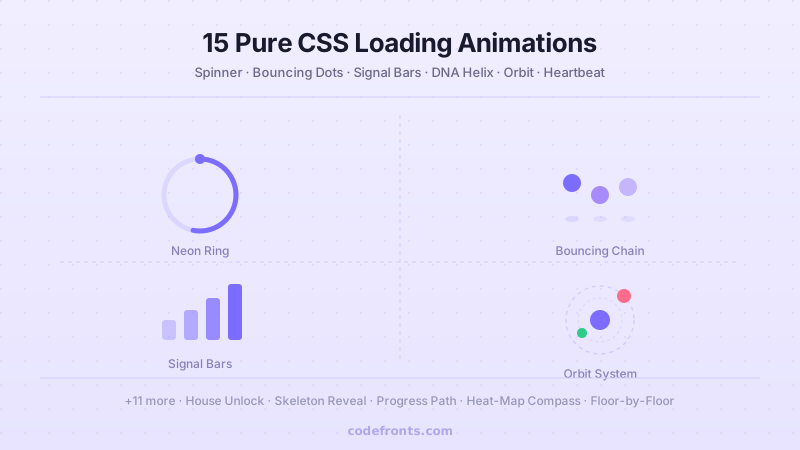
15 Pure CSS Loading Animations
15 hand-coded CSS loading animations — DNA helix, liquid blob, orbit system, neon ring, hourglass flip, listing skeleton, building loader and more. Pure CSS, drop-in ready.