A CSS card is a self-contained surface that groups related content into a single tappable unit. These 20 hand-coded designs are ready-to-ship cards for product grids, article tiles, profile blocks, and stat panels — copy the markup, swap your content, and ship.
Glassmorphism
Frosted glass with backdrop blur and layered gradient glows.
.card-glass {
  width: 200px;
  padding: 20px 22px;
  border-radius: 16px;
  background: rgba(255, 255, 255, 0.08);
  backdrop-filter: blur(12px);
  border: 1px solid rgba(255, 255, 255, 0.2);
  box-shadow: 0 8px 32px rgba(0, 0, 0, 0.3);
  position: relative;
  z-index: 1;
  transition:
    transform 0.3s,
    box-shadow 0.3s;
}

.card-glass:hover {
  transform: translateY(-4px);
  box-shadow: 0 16px 48px rgba(0, 0, 0, 0.4);
}

.card-glass h4 {
  font-size: 14px;
  font-weight: 700;
  color: #fff;
  margin-bottom: 6px;
}

.card-glass p {
  font-size: 11px;
  color: rgba(255, 255, 255, 0.65);
  line-height: 1.5;
  margin-bottom: 14px;
}

.glass-btn {
  font-size: 11px;
  padding: 5px 14px;
  border-radius: 20px;
  background: rgba(255, 255, 255, 0.2);
  color: #fff;
  border: 1px solid rgba(255, 255, 255, 0.3);
  cursor: pointer;
  transition: background 0.2s;
}

.card-glass:hover .glass-btn {
  background: rgba(255, 255, 255, 0.32);
}

/* parent stage backdrop (so the demo renders standalone) */
[class^="stage-"] {
  width: 100%;
  min-height: 200px;
  display: flex;
  align-items: center;
  justify-content: center;
  position: relative;
  padding: 2.5rem 1.5rem;
  box-sizing: border-box;
}

.stage-1 {
  background: linear-gradient(135deg, #1a0533 0%, #0a1a3a 50%, #0d2b1a 100%);
  overflow: hidden;
}

.stage-1::before {
  content: "";
  position: absolute;
  width: 120px;
  height: 120px;
  border-radius: 50%;
  background: rgba(124, 108, 255, 0.4);
  top: -30px;
  right: -20px;
  filter: blur(40px);
}

.stage-1::after {
  content: "";
  position: absolute;
  width: 80px;
  height: 80px;
  border-radius: 50%;
  background: rgba(61, 232, 245, 0.35);
  bottom: -10px;
  left: 10px;
  filter: blur(30px);
} <div class="stage-1">
<div class="card-glass">
<h4>Glassmorphism</h4>
<p>Frosted glass with backdrop blur and layered gradient glows.</p>
<button class="glass-btn">Learn more</button>
</div>
</div> Neon Border
Gradient border reveals on hover using pseudo-element z-index trick.
.card-neon {
  width: 200px;
  padding: 22px;
  border-radius: 12px;
  background: #111118;
  border: 1px solid transparent;
  position: relative;
  transition: transform 0.3s;
}

.card-neon::before {
  content: "";
  position: absolute;
  inset: -1px;
  border-radius: 13px;
  background: linear-gradient(135deg, #7c6cff, #ff6c8a, #3de8f5);
  z-index: -1;
  opacity: 0;
  transition: opacity 0.3s;
}

.card-neon:hover::before {
  opacity: 1;
}

.card-neon:hover {
  transform: translateY(-3px);
}

.card-neon:hover .neon-icon {
  box-shadow: 0 0 20px rgba(124, 108, 255, 0.8);
}

.neon-icon {
  width: 36px;
  height: 36px;
  border-radius: 10px;
  background: rgba(124, 108, 255, 0.2);
  display: flex;
  align-items: center;
  justify-content: center;
  font-size: 18px;
  margin-bottom: 12px;
  transition: box-shadow 0.3s;
}

.card-neon h4 {
  font-size: 13px;
  font-weight: 700;
  color: #fff;
  margin-bottom: 4px;
}

.card-neon p {
  font-size: 11px;
  color: var(--ccg-muted);
  line-height: 1.5;
}

/* parent stage backdrop (so the demo renders standalone) */
[class^="stage-"] {
  width: 100%;
  min-height: 200px;
  display: flex;
  align-items: center;
  justify-content: center;
  position: relative;
  padding: 2.5rem 1.5rem;
  box-sizing: border-box;
}

.stage-2 {
  background: #07070f;
}

/* gallery vars + keyframes (so the demo renders standalone) */
:root {
  --ccg-bg: #0a0a0f;
  --ccg-surface: #111118;
  --ccg-surface2: #17171f;
  --ccg-surface3: #1e1e28;
  --ccg-border: rgba(255, 255, 255, 0.15);
  --ccg-border2: rgba(255, 255, 255, 0.13);
  --ccg-accent: #7c6cff;
  --ccg-pink: #ff6c8a;
  --ccg-green: #1ed98a;
  --ccg-amber: #f5a84a;
  --ccg-cyan: #3de8f5;
  --ccg-text: #f0eeff;
  --ccg-muted: #6b6987;
  --ccg-label: #9896b8;
  --ccg-mono: "DM Mono", "Fira Code", monospace;
  --ccg-sans: "Syne", sans-serif;
} <div class="stage-2">
<div class="card-neon">
<div class="neon-icon">⚡</div>
<h4>Neon Border</h4>
<p>Gradient border reveals on hover using pseudo-element z-index trick.</p>
</div>
</div> Hover to Flip
3D card flip effect →
The Back Side
Revealed with CSS 3D perspective
.flip-scene {
  width: 190px;
  height: 120px;
  perspective: 700px;
  cursor: pointer;
}

.flip-card {
  width: 100%;
  height: 100%;
  position: relative;
  transform-style: preserve-3d;
  transition: transform 0.6s cubic-bezier(0.23, 1, 0.32, 1);
}

.flip-scene:hover .flip-card {
  transform: rotateY(180deg);
}

.flip-front,
.flip-back {
  position: absolute;
  inset: 0;
  border-radius: 14px;
  backface-visibility: hidden;
  display: flex;
  flex-direction: column;
  align-items: center;
  justify-content: center;
  padding: 16px;
}

.flip-front {
  background: linear-gradient(135deg, #1a1a2e, #16213e);
  border: 1px solid rgba(124, 108, 255, 0.3);
}

.flip-front h4 {
  font-size: 13px;
  font-weight: 700;
  color: #fff;
  margin-bottom: 4px;
}

.flip-front p {
  font-size: 10px;
  color: var(--ccg-muted);
}

.flip-back {
  background: linear-gradient(135deg, #7c6cff, #ff6c8a);
  transform: rotateY(180deg);
}

.flip-back h4 {
  font-size: 13px;
  font-weight: 700;
  color: #fff;
  margin-bottom: 4px;
  text-align: center;
}

.flip-back p {
  font-size: 10px;
  color: rgba(255, 255, 255, 0.8);
  text-align: center;
}

/* parent stage backdrop (so the demo renders standalone) */
[class^="stage-"] {
  width: 100%;
  min-height: 200px;
  display: flex;
  align-items: center;
  justify-content: center;
  position: relative;
  padding: 2.5rem 1.5rem;
  box-sizing: border-box;
}

.stage-3 {
  background: #0d0d14;
}

/* gallery vars + keyframes (so the demo renders standalone) */
:root {
  --ccg-bg: #0a0a0f;
  --ccg-surface: #111118;
  --ccg-surface2: #17171f;
  --ccg-surface3: #1e1e28;
  --ccg-border: rgba(255, 255, 255, 0.15);
  --ccg-border2: rgba(255, 255, 255, 0.13);
  --ccg-accent: #7c6cff;
  --ccg-pink: #ff6c8a;
  --ccg-green: #1ed98a;
  --ccg-amber: #f5a84a;
  --ccg-cyan: #3de8f5;
  --ccg-text: #f0eeff;
  --ccg-muted: #6b6987;
  --ccg-label: #9896b8;
  --ccg-mono: "DM Mono", "Fira Code", monospace;
  --ccg-sans: "Syne", sans-serif;
} <div class="stage-3">
<div class="flip-scene">
<div class="flip-card">
<div class="flip-front">
<h4>Hover to Flip</h4>
<p style="font-size: 10px; color: var(--ccg-muted)">3D card flip effect →</p>
</div>
<div class="flip-back">
<h4>The Back Side</h4>
<p>Revealed with CSS 3D perspective</p>
</div>
</div>
</div>
</div> Spinning Gradient
Conic-gradient border spins continuously using CSS animation.
Live animation.card-grad-border {
width: 200px;
padding: 20px;
border-radius: 14px;
background: #111118;
position: relative;
}
.card-grad-border::before {
content: "";
position: absolute;
inset: -2px;
border-radius: 16px;
background: conic-gradient(#7c6cff, #ff6c8a, #3de8f5, #1ed98a, #7c6cff);
z-index: -1;
animation: ccg-grad-spin 3s linear infinite;
}
.card-grad-border h4 {
font-size: 13px;
font-weight: 700;
color: #fff;
margin-bottom: 6px;
}
.card-grad-border p {
font-size: 11px;
color: var(--ccg-muted);
line-height: 1.5;
margin-bottom: 12px;
}
.grad-tag {
display: inline-block;
font-size: 10px;
padding: 2px 8px;
border-radius: 20px;
background: rgba(124, 108, 255, 0.2);
color: var(--ccg-accent);
}
/* parent stage backdrop (so the demo renders standalone) */
[class^="stage-"] {
width: 100%;
min-height: 200px;
display: flex;
align-items: center;
justify-content: center;
position: relative;
padding: 2.5rem 1.5rem;
box-sizing: border-box;
}
.stage-4 {
background: #090912;
overflow: hidden;
}
/* gallery vars + keyframes (so the demo renders standalone) */
:root {
--ccg-bg: #0a0a0f;
--ccg-surface: #111118;
--ccg-surface2: #17171f;
--ccg-surface3: #1e1e28;
--ccg-border: rgba(255, 255, 255, 0.15);
--ccg-border2: rgba(255, 255, 255, 0.13);
--ccg-accent: #7c6cff;
--ccg-pink: #ff6c8a;
--ccg-green: #1ed98a;
--ccg-amber: #f5a84a;
--ccg-cyan: #3de8f5;
--ccg-text: #f0eeff;
--ccg-muted: #6b6987;
--ccg-label: #9896b8;
--ccg-mono: "DM Mono", "Fira Code", monospace;
--ccg-sans: "Syne", sans-serif;
}
@keyframes ccg-grad-spin {
to {
transform: rotate(360deg);
}
}
@media (prefers-reduced-motion: reduce) {
.card-grad-border,
.card-grad-border * {
animation: none !important;
}
}
<div class="stage-4">
  <div class="card-grad-border">
    <h4>Spinning Gradient</h4>
    <p>Conic-gradient border spins continuously using CSS animation.</p>
    <span class="grad-tag">Live animation</span>
  </div>
</div> 3D Tilt Card
Move your mouse over me to see the 3D tilt effect.
Mouse-tracked.card-tilt {
width: 195px;
padding: 22px;
border-radius: 16px;
background: linear-gradient(160deg, #1a1a28 0%, #111118 100%);
border: 1px solid var(--ccg-border2);
transform-style: preserve-3d;
transition: transform 0.1s;
cursor: none;
position: relative;
}
.tilt-shine {
position: absolute;
inset: 0;
border-radius: 16px;
background: radial-gradient(circle at 50% 50%, rgba(255, 255, 255, 0.08) 0%, transparent 65%);
pointer-events: none;
opacity: 0;
transition: opacity 0.3s;
}
.card-tilt:hover .tilt-shine {
opacity: 1;
}
.tilt-layer {
transform: translateZ(20px);
}
.card-tilt h4 {
font-size: 13px;
font-weight: 700;
color: #fff;
margin-bottom: 4px;
}
.card-tilt p {
font-size: 11px;
color: var(--ccg-muted);
line-height: 1.5;
}
.tilt-badge {
margin-top: 10px;
display: inline-block;
font-size: 10px;
padding: 2px 8px;
border-radius: 20px;
background: rgba(61, 232, 245, 0.15);
color: var(--ccg-cyan);
border: 1px solid rgba(61, 232, 245, 0.3);
}
/* parent stage backdrop (so the demo renders standalone) */
[class^="stage-"] {
width: 100%;
min-height: 200px;
display: flex;
align-items: center;
justify-content: center;
position: relative;
padding: 2.5rem 1.5rem;
box-sizing: border-box;
}
.stage-5 {
background: #0c0c14;
}
/* gallery vars + keyframes (so the demo renders standalone) */
:root {
--ccg-bg: #0a0a0f;
--ccg-surface: #111118;
--ccg-surface2: #17171f;
--ccg-surface3: #1e1e28;
--ccg-border: rgba(255, 255, 255, 0.15);
--ccg-border2: rgba(255, 255, 255, 0.13);
--ccg-accent: #7c6cff;
--ccg-pink: #ff6c8a;
--ccg-green: #1ed98a;
--ccg-amber: #f5a84a;
--ccg-cyan: #3de8f5;
--ccg-text: #f0eeff;
--ccg-muted: #6b6987;
--ccg-label: #9896b8;
--ccg-mono: "DM Mono", "Fira Code", monospace;
--ccg-sans: "Syne", sans-serif;
} <div class="stage-5">
<div class="card-tilt" id="tiltCard">
<div class="tilt-shine"></div>
<div class="tilt-layer">
<h4>3D Tilt Card</h4>
<p>Move your mouse over me to see the 3D tilt effect.</p>
<span class="tilt-badge">Mouse-tracked</span>
</div>
</div>
</div> const card = document.getElementById("tiltCard");
card.addEventListener("mousemove", (e) => {
const { left, top, width, height } = card.getBoundingClientRect();
const x = (e.clientX - left) / width - 0.5;
const y = (e.clientY - top) / height - 0.5;
card.style.transform = `perspective(700px) rotateX(${-y * 18}deg) rotateY(${x * 18}deg)`;
});
card.addEventListener("mouseleave", () => {
card.style.transform = "perspective(700px) rotateX(0) rotateY(0)";
}); Spotlight Card
Cursor light follows your mouse around the card surface.
.card-spotlight {
  width: 200px;
  padding: 20px;
  border-radius: 14px;
  background: #111118;
  border: 1px solid var(--ccg-border);
  position: relative;
  overflow: hidden;
  cursor: none;
}

.spotlight-glow {
  position: absolute;
  width: 140px;
  height: 140px;
  border-radius: 50%;
  background: radial-gradient(circle, rgba(124, 108, 255, 0.22) 0%, transparent 70%);
  pointer-events: none;
  transform: translate(-50%, -50%);
  top: 50%;
  left: 50%;
  transition: opacity 0.3s;
  opacity: 0;
}

.card-spotlight:hover .spotlight-glow {
  opacity: 1;
}

.card-spotlight:hover {
  border-color: rgba(124, 108, 255, 0.4);
}

.spot-content {
  position: relative;
  z-index: 1;
}

.card-spotlight h4 {
  font-size: 13px;
  font-weight: 700;
  color: #fff;
  margin-bottom: 4px;
}

.card-spotlight p {
  font-size: 11px;
  color: var(--ccg-muted);
  line-height: 1.5;
}

.spot-avatar {
  width: 36px;
  height: 36px;
  border-radius: 50%;
  background: linear-gradient(135deg, #7c6cff, #ff6c8a);
  margin-bottom: 12px;
  display: flex;
  align-items: center;
  justify-content: center;
  font-size: 14px;
  font-weight: 700;
  color: #fff;
}

/* parent stage backdrop (so the demo renders standalone) */
[class^="stage-"] {
  width: 100%;
  min-height: 200px;
  display: flex;
  align-items: center;
  justify-content: center;
  position: relative;
  padding: 2.5rem 1.5rem;
  box-sizing: border-box;
}

.stage-6 {
  background: #09090e;
  overflow: hidden;
}

/* gallery vars + keyframes (so the demo renders standalone) */
:root {
  --ccg-bg: #0a0a0f;
  --ccg-surface: #111118;
  --ccg-surface2: #17171f;
  --ccg-surface3: #1e1e28;
  --ccg-border: rgba(255, 255, 255, 0.15);
  --ccg-border2: rgba(255, 255, 255, 0.13);
  --ccg-accent: #7c6cff;
  --ccg-pink: #ff6c8a;
  --ccg-green: #1ed98a;
  --ccg-amber: #f5a84a;
  --ccg-cyan: #3de8f5;
  --ccg-text: #f0eeff;
  --ccg-muted: #6b6987;
  --ccg-label: #9896b8;
  --ccg-mono: "DM Mono", "Fira Code", monospace;
  --ccg-sans: "Syne", sans-serif;
} <div class="stage-6">
<div class="card-spotlight" id="spotCard">
<div class="spotlight-glow" id="spotGlow"></div>
<div class="spot-content">
<div class="spot-avatar">V</div>
<h4>Spotlight Card</h4>
<p>Cursor light follows your mouse around the card surface.</p>
</div>
</div>
</div> const card = document.getElementById("spotCard");
const glow = document.getElementById("spotGlow");
card.addEventListener("mousemove", (e) => {
const r = card.getBoundingClientRect();
glow.style.left = e.clientX - r.left + "px";
glow.style.top = e.clientY - r.top + "px";
}); Stacked Paper
Pseudo-elements create layered paper cards that fan out on hover.
.card-stack {
  position: relative;
  width: 200px;
}

.card-stack::before,
.card-stack::after {
  content: "";
  position: absolute;
  border-radius: 12px;
  transition: transform 0.35s cubic-bezier(0.23, 1, 0.32, 1);
}

.card-stack::before {
  background: #d6c9ff;
  width: 100%;
  height: 100%;
  top: 8px;
  left: 6px;
  z-index: 0;
}

.card-stack::after {
  background: #ffc8d6;
  width: 100%;
  height: 100%;
  top: 4px;
  left: 3px;
  z-index: 0;
}

.card-stack:hover::before {
  transform: translate(4px, 6px) rotate(3deg);
}

.card-stack:hover::after {
  transform: translate(-3px, 4px) rotate(-2deg);
}

.stack-main {
  position: relative;
  z-index: 1;
  background: #fff;
  border-radius: 12px;
  padding: 20px;
  box-shadow: 0 4px 20px rgba(0, 0, 0, 0.12);
}

.stack-main h4 {
  font-size: 13px;
  font-weight: 700;
  color: #1a1a2e;
  margin-bottom: 4px;
}

.stack-main p {
  font-size: 11px;
  color: #b8b6d4;
  line-height: 1.5;
  margin-bottom: 12px;
}

.stack-btn {
  font-size: 11px;
  padding: 5px 14px;
  border-radius: 6px;
  background: #1a1a2e;
  color: #fff;
  border: none;
  cursor: pointer;
}

/* parent stage backdrop (so the demo renders standalone) */
[class^="stage-"] {
  width: 100%;
  min-height: 200px;
  display: flex;
  align-items: center;
  justify-content: center;
  position: relative;
  padding: 2.5rem 1.5rem;
  box-sizing: border-box;
}

.stage-7 {
  background: #f5f3ee;
} <div class="stage-7">
<div class="card-stack">
<div class="stack-main">
<h4>Stacked Paper</h4>
<p>Pseudo-elements create layered paper cards that fan out on hover.</p>
<button class="stack-btn">Open →</button>
</div>
</div>
</div> Holographic
.card-holo {
  width: 200px;
  padding: 22px;
  border-radius: 16px;
  position: relative;
  overflow: hidden;
  cursor: pointer;
  border: 1px solid rgba(255, 255, 255, 0.1);
}

.card-holo::before {
  content: "";
  position: absolute;
  inset: 0;
  background: linear-gradient(
    135deg,
    rgba(124, 108, 255, 0.2),
    rgba(61, 232, 245, 0.15),
    rgba(255, 108, 138, 0.2),
    rgba(30, 217, 138, 0.15)
  );
  opacity: 0.7;
}

.holo-shine {
  position: absolute;
  inset: 0;
  background: linear-gradient(
    105deg,
    transparent 40%,
    rgba(255, 255, 255, 0.15) 50%,
    transparent 60%
  );
  transform: translateX(-100%);
  transition: transform 0.5s ease;
}

.card-holo:hover .holo-shine {
  transform: translateX(100%);
}

.holo-content {
  position: relative;
  z-index: 1;
}

.holo-label {
  font-family: var(--ccg-mono);
  font-size: 9px;
  letter-spacing: 0.12em;
  text-transform: uppercase;
  color: rgba(255, 255, 255, 0.5);
  margin-bottom: 8px;
}

.card-holo h4 {
  font-size: 15px;
  font-weight: 800;
  color: #fff;
  margin-bottom: 4px;
  letter-spacing: -0.02em;
}

.card-holo .holo-num {
  font-size: 28px;
  font-weight: 800;
  color: rgba(255, 255, 255, 0.15);
  position: absolute;
  top: 12px;
  right: 16px;
  letter-spacing: -0.04em;
}

.holo-bar {
  height: 3px;
  border-radius: 2px;
  background: linear-gradient(90deg, #7c6cff, #ff6c8a, #3de8f5);
  margin-top: 14px;
}

/* parent stage backdrop (so the demo renders standalone) */
[class^="stage-"] {
  width: 100%;
  min-height: 200px;
  display: flex;
  align-items: center;
  justify-content: center;
  position: relative;
  padding: 2.5rem 1.5rem;
  box-sizing: border-box;
}

.stage-8 {
  background: #07070e;
  overflow: hidden;
}

/* gallery vars + keyframes (so the demo renders standalone) */
:root {
  --ccg-bg: #0a0a0f;
  --ccg-surface: #111118;
  --ccg-surface2: #17171f;
  --ccg-surface3: #1e1e28;
  --ccg-border: rgba(255, 255, 255, 0.15);
  --ccg-border2: rgba(255, 255, 255, 0.13);
  --ccg-accent: #7c6cff;
  --ccg-pink: #ff6c8a;
  --ccg-green: #1ed98a;
  --ccg-amber: #f5a84a;
  --ccg-cyan: #3de8f5;
  --ccg-text: #f0eeff;
  --ccg-muted: #6b6987;
  --ccg-label: #9896b8;
  --ccg-mono: "DM Mono", "Fira Code", monospace;
  --ccg-sans: "Syne", sans-serif;
} <div class="stage-8">
<div class="card-holo">
<div class="holo-shine"></div>
<div class="holo-content">
<div class="holo-label">Ultra Rare</div>
<h4>Holographic</h4>
<div class="holo-num">★</div>
<div class="holo-bar"></div>
</div>
</div>
</div> Hover to Reveal
Content slides up from the bottom replacing the image
.card-reveal {
  width: 195px;
  height: 140px;
  border-radius: 14px;
  overflow: hidden;
  position: relative;
  cursor: pointer;
  background: linear-gradient(160deg, #1a1a2e, #0d0d1a);
  border: 1px solid var(--ccg-border2);
}

.reveal-img {
  width: 100%;
  height: 100%;
  display: flex;
  align-items: center;
  justify-content: center;
  font-size: 40px;
  transition: transform 0.4s cubic-bezier(0.23, 1, 0.32, 1);
}

.card-reveal:hover .reveal-img {
  transform: translateY(-100%);
}

.reveal-content {
  position: absolute;
  bottom: -100%;
  left: 0;
  right: 0;
  padding: 16px;
  background: linear-gradient(180deg, #7c6cff, #ff6c8a);
  transition: bottom 0.4s cubic-bezier(0.23, 1, 0.32, 1);
}

.card-reveal:hover .reveal-content {
  bottom: 0;
}

.reveal-content h4 {
  font-size: 13px;
  font-weight: 700;
  color: #fff;
  margin-bottom: 3px;
}

.reveal-content p {
  font-size: 10px;
  color: rgba(255, 255, 255, 0.8);
  line-height: 1.4;
}

/* parent stage backdrop (so the demo renders standalone) */
[class^="stage-"] {
  width: 100%;
  min-height: 200px;
  display: flex;
  align-items: center;
  justify-content: center;
  position: relative;
  padding: 2.5rem 1.5rem;
  box-sizing: border-box;
}

.stage-9 {
  background: #0d0d14;
}

/* gallery vars + keyframes (so the demo renders standalone) */
:root {
  --ccg-bg: #0a0a0f;
  --ccg-surface: #111118;
  --ccg-surface2: #17171f;
  --ccg-surface3: #1e1e28;
  --ccg-border: rgba(255, 255, 255, 0.15);
  --ccg-border2: rgba(255, 255, 255, 0.13);
  --ccg-accent: #7c6cff;
  --ccg-pink: #ff6c8a;
  --ccg-green: #1ed98a;
  --ccg-amber: #f5a84a;
  --ccg-cyan: #3de8f5;
  --ccg-text: #f0eeff;
  --ccg-muted: #6b6987;
  --ccg-label: #9896b8;
  --ccg-mono: "DM Mono", "Fira Code", monospace;
  --ccg-sans: "Syne", sans-serif;
} <div class="stage-9">
<div class="card-reveal">
<div class="reveal-img">🎨</div>
<div class="reveal-content">
<h4>Hover to Reveal</h4>
<p>Content slides up from the bottom replacing the image</p>
</div>
</div>
</div> Blob Shape
border-radius morphs into a completely different blob on hover
.card-morph {
  width: 200px;
  padding: 22px;
  border-radius: 60% 40% 30% 70% / 60% 30% 70% 40%;
  background: linear-gradient(135deg, #7c6cff 0%, #ff6c8a 100%);
  transition:
    border-radius 0.6s ease,
    transform 0.3s;
  cursor: pointer;
  display: flex;
  flex-direction: column;
  align-items: center;
  justify-content: center;
  text-align: center;
  min-height: 140px;
}

.card-morph:hover {
  border-radius: 30% 70% 70% 30% / 30% 30% 70% 70%;
  transform: scale(1.04);
}

.card-morph h4 {
  font-size: 14px;
  font-weight: 800;
  color: #fff;
  margin-bottom: 4px;
}

.card-morph p {
  font-size: 11px;
  color: rgba(255, 255, 255, 0.8);
  line-height: 1.4;
}

/* parent stage backdrop (so the demo renders standalone) */
[class^="stage-"] {
  width: 100%;
  min-height: 200px;
  display: flex;
  align-items: center;
  justify-content: center;
  position: relative;
  padding: 2.5rem 1.5rem;
  box-sizing: border-box;
}

.stage-10 {
  background: #0a0a0f;
} <div class="stage-10">
<div class="card-morph">
<h4>Blob Shape</h4>
<p>border-radius morphs into a completely different blob on hover</p>
</div>
</div> Brutalist
Design
Raw edges, hard shadows, zero subtlety. Hover to shift the shadow.
.card-brute {
  width: 200px;
  padding: 18px 20px;
  background: #fff;
  border: 2.5px solid #1a1a1a;
  box-shadow: 6px 6px 0 #1a1a1a;
  transition:
    transform 0.15s,
    box-shadow 0.15s;
  cursor: pointer;
}

.card-brute:hover {
  transform: translate(-3px, -3px);
  box-shadow: 9px 9px 0 #7c6cff;
}

.card-brute:active {
  transform: translate(3px, 3px);
  box-shadow: 3px 3px 0 #1a1a1a;
}

.brute-tag {
  font-family: var(--ccg-mono);
  font-size: 9px;
  letter-spacing: 0.12em;
  text-transform: uppercase;
  background: #1a1a1a;
  color: #fff;
  padding: 2px 7px;
  display: inline-block;
  margin-bottom: 10px;
}

.card-brute h4 {
  font-size: 16px;
  font-weight: 800;
  color: #1a1a1a;
  letter-spacing: -0.03em;
  margin-bottom: 4px;
  line-height: 1.1;
}

.card-brute p {
  font-size: 11px;
  color: #b8b6d4;
  line-height: 1.5;
  margin-bottom: 12px;
}

.brute-btn {
  width: 100%;
  padding: 7px;
  background: #1a1a1a;
  color: #fff;
  border: none;
  font-family: var(--ccg-mono);
  font-size: 10px;
  letter-spacing: 0.08em;
  text-transform: uppercase;
  cursor: pointer;
  transition: background 0.15s;
}

.brute-btn:hover {
  background: #7c6cff;
}

/* parent stage backdrop (so the demo renders standalone) */
[class^="stage-"] {
  width: 100%;
  min-height: 200px;
  display: flex;
  align-items: center;
  justify-content: center;
  position: relative;
  padding: 2.5rem 1.5rem;
  box-sizing: border-box;
}

.stage-11 {
  background: #f0ede5;
}

/* gallery vars + keyframes (so the demo renders standalone) */
:root {
  --ccg-bg: #0a0a0f;
  --ccg-surface: #111118;
  --ccg-surface2: #17171f;
  --ccg-surface3: #1e1e28;
  --ccg-border: rgba(255, 255, 255, 0.15);
  --ccg-border2: rgba(255, 255, 255, 0.13);
  --ccg-accent: #7c6cff;
  --ccg-pink: #ff6c8a;
  --ccg-green: #1ed98a;
  --ccg-amber: #f5a84a;
  --ccg-cyan: #3de8f5;
  --ccg-text: #f0eeff;
  --ccg-muted: #6b6987;
  --ccg-label: #9896b8;
  --ccg-mono: "DM Mono", "Fira Code", monospace;
  --ccg-sans: "Syne", sans-serif;
} <div class="stage-11">
<div class="card-brute">
<span class="brute-tag">NEW</span>
<h4>Brutalist<br />Design</h4>
<p>Raw edges, hard shadows, zero subtlety. Hover to shift the shadow.</p>
<button class="brute-btn">CLICK ME</button>
</div>
</div> .card-term {
width: 210px;
border-radius: 8px;
overflow: hidden;
border: 1px solid rgba(30, 217, 138, 0.3);
font-family: var(--ccg-mono);
}
.term-bar {
background: #111;
padding: 6px 10px;
display: flex;
align-items: center;
gap: 5px;
border-bottom: 1px solid rgba(30, 217, 138, 0.2);
}
.term-dot {
width: 8px;
height: 8px;
border-radius: 50%;
}
.term-body {
background: #050a05;
padding: 14px;
}
.term-line {
font-size: 10.5px;
line-height: 2;
color: var(--ccg-green);
}
.term-line .cmd {
color: rgba(30, 217, 138, 0.5);
}
.term-line .out {
color: rgba(255, 255, 255, 0.6);
}
.term-cursor {
display: inline-block;
width: 7px;
height: 13px;
background: var(--ccg-green);
animation: ccg-blink 0.8s step-end infinite;
vertical-align: middle;
}
/* parent stage backdrop (so the demo renders standalone) */
[class^="stage-"] {
width: 100%;
min-height: 200px;
display: flex;
align-items: center;
justify-content: center;
position: relative;
padding: 2.5rem 1.5rem;
box-sizing: border-box;
}
.stage-12 {
background: #050a05;
}
/* gallery vars + keyframes (so the demo renders standalone) */
:root {
--ccg-bg: #0a0a0f;
--ccg-surface: #111118;
--ccg-surface2: #17171f;
--ccg-surface3: #1e1e28;
--ccg-border: rgba(255, 255, 255, 0.15);
--ccg-border2: rgba(255, 255, 255, 0.13);
--ccg-accent: #7c6cff;
--ccg-pink: #ff6c8a;
--ccg-green: #1ed98a;
--ccg-amber: #f5a84a;
--ccg-cyan: #3de8f5;
--ccg-text: #f0eeff;
--ccg-muted: #6b6987;
--ccg-label: #9896b8;
--ccg-mono: "DM Mono", "Fira Code", monospace;
--ccg-sans: "Syne", sans-serif;
}
@keyframes ccg-blink {
0%,
100% {
opacity: 1;
}
50% {
opacity: 0;
}
}
@media (prefers-reduced-motion: reduce) {
.card-term,
.card-term * {
animation: none !important;
}
}
<div class="stage-12">
  <div class="card-term">
    <div class="term-bar">
      <div class="term-dot" style="background: #ff5f57"></div>
      <div class="term-dot" style="background: #febc2e"></div>
      <div class="term-dot" style="background: #28c840"></div>
    </div>
    <div class="term-body">
      <div class="term-line"><span class="cmd">$ </span>npm install codefronts</div>
      <div class="term-line"><span class="out">✓ Packages installed</span></div>
      <div class="term-line"><span class="cmd">$ </span>npm run build</div>
      <div class="term-line"><span class="out">✓ Built in 0.4s</span></div>
      <div class="term-line"><span class="cmd">$ </span><span class="term-cursor"></span></div>
    </div>
  </div>
</div> Neumorphic
Soft extrusion from the surface. Hover to push it inward.
.card-neu {
  width: 200px;
  padding: 22px;
  border-radius: 20px;
  background: #e0e0e8;
  box-shadow:
    6px 6px 14px rgba(0, 0, 0, 0.18),
    -6px -6px 14px rgba(255, 255, 255, 0.7);
  transition: box-shadow 0.3s;
}

.card-neu:hover {
  box-shadow:
    2px 2px 6px rgba(0, 0, 0, 0.15),
    -2px -2px 6px rgba(255, 255, 255, 0.6),
    inset 3px 3px 8px rgba(0, 0, 0, 0.12),
    inset -3px -3px 8px rgba(255, 255, 255, 0.6);
}

.neu-icon {
  width: 44px;
  height: 44px;
  border-radius: 12px;
  background: #e0e0e8;
  box-shadow:
    4px 4px 8px rgba(0, 0, 0, 0.15),
    -4px -4px 8px rgba(255, 255, 255, 0.65);
  display: flex;
  align-items: center;
  justify-content: center;
  font-size: 20px;
  margin-bottom: 14px;
}

.card-neu h4 {
  font-size: 13px;
  font-weight: 700;
  color: #3a3a4a;
  margin-bottom: 4px;
}

.card-neu p {
  font-size: 11px;
  color: #8a8898;
  line-height: 1.5;
}

/* parent stage backdrop (so the demo renders standalone) */
[class^="stage-"] {
  width: 100%;
  min-height: 200px;
  display: flex;
  align-items: center;
  justify-content: center;
  position: relative;
  padding: 2.5rem 1.5rem;
  box-sizing: border-box;
}

.stage-13 {
  background: #e0e0e8;
} <div class="stage-13">
<div class="card-neu">
<div class="neu-icon">🔮</div>
<h4 style="color: #3a3a4a">Neumorphic</h4>
<p style="color: #8a8898; font-size: 11px; line-height: 1.5; margin-top: 4px">
Soft extrusion from the surface. Hover to push it inward.
</p>
</div>
</div> .card-stats {
width: 200px;
padding: 18px 20px;
border-radius: 14px;
background: var(--ccg-surface2);
border: 1px solid var(--ccg-border2);
}
.stats-header {
display: flex;
align-items: center;
justify-content: space-between;
margin-bottom: 14px;
}
.stats-icon {
width: 32px;
height: 32px;
border-radius: 8px;
background: rgba(124, 108, 255, 0.2);
display: flex;
align-items: center;
justify-content: center;
font-size: 14px;
}
.stats-trend {
font-size: 10px;
color: var(--ccg-green);
background: rgba(30, 217, 138, 0.1);
padding: 2px 6px;
border-radius: 4px;
}
.stats-num {
font-size: 28px;
font-weight: 800;
color: #fff;
letter-spacing: -0.04em;
font-family: var(--ccg-sans);
}
.stats-label {
font-size: 11px;
color: var(--ccg-muted);
margin-top: 2px;
margin-bottom: 12px;
}
.stats-bar-wrap {
height: 4px;
background: rgba(255, 255, 255, 0.08);
border-radius: 2px;
}
.stats-bar-fill {
height: 100%;
width: 72%;
background: linear-gradient(90deg, #7c6cff, #ff6c8a);
border-radius: 2px;
animation: ccg-stats-grow 0.8s ease-out both;
}
/* parent stage backdrop (so the demo renders standalone) */
[class^="stage-"] {
width: 100%;
min-height: 200px;
display: flex;
align-items: center;
justify-content: center;
position: relative;
padding: 2.5rem 1.5rem;
box-sizing: border-box;
}
.stage-14 {
background: #0a0a0f;
}
/* gallery vars + keyframes (so the demo renders standalone) */
:root {
--ccg-bg: #0a0a0f;
--ccg-surface: #111118;
--ccg-surface2: #17171f;
--ccg-surface3: #1e1e28;
--ccg-border: rgba(255, 255, 255, 0.15);
--ccg-border2: rgba(255, 255, 255, 0.13);
--ccg-accent: #7c6cff;
--ccg-pink: #ff6c8a;
--ccg-green: #1ed98a;
--ccg-amber: #f5a84a;
--ccg-cyan: #3de8f5;
--ccg-text: #f0eeff;
--ccg-muted: #6b6987;
--ccg-label: #9896b8;
--ccg-mono: "DM Mono", "Fira Code", monospace;
--ccg-sans: "Syne", sans-serif;
}
@keyframes ccg-stats-grow {
from {
width: 0;
}
}
@media (prefers-reduced-motion: reduce) {
.card-stats,
.card-stats * {
animation: none !important;
}
}
<div class="stage-14">
  <div class="card-stats">
    <div class="stats-header">
      <div class="stats-icon">📈</div>
      <span class="stats-trend">+24.8%</span>
    </div>
    <div class="stats-num">48,293</div>
    <div class="stats-label">Monthly Visitors</div>
    <div class="stats-bar-wrap">
      <div class="stats-bar-fill"></div>
    </div>
  </div>
</div> .card-profile {
width: 200px;
padding: 22px;
border-radius: 16px;
background: var(--ccg-surface);
border: 1px solid var(--ccg-border2);
text-align: center;
transition: transform 0.3s;
}
.card-profile:hover {
transform: translateY(-4px);
}
.profile-avatar {
width: 56px;
height: 56px;
border-radius: 50%;
background: linear-gradient(135deg, #7c6cff, #ff6c8a);
margin: 0 auto 10px;
display: flex;
align-items: center;
justify-content: center;
font-size: 22px;
font-weight: 800;
color: #fff;
position: relative;
}
.profile-avatar::after {
content: "";
position: absolute;
inset: -3px;
border-radius: 50%;
border: 2px solid transparent;
background: linear-gradient(135deg, #7c6cff, #ff6c8a) border-box;
-webkit-mask:
linear-gradient(#fff 0 0) padding-box,
linear-gradient(#fff 0 0);
-webkit-mask-composite: xor;
mask-composite: exclude;
}
.profile-name {
font-size: 14px;
font-weight: 700;
color: #fff;
margin-bottom: 2px;
}
.profile-role {
font-size: 11px;
color: var(--ccg-muted);
margin-bottom: 14px;
}
.profile-stats {
display: flex;
gap: 0;
border-top: 1px solid var(--ccg-border);
padding-top: 12px;
}
.pstat-num {
font-size: 14px;
font-weight: 700;
color: #fff;
}
.pstat-label {
font-size: 9px;
color: var(--ccg-muted);
font-family: var(--ccg-mono);
letter-spacing: 0.06em;
}
/* parent stage backdrop (so the demo renders standalone) */
[class^="stage-"] {
width: 100%;
min-height: 200px;
display: flex;
align-items: center;
justify-content: center;
position: relative;
padding: 2.5rem 1.5rem;
box-sizing: border-box;
}
.stage-15 {
background: #0d0d14;
}
/* gallery vars + keyframes (so the demo renders standalone) */
:root {
--ccg-bg: #0a0a0f;
--ccg-surface: #111118;
--ccg-surface2: #17171f;
--ccg-surface3: #1e1e28;
--ccg-border: rgba(255, 255, 255, 0.15);
--ccg-border2: rgba(255, 255, 255, 0.13);
--ccg-accent: #7c6cff;
--ccg-pink: #ff6c8a;
--ccg-green: #1ed98a;
--ccg-amber: #f5a84a;
--ccg-cyan: #3de8f5;
--ccg-text: #f0eeff;
--ccg-muted: #6b6987;
--ccg-label: #9896b8;
--ccg-mono: "DM Mono", "Fira Code", monospace;
--ccg-sans: "Syne", sans-serif;
}
/* missing class rules (merged from gallery) */
.pstat {
flex: 1;
text-align: center;
}
.pstat + .pstat {
border-left: 1px solid var(--ccg-border);
} <div class="stage-15">
<div class="card-profile">
<div class="profile-avatar">VR</div>
<div class="profile-name">Alex Morgan</div>
<div class="profile-role">Frontend Developer</div>
<div class="profile-stats">
<div class="pstat">
<div class="pstat-num">142</div>
<div class="pstat-label">Projects</div>
</div>
<div class="pstat">
<div class="pstat-num">4.8k</div>
<div class="pstat-label">Stars</div>
</div>
<div class="pstat">
<div class="pstat-num">328</div>
<div class="pstat-label">Followers</div>
</div>
</div>
</div>
</div> .card-price {
width: 190px;
padding: 20px;
border-radius: 16px;
background: var(--ccg-surface2);
border: 1px solid var(--ccg-border);
position: relative;
overflow: hidden;
transition:
border-color 0.3s,
transform 0.3s;
}
.card-price::before {
content: "";
position: absolute;
top: 0;
left: 0;
right: 0;
height: 2px;
background: linear-gradient(90deg, #7c6cff, #ff6c8a);
transform: scaleX(0);
transform-origin: left;
transition: transform 0.4s cubic-bezier(0.23, 1, 0.32, 1);
}
.card-price:hover::before {
transform: scaleX(1);
}
.card-price:hover {
border-color: rgba(124, 108, 255, 0.4);
transform: translateY(-3px);
}
.price-plan {
font-family: var(--ccg-mono);
font-size: 9px;
letter-spacing: 0.14em;
text-transform: uppercase;
color: var(--ccg-accent);
margin-bottom: 8px;
}
.price-amt {
font-size: 30px;
font-weight: 800;
color: #fff;
letter-spacing: -0.04em;
line-height: 1;
}
.price-amt span {
font-size: 14px;
font-weight: 400;
color: var(--ccg-muted);
letter-spacing: 0;
}
.price-desc {
font-size: 11px;
color: var(--ccg-muted);
margin: 8px 0 14px;
line-height: 1.5;
}
.price-features {
display: flex;
flex-direction: column;
gap: 5px;
margin-bottom: 14px;
}
.price-feat {
font-size: 10.5px;
color: var(--ccg-label);
display: flex;
align-items: center;
gap: 5px;
}
.price-feat::before {
content: "✓";
color: var(--ccg-green);
font-size: 10px;
}
.price-btn {
width: 100%;
padding: 8px;
border-radius: 8px;
background: rgba(124, 108, 255, 0.15);
color: var(--ccg-accent);
border: 1px solid rgba(124, 108, 255, 0.3);
font-family: var(--ccg-mono);
font-size: 11px;
cursor: pointer;
transition: all 0.2s;
}
.card-price:hover .price-btn {
background: var(--ccg-accent);
color: #fff;
border-color: var(--ccg-accent);
}
/* parent stage backdrop (so the demo renders standalone) */
[class^="stage-"] {
width: 100%;
min-height: 200px;
display: flex;
align-items: center;
justify-content: center;
position: relative;
padding: 2.5rem 1.5rem;
box-sizing: border-box;
}
.stage-16 {
background: #09090e;
}
/* gallery vars + keyframes (so the demo renders standalone) */
:root {
--ccg-bg: #0a0a0f;
--ccg-surface: #111118;
--ccg-surface2: #17171f;
--ccg-surface3: #1e1e28;
--ccg-border: rgba(255, 255, 255, 0.15);
--ccg-border2: rgba(255, 255, 255, 0.13);
--ccg-accent: #7c6cff;
--ccg-pink: #ff6c8a;
--ccg-green: #1ed98a;
--ccg-amber: #f5a84a;
--ccg-cyan: #3de8f5;
--ccg-text: #f0eeff;
--ccg-muted: #6b6987;
--ccg-label: #9896b8;
--ccg-mono: "DM Mono", "Fira Code", monospace;
--ccg-sans: "Syne", sans-serif;
} <div class="stage-16">
<div class="card-price">
<div class="price-plan">Pro Plan</div>
<div class="price-amt">$29<span>/mo</span></div>
<div class="price-desc">Everything you need to ship faster.</div>
<div class="price-features">
<div class="price-feat">Unlimited projects</div>
<div class="price-feat">Priority support</div>
<div class="price-feat">Custom domain</div>
</div>
<button class="price-btn">Get started</button>
</div>
</div> New follower
@alex started following you
Build passed
Production deploy successful
Alert
CPU usage exceeded 90%
.card-notif {
  width: 210px;
  display: flex;
  flex-direction: column;
  gap: 8px;
}

.notif-item {
  display: flex;
  align-items: flex-start;
  gap: 10px;
  padding: 10px 12px;
  border-radius: 10px;
  background: var(--ccg-surface2);
  border: 1px solid var(--ccg-border);
  transform: translateX(0);
  transition:
    transform 0.2s,
    border-color 0.2s,
    background 0.2s;
  cursor: pointer;
}

.notif-item:hover {
  transform: translateX(4px);
  border-color: rgba(124, 108, 255, 0.4);
  background: rgba(124, 108, 255, 0.06);
}

.notif-dot {
  width: 8px;
  height: 8px;
  border-radius: 50%;
  flex-shrink: 0;
  margin-top: 3px;
  animation: ccg-notif-pulse 2s ease-in-out infinite;
}

.notif-body {
  flex: 1;
  min-width: 0;
}

.notif-body h5 {
  font-size: 11px;
  font-weight: 600;
  color: #fff;
  margin: 0 0 2px;
}

.notif-body p {
  font-size: 10px;
  color: var(--ccg-muted);
  line-height: 1.4;
  margin: 0;
}

.notif-time {
  font-family: var(--ccg-mono);
  font-size: 9px;
  color: var(--ccg-muted);
  margin-left: auto;
  flex-shrink: 0;
  margin-top: 1px;
}

/* parent stage backdrop (so the demo renders standalone) */
[class^="stage-"] {
  width: 100%;
  min-height: 200px;
  display: flex;
  align-items: center;
  justify-content: center;
  position: relative;
  padding: 2.5rem 1.5rem;
  box-sizing: border-box;
}

.stage-17 {
  background: #0a0a0f;
}

/* gallery vars + keyframes (so the demo renders standalone) */
:root {
  --ccg-bg: #0a0a0f;
  --ccg-surface: #111118;
  --ccg-surface2: #17171f;
  --ccg-surface3: #1e1e28;
  --ccg-border: rgba(255, 255, 255, 0.15);
  --ccg-border2: rgba(255, 255, 255, 0.13);
  --ccg-accent: #7c6cff;
  --ccg-pink: #ff6c8a;
  --ccg-green: #1ed98a;
  --ccg-amber: #f5a84a;
  --ccg-cyan: #3de8f5;
  --ccg-text: #f0eeff;
  --ccg-muted: #6b6987;
  --ccg-label: #9896b8;
  --ccg-mono: "DM Mono", "Fira Code", monospace;
  --ccg-sans: "Syne", sans-serif;
}
@keyframes ccg-notif-pulse {
  0%,
  100% {
    opacity: 1;
  }
  50% {
    opacity: 0.4;
  }
}

@media (prefers-reduced-motion: reduce) {
  .card-notif,
  .card-notif * {
    animation: none !important;
  }
}
<div class="stage-17">
  <div class="card-notif">
    <div class="notif-item">
      <div class="notif-dot" style="background: #7c6cff"></div>
      <div class="notif-body">
        <h5>New follower</h5>
        <p>@alex started following you</p>
      </div>
      <span class="notif-time">2m</span>
    </div>
    <div class="notif-item">
      <div class="notif-dot" style="background: #1ed98a"></div>
      <div class="notif-body">
        <h5>Build passed</h5>
        <p>Production deploy successful</p>
      </div>
      <span class="notif-time">8m</span>
    </div>
    <div class="notif-item">
      <div class="notif-dot" style="background: #ff6c8a"></div>
      <div class="notif-body">
        <h5>Alert</h5>
        <p>CPU usage exceeded 90%</p>
      </div>
      <span class="notif-time">1h</span>
    </div>
  </div>
</div> .card-skel {
width: 200px;
padding: 18px 20px;
border-radius: 14px;
background: var(--ccg-surface2);
border: 1px solid var(--ccg-border);
}
.skel {
background: linear-gradient(
90deg,
rgba(255, 255, 255, 0.04) 25%,
rgba(255, 255, 255, 0.1) 50%,
rgba(255, 255, 255, 0.04) 75%
);
background-size: 200% 100%;
animation: ccg-skel-wave 1.5s infinite;
border-radius: 4px;
}
.skel-avatar {
width: 44px;
height: 44px;
border-radius: 50%;
margin-bottom: 14px;
}
.skel-line {
height: 10px;
margin-bottom: 7px;
}
.skel-line.w-full {
width: 100%;
}
.skel-line.w-3q {
width: 75%;
}
.skel-line.w-half {
width: 50%;
}
.skel-line.w-2q {
width: 40%;
}
.skel-gap {
height: 14px;
}
.skel-btn {
height: 30px;
border-radius: 6px;
margin-top: 14px;
}
/* missing class rules (merged from gallery) */
@keyframes ccg-skel-wave {
0% {
background-position: 200% 0;
}
100% {
background-position: -200% 0;
}
}
/* parent stage backdrop (so the demo renders standalone) */
[class^="stage-"] {
width: 100%;
min-height: 200px;
display: flex;
align-items: center;
justify-content: center;
position: relative;
padding: 2.5rem 1.5rem;
box-sizing: border-box;
}
.stage-18 {
background: #0a0a0f;
}
/* gallery vars + keyframes (so the demo renders standalone) */
:root {
--ccg-bg: #0a0a0f;
--ccg-surface: #111118;
--ccg-surface2: #17171f;
--ccg-surface3: #1e1e28;
--ccg-border: rgba(255, 255, 255, 0.15);
--ccg-border2: rgba(255, 255, 255, 0.13);
--ccg-accent: #7c6cff;
--ccg-pink: #ff6c8a;
--ccg-green: #1ed98a;
--ccg-amber: #f5a84a;
--ccg-cyan: #3de8f5;
--ccg-text: #f0eeff;
--ccg-muted: #6b6987;
--ccg-label: #9896b8;
--ccg-mono: "DM Mono", "Fira Code", monospace;
--ccg-sans: "Syne", sans-serif;
}
@media (prefers-reduced-motion: reduce) {
.card-skel,
.card-skel * {
animation: none !important;
}
}
<div class="stage-18">
  <div class="card-skel">
    <div class="skel skel-avatar"></div>
    <div class="skel skel-line w-3q"></div>
    <div class="skel skel-line w-full"></div>
    <div class="skel skel-line w-half"></div>
    <div class="skel skel-gap"></div>
    <div class="skel skel-line w-full"></div>
    <div class="skel skel-line w-2q"></div>
    <div class="skel skel-btn"></div>
  </div>
</div> The Future of CSS in 2025
.card-mag {
  width: 210px;
  border-radius: 16px;
  overflow: hidden;
  border: 1px solid var(--ccg-border2);
  cursor: pointer;
  transition: transform 0.35s;
}

.card-mag:hover {
  transform: translateY(-4px);
}

.mag-img {
  height: 110px;
  background: linear-gradient(135deg, #1a0533 0%, #0a1535 50%, #0d1a33 100%);
  display: flex;
  align-items: center;
  justify-content: center;
  position: relative;
  overflow: hidden;
}

.mag-img::before {
  content: "";
  position: absolute;
  inset: 0;
  background:
    radial-gradient(ellipse at 30% 50%, rgba(124, 108, 255, 0.4), transparent 60%),
    radial-gradient(ellipse at 80% 30%, rgba(61, 232, 245, 0.25), transparent 50%);
}

.mag-img-inner {
  position: relative;
  z-index: 1;
  font-size: 36px;
}

.mag-body {
  padding: 14px 16px;
  background: var(--ccg-surface);
}

.mag-category {
  font-family: var(--ccg-mono);
  font-size: 9px;
  letter-spacing: 0.12em;
  text-transform: uppercase;
  color: var(--ccg-accent);
  margin-bottom: 5px;
}

.card-mag h4 {
  font-size: 13px;
  font-weight: 700;
  color: #fff;
  line-height: 1.3;
  margin-bottom: 6px;
}

.mag-footer {
  display: flex;
  align-items: center;
  justify-content: space-between;
  margin-top: 10px;
}

.mag-author {
  font-size: 10px;
  color: var(--ccg-muted);
}

.mag-read {
  font-size: 10px;
  color: var(--ccg-accent);
}

.mag-read-bar {
  height: 2px;
  background: rgba(124, 108, 255, 0.2);
  margin-top: 8px;
  border-radius: 1px;
  overflow: hidden;
}

.mag-read-fill {
  height: 100%;
  width: 0;
  background: var(--ccg-accent);
  transition: width 0.4s ease;
}

.card-mag:hover .mag-read-fill {
  width: 60%;
}

/* parent stage backdrop (so the demo renders standalone) */
[class^="stage-"] {
  width: 100%;
  min-height: 200px;
  display: flex;
  align-items: center;
  justify-content: center;
  position: relative;
  padding: 2.5rem 1.5rem;
  box-sizing: border-box;
}

.stage-19 {
  background: #0a080e;
}

/* gallery vars + keyframes (so the demo renders standalone) */
:root {
  --ccg-bg: #0a0a0f;
  --ccg-surface: #111118;
  --ccg-surface2: #17171f;
  --ccg-surface3: #1e1e28;
  --ccg-border: rgba(255, 255, 255, 0.15);
  --ccg-border2: rgba(255, 255, 255, 0.13);
  --ccg-accent: #7c6cff;
  --ccg-pink: #ff6c8a;
  --ccg-green: #1ed98a;
  --ccg-amber: #f5a84a;
  --ccg-cyan: #3de8f5;
  --ccg-text: #f0eeff;
  --ccg-muted: #6b6987;
  --ccg-label: #9896b8;
  --ccg-mono: "DM Mono", "Fira Code", monospace;
  --ccg-sans: "Syne", sans-serif;
} <div class="stage-19">
<div class="card-mag">
<div class="mag-img"><div class="mag-img-inner">🌌</div></div>
<div class="mag-body">
<div class="mag-category">Design</div>
<h4>The Future of CSS in 2025</h4>
<div class="mag-footer">
<span class="mag-author">Alex Morgan</span>
<span class="mag-read">Read →</span>
</div>
<div class="mag-read-bar"><div class="mag-read-fill"></div></div>
</div>
</div>
</div> Best CSS feature?
1,284 votes.card-vote {
width: 200px;
padding: 18px 20px;
border-radius: 14px;
background: var(--ccg-surface2);
border: 1px solid var(--ccg-border2);
}
.vote-header {
display: flex;
align-items: baseline;
justify-content: space-between;
gap: 10px;
margin-bottom: 10px;
}
.vote-header h4 {
margin: 0;
font-size: 13px;
font-weight: 700;
color: #fff;
line-height: 1.3;
flex: 1;
min-width: 0;
}
.vote-count {
font-family: var(--ccg-mono);
font-size: 11px;
color: var(--ccg-muted);
}
.vote-desc {
font-size: 11px;
color: var(--ccg-muted);
line-height: 1.5;
margin-bottom: 14px;
}
.vote-options {
display: flex;
flex-direction: column;
gap: 6px;
}
.vote-opt {
display: flex;
align-items: center;
gap: 8px;
padding: 7px 10px;
border-radius: 8px;
background: rgba(255, 255, 255, 0.04);
border: 1px solid var(--ccg-border);
cursor: pointer;
transition: all 0.2s;
position: relative;
overflow: hidden;
}
.vote-opt:hover {
border-color: rgba(124, 108, 255, 0.4);
background: rgba(124, 108, 255, 0.07);
}
.vote-opt.selected {
border-color: var(--ccg-accent);
}
.vote-fill {
position: absolute;
left: 0;
top: 0;
bottom: 0;
background: rgba(124, 108, 255, 0.12);
transition: width 0.4s ease;
width: 0;
}
.vote-opt.selected .vote-fill {
width: 64%;
}
.vote-opt-label {
font-size: 11px;
color: var(--ccg-label);
position: relative;
z-index: 1;
}
.vote-opt-pct {
font-family: var(--ccg-mono);
font-size: 10px;
color: var(--ccg-muted);
margin-left: auto;
position: relative;
z-index: 1;
}
.vote-opt.selected .vote-opt-pct {
color: var(--ccg-accent);
}
.vote-opt.selected .vote-opt-label {
color: #fff;
}
/* parent stage backdrop (so the demo renders standalone) */
[class^="stage-"] {
width: 100%;
min-height: 200px;
display: flex;
align-items: center;
justify-content: center;
position: relative;
padding: 2.5rem 1.5rem;
box-sizing: border-box;
}
.stage-20 {
background: #0a0a0f;
}
/* gallery vars + keyframes (so the demo renders standalone) */
:root {
--ccg-bg: #0a0a0f;
--ccg-surface: #111118;
--ccg-surface2: #17171f;
--ccg-surface3: #1e1e28;
--ccg-border: rgba(255, 255, 255, 0.15);
--ccg-border2: rgba(255, 255, 255, 0.13);
--ccg-accent: #7c6cff;
--ccg-pink: #ff6c8a;
--ccg-green: #1ed98a;
--ccg-amber: #f5a84a;
--ccg-cyan: #3de8f5;
--ccg-text: #f0eeff;
--ccg-muted: #6b6987;
--ccg-label: #9896b8;
--ccg-mono: "DM Mono", "Fira Code", monospace;
--ccg-sans: "Syne", sans-serif;
}
/* missing class rules (merged from gallery) */
.vote-desc {
font-size: 11px;
color: var(--ccg-muted);
line-height: 1.5;
margin-bottom: 14px;
} <div class="stage-20">
<div class="card-vote">
<div class="vote-header">
<h4>Best CSS feature?</h4>
<span class="vote-count">1,284 votes</span>
</div>
<div class="vote-desc">Pick your favourite modern CSS feature.</div>
<div class="vote-options">
<div
class="vote-opt selected"
onclick="
this.closest('.vote-options')
.querySelectorAll('.vote-opt')
.forEach((o) => o.classList.remove('selected'));
this.classList.add('selected');
"
>
<div class="vote-fill"></div>
<span class="vote-opt-label">Container Queries</span>
<span class="vote-opt-pct">64%</span>
</div>
<div
class="vote-opt"
onclick="
this.closest('.vote-options')
.querySelectorAll('.vote-opt')
.forEach((o) => o.classList.remove('selected'));
this.classList.add('selected');
"
>
<div class="vote-fill" style="width: 22%"></div>
<span class="vote-opt-label">:has() selector</span>
<span class="vote-opt-pct">22%</span>
</div>
<div
class="vote-opt"
onclick="
this.closest('.vote-options')
.querySelectorAll('.vote-opt')
.forEach((o) => o.classList.remove('selected'));
this.classList.add('selected');
"
>
<div class="vote-fill" style="width: 14%"></div>
<span class="vote-opt-label">CSS Layers</span>
<span class="vote-opt-pct">14%</span>
</div>
</div>
</div>
</div> document.querySelectorAll(".vote-opt").forEach((opt) => {
opt.addEventListener("click", () => {
opt
.closest(".vote-options")
.querySelectorAll(".vote-opt")
.forEach((o) => o.classList.remove("selected"));
opt.classList.add("selected");
});
}); Build your own
Tweak the exact look in our visual generators — no signup, instant copy-paste.
Related collections
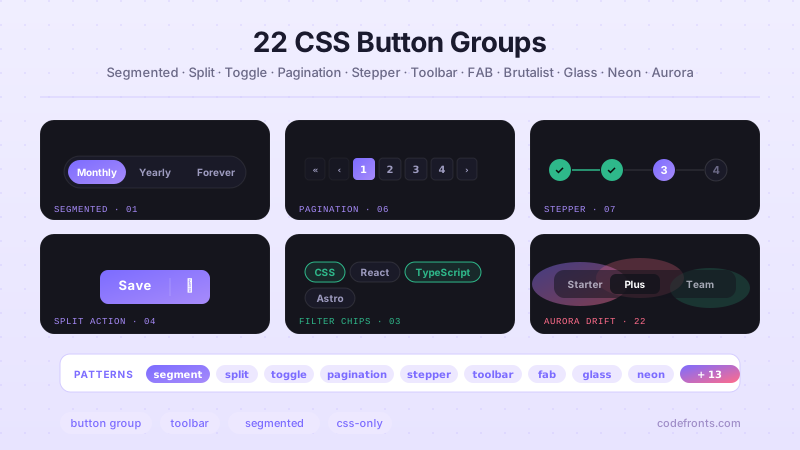
22 CSS Button Group Designs
22 dynamic CSS button groups with motion-driven interactions — plasma loops, holographic gradients, magnetic discs, wormhole tabs, particle aurora. Pure CSS or light JS, copy-paste ready.
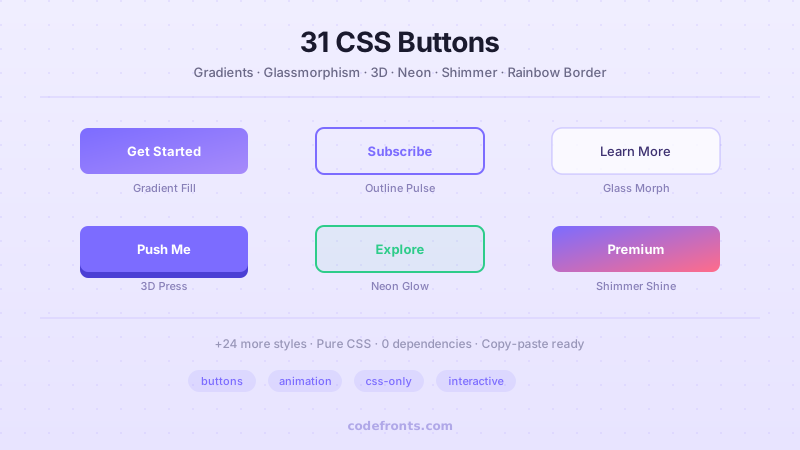
31 CSS Button Designs
31 hand-coded CSS buttons styled as real-world materials — brushed brass, holographic foil, vinyl record, velvet ribbon, frosted ice, brutalist concrete and more.
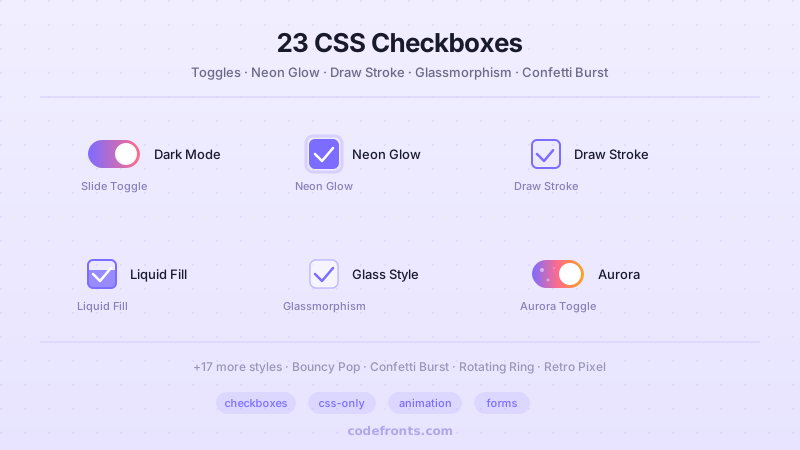
23 CSS Checkboxes
23 hand-crafted CSS checkboxes — toggles, glow, draw stroke, bouncy pop, glassmorphism, neumorphic, liquid fill, ripple, confetti and more. Mostly pure CSS, copy-paste ready.