32 examples Responsive Uses JS intermediate

32 CSS Search Box Designs

A CSS search box is a styled search input — typically wrapped in a form with role=search, paired with a magnifier icon, and often combined with autocomplete suggestions, recent-search history, voice input, or scope filters. These 32 hand-coded designs cover every common pattern: minimal underline, pill with submit, glass and neon variants, floating label, voice mic, loading spinner, clear-on-type, expanding input, inline autocomplete dropdown, ⌘K keyboard hint, tagged filters, recent searches, animated placeholder, brutalist toolbar, hero search, scope dropdown combo, and aurora drift. Every demo uses input type=search inside a form with a real label so browser-native search behaviour, screen-reader announcement, and form submission all work natively.

32 hand-coded CSS search boxes — minimal underline, glass, neon, voice search, autocomplete dropdown, recent searches, command-palette, brutalist, animated placeholder, premium gradient and more. Every demo is semantic, accessible, and copy-paste ready.

32 unique searches 24 Pure CSS 8 CSS + JS WCAG-friendly Mobile-first
01 / 32
Minimal Underline
Pure CSS
Borderless input with a thin bottom rule that animates outward from the centre on focus — the cleanest pattern that still signals interactivity.
.csb-min { position: relative; display: inline-block; }
.csb-min input {
  width: 240px; padding: 8px 0;
  border: 0; outline: none;
  background: transparent;
  color: #f0eeff; font: 500 14px/1 system-ui, sans-serif;
  border-bottom: 1px solid #2a2a3e;
}
.csb-min input::placeholder { color: #6b6987; }
.csb-min::after {
  content: ''; position: absolute;
  left: 50%; bottom: 0;
  width: 0; height: 2px;
  background: #7c6cff;
  transform: translateX(-50%);
  transition: width 0.3s ease;
}
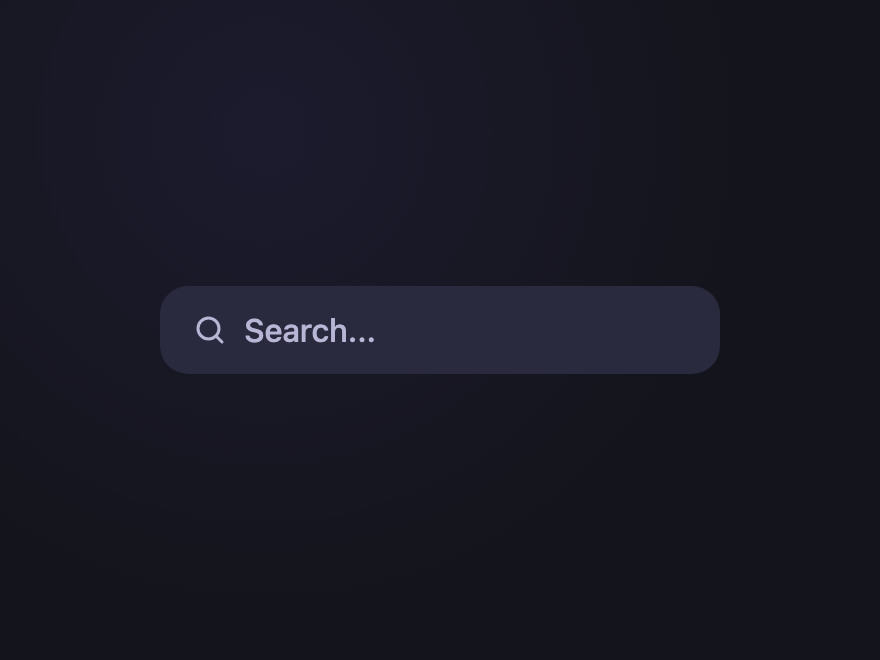
.csb-min:focus-within::after { width: 100%; }
<form class="csb-min" role="search">
  <label class="csb-sr" for="csb-min-i">Search</label>
  <input id="csb-min-i" type="search" name="q" placeholder="Search anything..." />
</form>
02 / 32
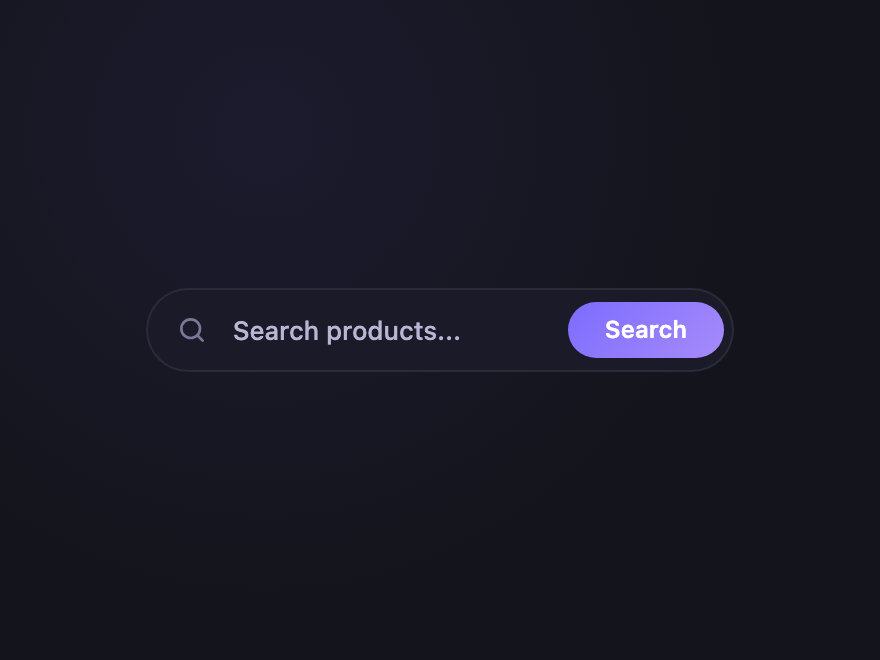
Pill with Submit
Pure CSS
Rounded pill shell with an inline submit button — the de facto pattern for site search and product search.
.csb-pill {
  display: inline-flex; align-items: center;
  background: #1a1a28;
  border: 1px solid rgba(255,255,255,0.08);
  border-radius: 999px;
  padding: 4px 4px 4px 14px;
  transition: border-color 0.2s, background 0.2s;
}
.csb-pill:focus-within { border-color: #7c6cff; background: #1f1f28; }
.csb-pill svg { width: 16px; height: 16px; fill: none; stroke: #7a7899; stroke-width: 2; stroke-linecap: round; }
.csb-pill input {
  flex: 1; min-width: 180px; padding: 8px 12px;
  border: 0; outline: none; background: transparent;
  color: #f0eeff; font: 500 13px/1 system-ui, sans-serif;
}
.csb-pill input::placeholder { color: #6b6987; }
.csb-pill button {
  padding: 8px 18px; border: 0; cursor: pointer;
  background: linear-gradient(135deg, #7c6cff, #a78bfa);
  color: #fff; font: 600 12px/1 system-ui, sans-serif;
  border-radius: 999px;
}
<form class="csb-pill" role="search">
  <label class="csb-sr" for="csb-pill-i">Search</label>
  <svg viewBox="0 0 24 24" aria-hidden="true"><circle cx="11" cy="11" r="7"/><path d="m20 20-3.5-3.5"/></svg>
  <input id="csb-pill-i" type="search" name="q" placeholder="Search products..." />
  <button type="submit">Search</button>
</form>
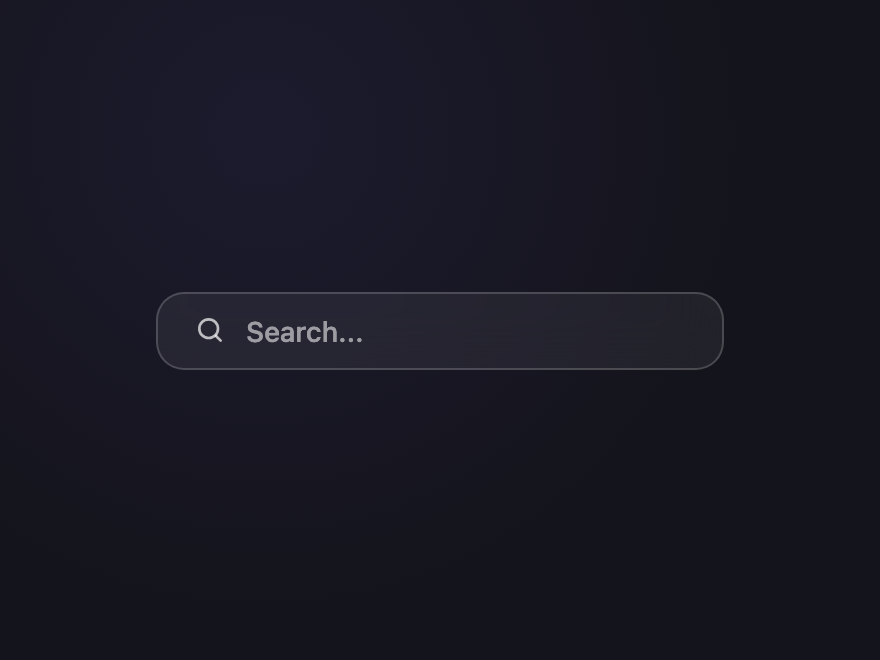
03 / 32
Glass Search
Pure CSS
Frosted-glass shell with backdrop blur — sits beautifully over hero images and gradient backgrounds.
.csb-glass {
  display: inline-flex; align-items: center; gap: 10px;
  padding: 10px 18px;
  background: rgba(255,255,255,0.06);
  border: 1px solid rgba(255,255,255,0.18);
  border-radius: 14px;
  backdrop-filter: blur(14px);
  -webkit-backdrop-filter: blur(14px);
  transition: background 0.25s, border-color 0.25s;
}
.csb-glass:focus-within { background: rgba(255,255,255,0.12); border-color: rgba(255,255,255,0.32); }
.csb-glass svg { width: 16px; height: 16px; fill: none; stroke: rgba(255,255,255,0.7); stroke-width: 2; stroke-linecap: round; }
.csb-glass input {
  width: 220px; padding: 0;
  border: 0; outline: none; background: transparent;
  color: #fff; font: 500 14px/1 system-ui, sans-serif;
}
.csb-glass input::placeholder { color: rgba(255,255,255,0.55); }
<form class="csb-glass" role="search">
  <label class="csb-sr" for="csb-glass-i">Search</label>
  <svg viewBox="0 0 24 24" aria-hidden="true"><circle cx="11" cy="11" r="7"/><path d="m20 20-3.5-3.5"/></svg>
  <input id="csb-glass-i" type="search" name="q" placeholder="Search..." />
</form>
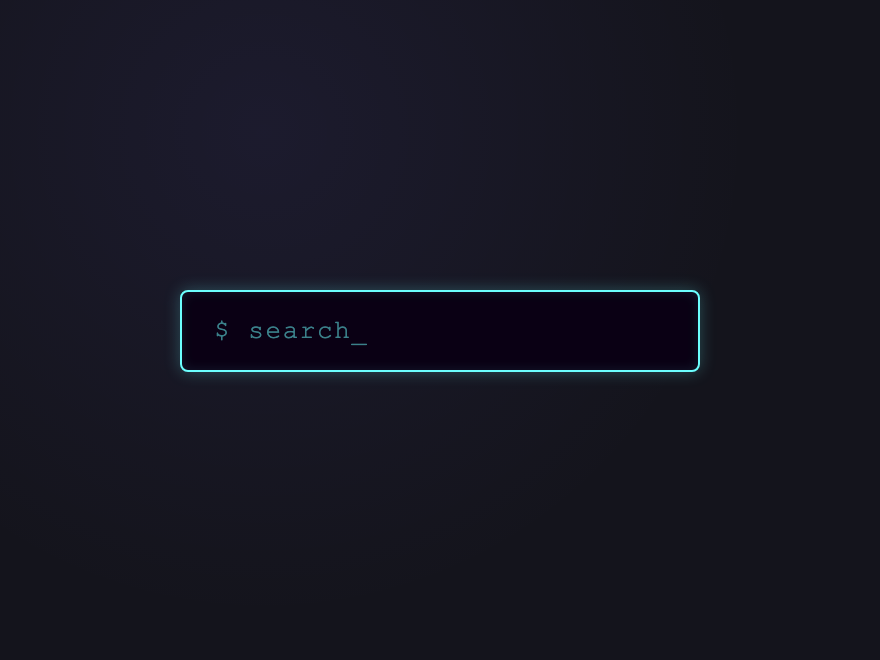
04 / 32
Neon Outline
Pure CSS
Synthwave neon ring with a soft glow that intensifies on focus — built for dark dashboards and game UIs.
.csb-neon {
  position: relative; display: inline-block;
}
.csb-neon input {
  width: 260px;
  padding: 12px 16px;
  background: #0a0014;
  border: 1.5px solid #6cffff;
  border-radius: 4px;
  color: #6cffff;
  font: 500 13px/1 'Courier New', monospace;
  letter-spacing: 0.06em;
  outline: none;
  box-shadow: 0 0 8px rgba(108,255,255,0.25), inset 0 0 6px rgba(108,255,255,0.1);
  transition: box-shadow 0.25s, border-color 0.25s;
}
.csb-neon input::placeholder { color: rgba(108,255,255,0.5); }
.csb-neon input:focus {
  border-color: #ff6cff;
  box-shadow: 0 0 18px rgba(255,108,255,0.6), 0 0 36px rgba(255,108,255,0.2), inset 0 0 10px rgba(255,108,255,0.15);
  color: #ff6cff;
}
<form class="csb-neon" role="search">
  <label class="csb-sr" for="csb-neon-i">Search</label>
  <input id="csb-neon-i" type="search" name="q" placeholder="$ search_" />
</form>
05 / 32
Floating Label
Pure CSS
Material-style floating label that snaps up when the input is focused or filled — uses :placeholder-shown for a JS-free implementation.
.csb-float {
  position: relative; display: inline-block;
}
.csb-float input {
  width: 240px; padding: 18px 14px 8px;
  background: #1a1a28;
  border: 1px solid rgba(255,255,255,0.08);
  border-radius: 8px;
  color: #f0eeff; font: 500 14px/1 system-ui, sans-serif;
  outline: none;
  transition: border-color 0.2s;
}
.csb-float input:focus { border-color: #7c6cff; }
.csb-float label {
  position: absolute;
  left: 14px; top: 50%;
  transform: translateY(-50%);
  color: #7a7899; font: 500 14px/1 system-ui, sans-serif;
  pointer-events: none;
  transition: top 0.2s, font-size 0.2s, color 0.2s;
}
.csb-float input:focus + label,
.csb-float input:not(:placeholder-shown) + label {
  top: 12px;
  font-size: 10.5px;
  color: #a78bfa;
  letter-spacing: 0.06em;
  text-transform: uppercase;
}
<form class="csb-float" role="search">
  <input id="csb-float-i" type="search" name="q" placeholder=" " />
  <label for="csb-float-i">Search anything</label>
</form>
06 / 32
Caret Highlight
Pure CSS
On focus, a single accent line sweeps left-to-right across the bottom of the input — a one-shot reveal that signals "this field is active" without any perpetual motion.
.csb-caret {
  position: relative; display: inline-block;
  overflow: hidden;
  border-radius: 10px;
}
.csb-caret input {
  display: block; width: 240px;
  padding: 11px 14px;
  background: #1a1a28;
  border: 1px solid rgba(255,255,255,0.08);
  border-radius: 10px;
  color: #f0eeff; font: 500 14px/1 system-ui, sans-serif;
  outline: none;
  transition: border-color 0.2s;
}
.csb-caret input::placeholder { color: #6b6987; }
.csb-caret:focus-within input { border-color: #7c6cff; }
.csb-caret::after {
  content: ''; position: absolute;
  left: 0; bottom: 0;
  height: 2px; width: 100%;
  background: linear-gradient(90deg, transparent, #7c6cff 40%, #ff6c8a 60%, transparent);
  transform: translateX(-100%);
  pointer-events: none;
}
.csb-caret:focus-within::after {
  animation: csb-caret-sweep 0.7s cubic-bezier(0.65,0,0.35,1) forwards;
}
@keyframes csb-caret-sweep {
  0%   { transform: translateX(-100%); }
  100% { transform: translateX(100%); }
}
<form class="csb-caret" role="search">
  <label class="csb-sr" for="csb-caret-i">Search</label>
  <input id="csb-caret-i" type="search" name="q" placeholder="Search collections..." />
</form>
07 / 32
Voice Search
CSS + JS
Microphone button that pulses while "listening" — toggles a recording state that demonstrates the visual feedback pattern (not real audio).
.csb-voice {
  display: inline-flex; align-items: center;
  background: #1a1a28;
  border: 1px solid rgba(255,255,255,0.08);
  border-radius: 10px;
  padding: 4px;
}
.csb-voice:focus-within { border-color: #7c6cff; }
.csb-voice input {
  flex: 1; min-width: 180px; padding: 8px 12px;
  border: 0; outline: none; background: transparent;
  color: #f0eeff; font: 500 13px/1 system-ui, sans-serif;
}
.csb-voice input::placeholder { color: #6b6987; }
.csb-voice-mic {
  width: 34px; height: 34px;
  border: 0; cursor: pointer;
  background: transparent;
  border-radius: 8px;
  display: flex; align-items: center; justify-content: center;
  position: relative;
  transition: background 0.2s;
}
.csb-voice-mic:hover { background: rgba(124,108,255,0.08); }
.csb-voice-mic svg { width: 16px; height: 16px; fill: none; stroke: #a78bfa; stroke-width: 2; stroke-linecap: round; }
.csb-voice-mic[aria-pressed="true"] svg { stroke: #ff6c8a; }
.csb-voice-mic[aria-pressed="true"]::after {
  content: ''; position: absolute; inset: 4px;
  border-radius: 6px; border: 1.5px solid #ff6c8a;
  animation: csb-voice-pulse 1.2s ease-out infinite;
}
@keyframes csb-voice-pulse {
  0%   { transform: scale(0.8); opacity: 1; }
  100% { transform: scale(1.4); opacity: 0; }
}
<form class="csb-voice" role="search">
  <label class="csb-sr" for="csb-voice-i">Search by voice</label>
  <input id="csb-voice-i" type="search" name="q" placeholder="Speak to search..." />
  <button type="button" class="csb-voice-mic" aria-label="Start voice input" aria-pressed="false">
    <svg viewBox="0 0 24 24" aria-hidden="true"><rect x="9" y="3" width="6" height="11" rx="3"/><path d="M5 11a7 7 0 0 0 14 0M12 18v3"/></svg>
  </button>
</form>
document.querySelectorAll('.csb-voice-mic').forEach(function(btn) {
  btn.addEventListener('click', function() {
    var on = btn.getAttribute('aria-pressed') === 'true';
    btn.setAttribute('aria-pressed', on ? 'false' : 'true');
  });
});
08 / 32
Loading Spinner
CSS + JS
Magnifying glass icon morphs into a spinner while the form is "searching" — paired with a class that simulates the loading state.
.csb-load {
  display: inline-flex; align-items: center; gap: 10px;
  padding: 10px 14px;
  background: #1a1a28;
  border: 1px solid rgba(255,255,255,0.08);
  border-radius: 10px;
}
.csb-load:focus-within { border-color: #7c6cff; }
.csb-load-icon { position: relative; width: 16px; height: 16px; flex-shrink: 0; }
.csb-load-glass, .csb-load-spin {
  position: absolute; inset: 0;
  transition: opacity 0.2s;
}
.csb-load-glass { fill: none; stroke: #7a7899; stroke-width: 2; stroke-linecap: round; }
.csb-load-spin {
  border: 2px solid rgba(124,108,255,0.2);
  border-top-color: #7c6cff;
  border-radius: 50%;
  opacity: 0;
  animation: csb-load-rot 0.7s linear infinite;
}
.csb-load.is-loading .csb-load-glass { opacity: 0; }
.csb-load.is-loading .csb-load-spin  { opacity: 1; }
.csb-load input {
  flex: 1; min-width: 200px; padding: 0;
  border: 0; outline: none; background: transparent;
  color: #f0eeff; font: 500 14px/1 system-ui, sans-serif;
}
.csb-load input::placeholder { color: #6b6987; }
@keyframes csb-load-rot { to { transform: rotate(360deg); } }
<form class="csb-load" role="search">
  <label class="csb-sr" for="csb-load-i">Search</label>
  <span class="csb-load-icon">
    <svg class="csb-load-glass" viewBox="0 0 24 24" aria-hidden="true"><circle cx="11" cy="11" r="7"/><path d="m20 20-3.5-3.5"/></svg>
    <span class="csb-load-spin"></span>
  </span>
  <input id="csb-load-i" type="search" name="q" placeholder="Press Enter to search..." />
</form>
document.querySelectorAll('.csb-load').forEach(function(form) {
  form.addEventListener('submit', function(e) {
    e.preventDefault();
    form.classList.add('is-loading');
    setTimeout(function() { form.classList.remove('is-loading'); }, 1500);
  });
});
09 / 32
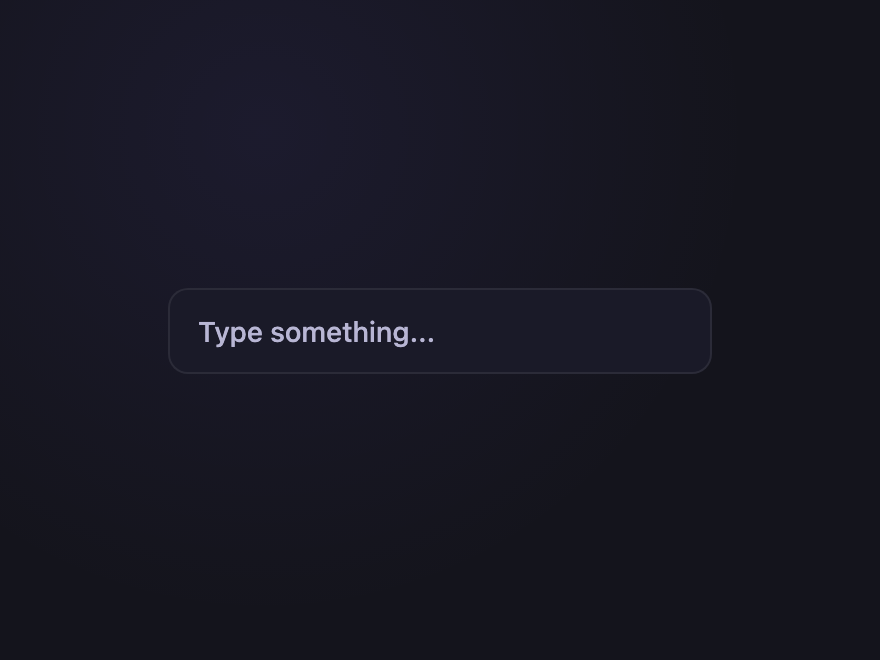
Clear-on-Type
Pure CSS
An × clear button appears as soon as the user types — pure CSS via :placeholder-shown, no JS state needed.
.csb-clear {
  display: inline-flex; align-items: center;
  padding: 4px 6px 4px 14px;
  background: #1a1a28;
  border: 1px solid rgba(255,255,255,0.08);
  border-radius: 10px;
}
.csb-clear:focus-within { border-color: #7c6cff; }
.csb-clear input {
  width: 220px; padding: 8px 0;
  border: 0; outline: none; background: transparent;
  color: #f0eeff; font: 500 14px/1 system-ui, sans-serif;
  -webkit-appearance: none; appearance: none;
}
.csb-clear input::-webkit-search-decoration,
.csb-clear input::-webkit-search-cancel-button { display: none; }
.csb-clear input::placeholder { color: #6b6987; }
.csb-clear-x {
  width: 24px; height: 24px;
  border: 0; cursor: pointer;
  background: rgba(255,255,255,0.06);
  border-radius: 50%;
  position: relative;
  margin-left: 6px;
  opacity: 0; transform: scale(0.6);
  transition: opacity 0.2s, transform 0.2s;
}
.csb-clear input:not(:placeholder-shown) ~ .csb-clear-x {
  opacity: 1; transform: scale(1);
}
.csb-clear-x::before, .csb-clear-x::after {
  content: ''; position: absolute;
  top: 50%; left: 50%;
  width: 9px; height: 1.5px;
  background: #f0eeff; border-radius: 1px;
}
.csb-clear-x::before { transform: translate(-50%,-50%) rotate(45deg); }
.csb-clear-x::after  { transform: translate(-50%,-50%) rotate(-45deg); }
.csb-clear-x:hover { background: rgba(255,108,138,0.2); }
<form class="csb-clear" role="search">
  <label class="csb-sr" for="csb-clear-i">Search</label>
  <input id="csb-clear-i" type="search" name="q" placeholder="Type something..." />
  <button type="reset" class="csb-clear-x" aria-label="Clear search"></button>
</form>
10 / 32
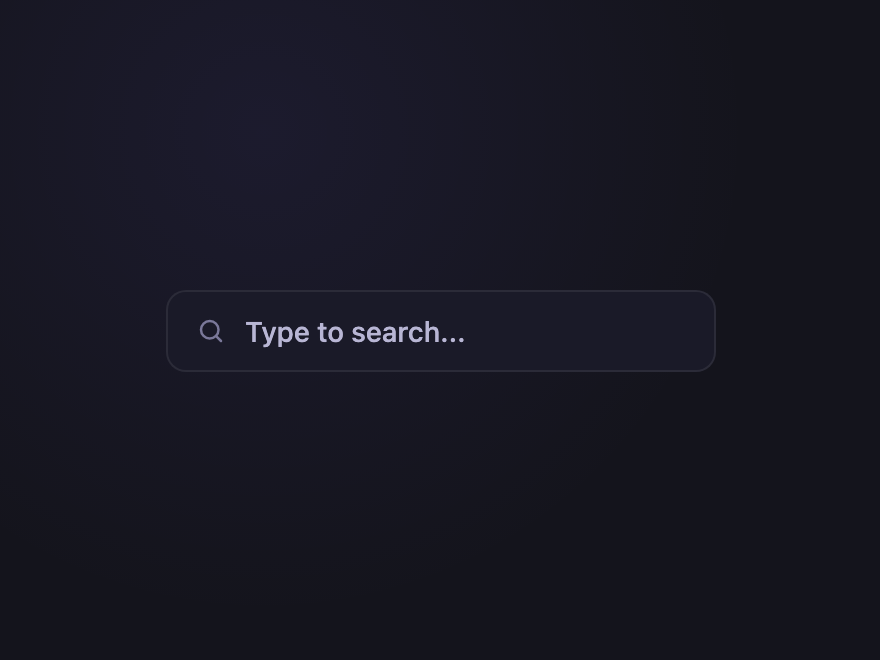
Expanding Input
CSS + JS
Compact icon-only at rest; click expands it into a full-width input. Collapses back when blurred and empty.
.csb-expand {
  display: inline-flex; align-items: center;
  background: #1a1a28;
  border: 1px solid rgba(255,255,255,0.08);
  border-radius: 999px;
  padding: 4px;
  transition: border-color 0.2s;
}
.csb-expand:focus-within, .csb-expand.is-open { border-color: #7c6cff; }
.csb-expand-toggle {
  width: 36px; height: 36px;
  border: 0; cursor: pointer; background: transparent;
  border-radius: 50%;
  display: flex; align-items: center; justify-content: center;
}
.csb-expand-toggle svg { width: 16px; height: 16px; fill: none; stroke: #a78bfa; stroke-width: 2; stroke-linecap: round; }
.csb-expand input {
  width: 0; padding: 0; border: 0; outline: none; background: transparent;
  color: #f0eeff; font: 500 14px/1 system-ui, sans-serif;
  transition: width 0.35s cubic-bezier(0.65,0,0.35,1), padding 0.35s;
}
.csb-expand input::placeholder { color: #6b6987; }
.csb-expand.is-open input { width: 200px; padding: 0 14px; }
<form class="csb-expand" role="search">
  <label class="csb-sr" for="csb-expand-i">Search</label>
  <button type="button" class="csb-expand-toggle" aria-label="Open search">
    <svg viewBox="0 0 24 24" aria-hidden="true"><circle cx="11" cy="11" r="7"/><path d="m20 20-3.5-3.5"/></svg>
  </button>
  <input id="csb-expand-i" type="search" name="q" placeholder="Type to search..." />
</form>
document.querySelectorAll('.csb-expand').forEach(function(form) {
  var toggle = form.querySelector('.csb-expand-toggle');
  var input  = form.querySelector('input');
  toggle.addEventListener('click', function() {
    form.classList.add('is-open');
    setTimeout(function() { input.focus(); }, 200);
  });
  input.addEventListener('blur', function() {
    if (!input.value) form.classList.remove('is-open');
  });
});
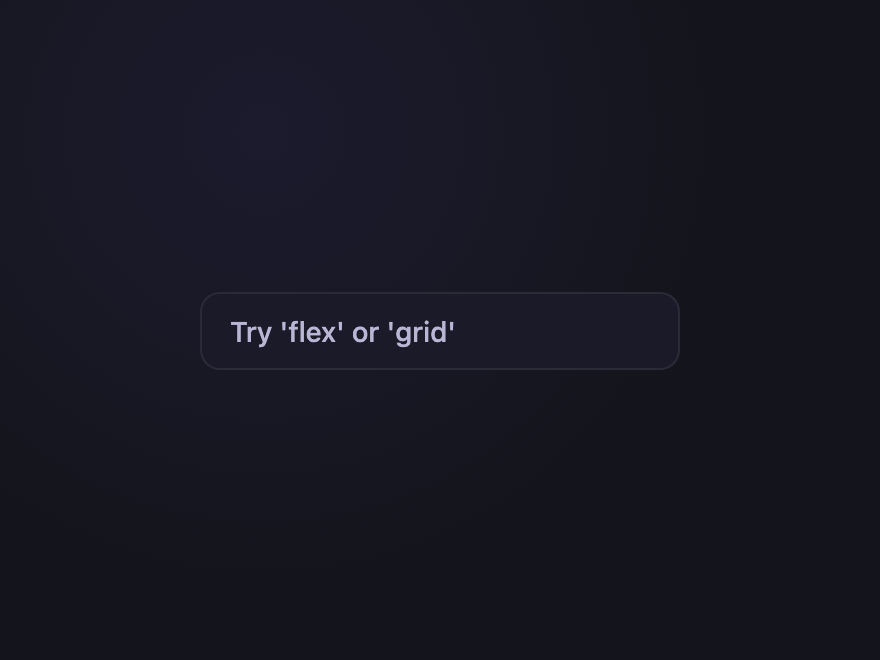
11 / 32
Inline Suggestions
CSS + JS
Real autocomplete dropdown — keyboard-navigable (↑ ↓ Enter Esc) with five live results that filter as you type.
.csb-sug { position: relative; display: inline-block; }
.csb-sug input {
  width: 240px; padding: 10px 14px;
  background: #1a1a28;
  border: 1px solid rgba(255,255,255,0.08);
  border-radius: 10px;
  color: #f0eeff; font: 500 14px/1 system-ui, sans-serif;
  outline: none;
  transition: border-color 0.2s, border-radius 0.15s;
}
.csb-sug input::placeholder { color: #6b6987; }
.csb-sug input:focus { border-color: #7c6cff; }
.csb-sug input[aria-expanded="true"] { border-radius: 10px 10px 0 0; border-bottom-color: transparent; }
.csb-sug-list {
  position: absolute; top: 100%; left: 0; right: 0;
  margin: 0; padding: 4px;
  list-style: none;
  background: #1a1a28;
  border: 1px solid #7c6cff; border-top: 0;
  border-radius: 0 0 10px 10px;
  z-index: 10;
  max-height: 220px; overflow-y: auto;
}
.csb-sug-list li {
  padding: 8px 10px;
  font: 500 13px/1.2 system-ui, sans-serif;
  color: #cbd5e1; cursor: pointer;
  border-radius: 6px;
}
.csb-sug-list li[aria-selected="true"], .csb-sug-list li:hover {
  background: rgba(124,108,255,0.12); color: #fff;
}
<form class="csb-sug" role="search" autocomplete="off">
  <label class="csb-sr" for="csb-sug-i">Search</label>
  <input id="csb-sug-i" type="search" name="q" placeholder="Try 'flex' or 'grid'" aria-controls="csb-sug-list" aria-expanded="false" aria-autocomplete="list" />
  <ul id="csb-sug-list" class="csb-sug-list" role="listbox" hidden>
    <li role="option">Flex container</li>
    <li role="option">Flex item</li>
    <li role="option">Grid container</li>
    <li role="option">Grid template</li>
    <li role="option">Grid auto-flow</li>
  </ul>
</form>
document.querySelectorAll('.csb-sug').forEach(function(form) {
  var input = form.querySelector('input');
  var list  = form.querySelector('.csb-sug-list');
  var items = Array.from(list.querySelectorAll('li'));
  var idx = -1;
  function open()  { list.hidden = false; input.setAttribute('aria-expanded', 'true'); }
  function close() { list.hidden = true;  input.setAttribute('aria-expanded', 'false'); idx = -1; items.forEach(function(li){ li.removeAttribute('aria-selected'); }); }
  function filter(q) {
    var any = false;
    items.forEach(function(li) {
      var match = !q || li.textContent.toLowerCase().includes(q.toLowerCase());
      li.style.display = match ? '' : 'none';
      if (match) any = true;
    });
    return any;
  }
  function select(n) {
    items.forEach(function(li){ li.removeAttribute('aria-selected'); });
    var visible = items.filter(function(li){ return li.style.display !== 'none'; });
    if (visible.length === 0) return;
    idx = (n + visible.length) % visible.length;
    visible[idx].setAttribute('aria-selected', 'true');
  }
  input.addEventListener('focus',  function() { if (filter(input.value)) open(); });
  input.addEventListener('input',  function() { if (filter(input.value)) open(); else close(); });
  input.addEventListener('blur',   function() { setTimeout(close, 150); });
  input.addEventListener('keydown', function(e) {
    if (list.hidden) return;
    if (e.key === 'ArrowDown') { e.preventDefault(); select(idx + 1); }
    else if (e.key === 'ArrowUp') { e.preventDefault(); select(idx - 1); }
    else if (e.key === 'Escape')  { close(); input.blur(); }
    else if (e.key === 'Enter')   {
      var visible = items.filter(function(li){ return li.style.display !== 'none'; });
      if (idx >= 0 && visible[idx]) { e.preventDefault(); input.value = visible[idx].textContent; close(); }
    }
  });
  list.addEventListener('mousedown', function(e) {
    var li = e.target.closest('li[role="option"]');
    if (li) { input.value = li.textContent; close(); }
  });
});
12 / 32
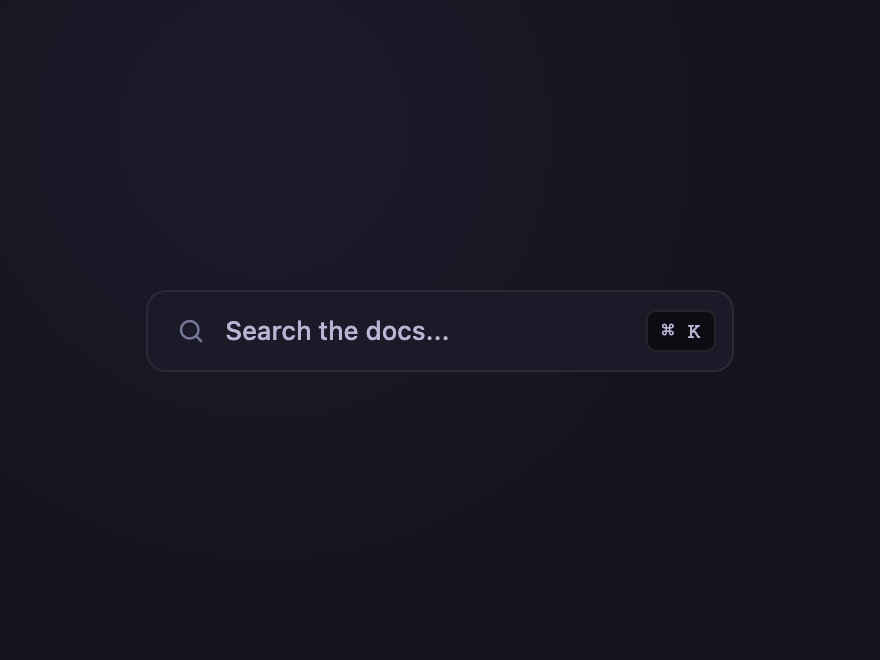
Keyboard Hint
Pure CSS
A subtle ⌘K kbd badge sits inside the input as a hint to power users — fades when the field is focused.
.csb-kbd {
  display: inline-flex; align-items: center; gap: 10px;
  padding: 9px 8px 9px 14px;
  background: #1a1a28;
  border: 1px solid rgba(255,255,255,0.08);
  border-radius: 10px;
}
.csb-kbd:focus-within { border-color: #7c6cff; }
.csb-kbd svg { width: 15px; height: 15px; fill: none; stroke: #7a7899; stroke-width: 2; stroke-linecap: round; }
.csb-kbd input {
  width: 200px; padding: 0;
  border: 0; outline: none; background: transparent;
  color: #f0eeff; font: 500 13px/1 system-ui, sans-serif;
}
.csb-kbd input::placeholder { color: #6b6987; }
.csb-kbd-key {
  font-family: 'JetBrains Mono', monospace; font-size: 11px;
  padding: 3px 7px;
  color: #9d9bbf;
  background: #0c0c12;
  border: 1px solid rgba(255,255,255,0.1);
  border-radius: 5px;
  transition: opacity 0.2s;
}
.csb-kbd:focus-within .csb-kbd-key { opacity: 0.3; }
<form class="csb-kbd" role="search">
  <label class="csb-sr" for="csb-kbd-i">Search</label>
  <svg viewBox="0 0 24 24" aria-hidden="true"><circle cx="11" cy="11" r="7"/><path d="m20 20-3.5-3.5"/></svg>
  <input id="csb-kbd-i" type="search" name="q" placeholder="Search the docs..." />
  <kbd class="csb-kbd-key">⌘ K</kbd>
</form>
13 / 32
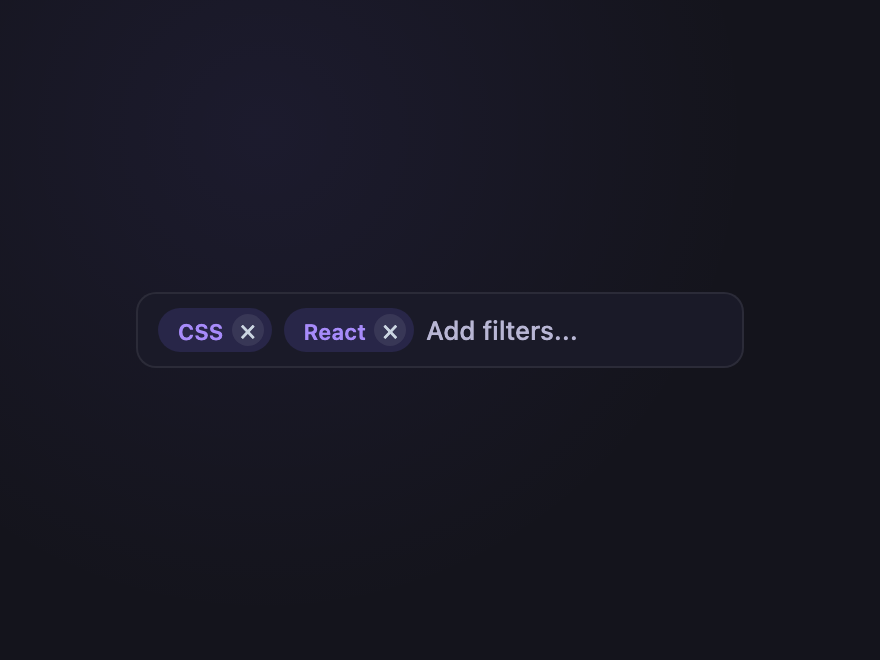
Tagged Filter
CSS + JS
Active filter chips live inside the search bar — click × on a chip to remove it. Real interaction, not a mock.
.csb-tag {
  display: inline-flex; flex-wrap: wrap; align-items: center; gap: 6px;
  padding: 6px 10px;
  background: #1a1a28;
  border: 1px solid rgba(255,255,255,0.08);
  border-radius: 10px;
  max-width: 320px;
}
.csb-tag:focus-within { border-color: #7c6cff; }
.csb-tag-chip {
  display: inline-flex; align-items: center; gap: 4px;
  padding: 3px 4px 3px 10px;
  background: rgba(124,108,255,0.15);
  color: #a78bfa;
  border-radius: 999px;
  font: 600 11px/1 system-ui, sans-serif;
}
.csb-tag-chip button {
  width: 16px; height: 16px;
  border: 0; cursor: pointer;
  background: rgba(255,255,255,0.08);
  color: #cbd5e1;
  border-radius: 50%;
  font: 400 14px/1 system-ui, sans-serif;
  display: flex; align-items: center; justify-content: center;
  padding: 0;
}
.csb-tag-chip button:hover { background: rgba(255,108,138,0.3); color: #fff; }
.csb-tag input {
  flex: 1; min-width: 90px; padding: 4px 0;
  border: 0; outline: none; background: transparent;
  color: #f0eeff; font: 500 13px/1 system-ui, sans-serif;
}
.csb-tag input::placeholder { color: #6b6987; }
<form class="csb-tag" role="search">
  <label class="csb-sr" for="csb-tag-i">Search with filters</label>
  <span class="csb-tag-chip">CSS<button type="button" aria-label="Remove CSS filter">×</button></span>
  <span class="csb-tag-chip">React<button type="button" aria-label="Remove React filter">×</button></span>
  <input id="csb-tag-i" type="search" name="q" placeholder="Add filters..." />
</form>
document.querySelectorAll('.csb-tag-chip button').forEach(function(btn) {
  btn.addEventListener('click', function() { btn.closest('.csb-tag-chip').remove(); });
});
14 / 32
Recent Searches
CSS + JS
Dropdown of recent queries on focus, with a "Clear all" action — production-grade pattern for site search and command palettes.
.csb-recent { position: relative; display: inline-block; }
.csb-recent input {
  width: 260px; padding: 10px 14px;
  background: #1a1a28;
  border: 1px solid rgba(255,255,255,0.08);
  border-radius: 10px;
  color: #f0eeff; font: 500 14px/1 system-ui, sans-serif;
  outline: none;
}
.csb-recent input::placeholder { color: #6b6987; }
.csb-recent input:focus { border-color: #7c6cff; }
.csb-recent input[aria-expanded="true"] { border-radius: 10px 10px 0 0; border-bottom-color: transparent; }
.csb-recent-list {
  position: absolute; top: 100%; left: 0; right: 0;
  background: #1a1a28;
  border: 1px solid #7c6cff; border-top: 0;
  border-radius: 0 0 10px 10px;
  padding: 6px;
  z-index: 10;
}
.csb-recent-head {
  display: flex; justify-content: space-between; align-items: center;
  padding: 4px 8px;
  font: 600 10px/1 'JetBrains Mono', monospace;
  letter-spacing: 0.08em; text-transform: uppercase;
  color: #6b6987;
}
.csb-recent-clear {
  border: 0; background: transparent;
  color: #ff6c8a; cursor: pointer;
  font: 600 10px/1 'JetBrains Mono', monospace;
}
.csb-recent-list [role="option"] {
  display: block; width: 100%; text-align: left;
  padding: 7px 10px;
  border: 0; cursor: pointer;
  background: transparent;
  color: #cbd5e1; font: 500 13px/1 system-ui, sans-serif;
  border-radius: 6px;
}
.csb-recent-list [role="option"]:hover { background: rgba(124,108,255,0.12); color: #fff; }
<form class="csb-recent" role="search" autocomplete="off">
  <label class="csb-sr" for="csb-recent-i">Search</label>
  <input id="csb-recent-i" type="search" name="q" placeholder="Search history..." aria-controls="csb-recent-list" aria-expanded="false" />
  <div id="csb-recent-list" class="csb-recent-list" role="listbox" hidden>
    <div class="csb-recent-head">
      <span>Recent</span>
      <button type="button" class="csb-recent-clear">Clear all</button>
    </div>
    <button type="button" role="option">flexbox layouts</button>
    <button type="button" role="option">aurora gradient</button>
    <button type="button" role="option">accessible modal</button>
  </div>
</form>
document.querySelectorAll('.csb-recent').forEach(function(form) {
  var input = form.querySelector('input');
  var list  = form.querySelector('.csb-recent-list');
  function open()  { list.hidden = false; input.setAttribute('aria-expanded', 'true'); }
  function close() { list.hidden = true;  input.setAttribute('aria-expanded', 'false'); }
  input.addEventListener('focus', open);
  input.addEventListener('blur', function() { setTimeout(close, 150); });
  list.addEventListener('mousedown', function(e) {
    var btn = e.target.closest('[role="option"]');
    if (btn) { input.value = btn.textContent; close(); }
  });
  var clear = form.querySelector('.csb-recent-clear');
  if (clear) clear.addEventListener('click', function() {
    form.querySelectorAll('[role="option"]').forEach(function(b){ b.remove(); });
  });
});
15 / 32
Animated Placeholder
Pure CSS
Placeholder text cycles through example queries on a typewriter loop — pure CSS using steps() animation on a marquee track.
.csb-anim { position: relative; display: inline-block; }
.csb-anim input {
  width: 240px; padding: 11px 14px;
  background: #1a1a28;
  border: 1px solid rgba(255,255,255,0.08);
  border-radius: 10px;
  color: #f0eeff; font: 500 14px/1 system-ui, sans-serif;
  outline: none; position: relative; z-index: 1;
}
.csb-anim input:focus { border-color: #7c6cff; }
.csb-anim-placeholder {
  position: absolute;
  left: 14px; right: 14px; top: 0; bottom: 0;
  overflow: hidden; pointer-events: none;
  display: flex; align-items: center;
}
.csb-anim-placeholder span {
  flex-shrink: 0; width: 100%;
  font: 500 14px/1 system-ui, sans-serif; color: #6b6987;
  white-space: nowrap;
}
.csb-anim:not(:focus-within) .csb-anim-placeholder span:first-child {
  animation: csb-anim-cycle 9s steps(1) infinite;
}
.csb-anim input:not(:placeholder-shown) ~ .csb-anim-placeholder,
.csb-anim:focus-within .csb-anim-placeholder { display: none; }
@keyframes csb-anim-cycle {
  0%, 33%   { margin-left: 0; }
  33.5%, 66% { margin-left: -100%; }
  66.5%, 99% { margin-left: -200%; }
  100%       { margin-left: 0; }
}
<form class="csb-anim" role="search">
  <label class="csb-sr" for="csb-anim-i">Search</label>
  <span class="csb-anim-placeholder" aria-hidden="true">
    <span>Search "flexbox"...</span>
    <span>Search "modals"...</span>
    <span>Search "animations"...</span>
    <span>Search "flexbox"...</span>
  </span>
  <input id="csb-anim-i" type="search" name="q" />
</form>
16 / 32
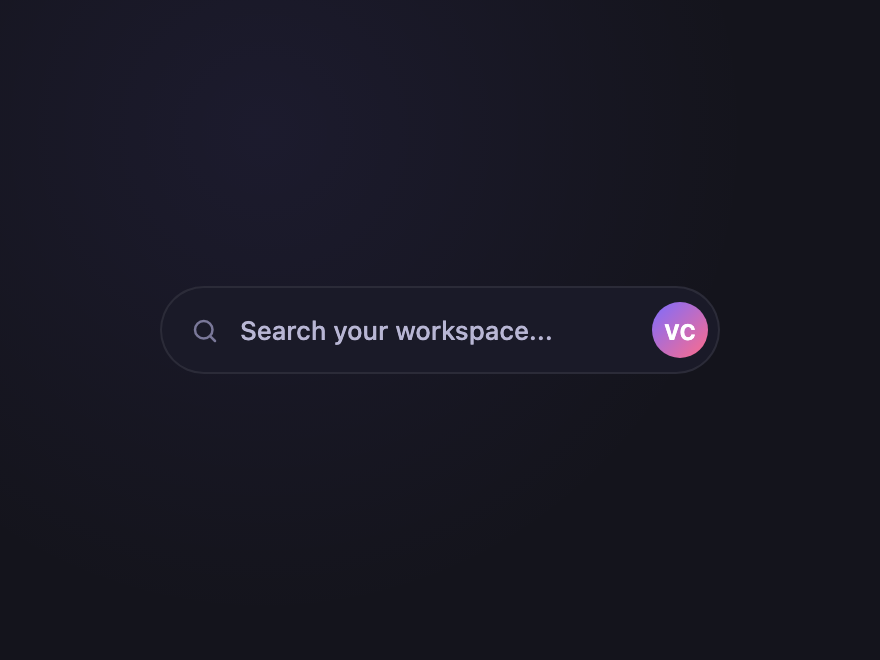
Avatar Search
Pure CSS
Search bar with the logged-in user avatar at the right edge — common in dashboards. Subtle but communicates "this search is yours".
.csb-avatar {
  display: inline-flex; align-items: center; gap: 10px;
  padding: 5px 5px 5px 14px;
  background: #1a1a28;
  border: 1px solid rgba(255,255,255,0.08);
  border-radius: 999px;
  min-width: 280px;
}
.csb-avatar:focus-within { border-color: #7c6cff; }
.csb-avatar svg { width: 15px; height: 15px; fill: none; stroke: #7a7899; stroke-width: 2; stroke-linecap: round; }
.csb-avatar input {
  flex: 1; padding: 8px 0;
  border: 0; outline: none; background: transparent;
  color: #f0eeff; font: 500 13px/1 system-ui, sans-serif;
}
.csb-avatar input::placeholder { color: #6b6987; }
.csb-avatar-pic {
  width: 28px; height: 28px;
  border-radius: 50%;
  background: linear-gradient(135deg, #7c6cff, #ff6c8a);
  color: #fff; font: 700 11px/1 system-ui, sans-serif;
  display: flex; align-items: center; justify-content: center;
  flex-shrink: 0;
}
<form class="csb-avatar" role="search">
  <label class="csb-sr" for="csb-avatar-i">Search</label>
  <svg viewBox="0 0 24 24" aria-hidden="true"><circle cx="11" cy="11" r="7"/><path d="m20 20-3.5-3.5"/></svg>
  <input id="csb-avatar-i" type="search" name="q" placeholder="Search your workspace..." />
  <span class="csb-avatar-pic" aria-hidden="true">VC</span>
</form>
17 / 32
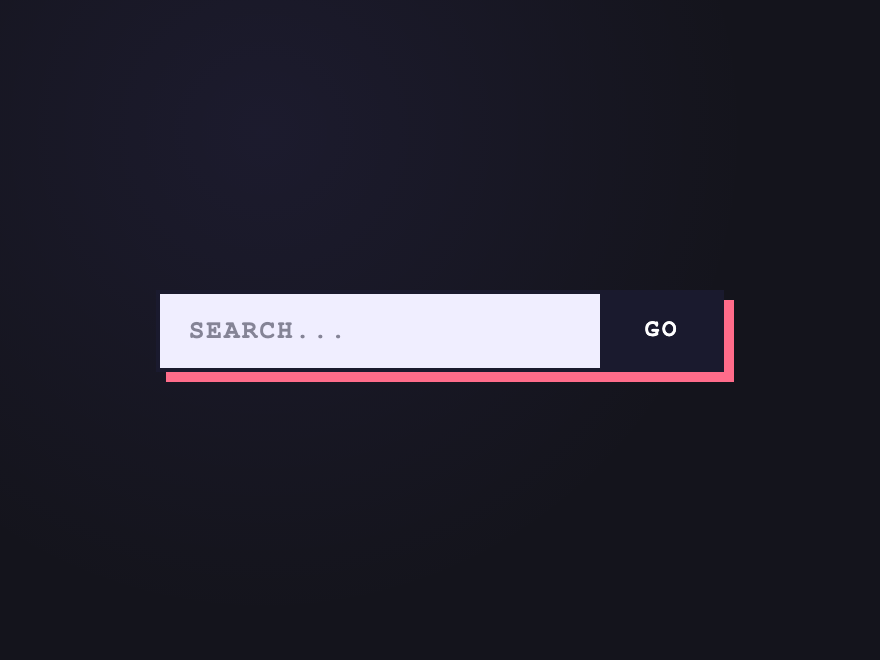
Brutalist Stamp
Pure CSS
Hard offset shadow, zero radius, bold mono — a search bar that doesn't apologize for itself.
.csb-brut {
  display: inline-flex; align-items: stretch;
  background: #f0eeff;
  border: 2.5px solid #1a1a2e;
  box-shadow: 5px 5px 0 #ff6c8a;
  transition: transform 0.1s, box-shadow 0.1s;
}
.csb-brut:focus-within { transform: translate(-1px,-1px); box-shadow: 6px 6px 0 #ff6c8a; }
.csb-brut input {
  width: 220px; padding: 11px 14px;
  border: 0; outline: none; background: transparent;
  color: #1a1a2e; font: 700 13px/1 'Courier New', monospace;
  letter-spacing: 0.08em;
}
.csb-brut input::placeholder { color: rgba(26,26,46,0.5); }
.csb-brut button {
  padding: 0 20px;
  border: 0; border-left: 2.5px solid #1a1a2e;
  cursor: pointer;
  background: #1a1a2e; color: #fff;
  font: 800 12px/1 'Courier New', monospace;
  letter-spacing: 0.12em;
}
<form class="csb-brut" role="search">
  <label class="csb-sr" for="csb-brut-i">Search</label>
  <input id="csb-brut-i" type="search" name="q" placeholder="SEARCH..." />
  <button type="submit">GO</button>
</form>
18 / 32
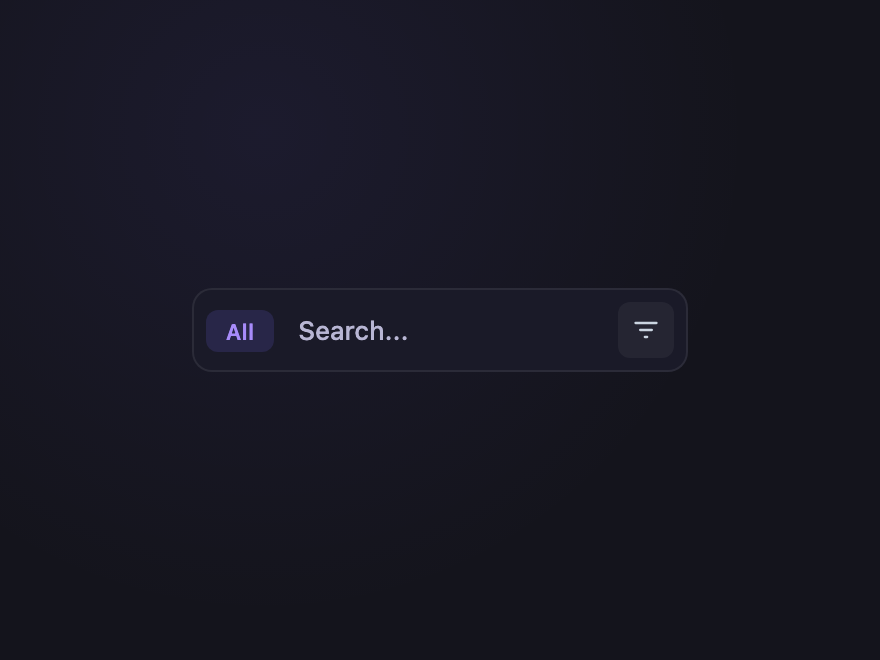
Compact Toolbar
Pure CSS
Search slotted between filter chips and an action button — the toolbar pattern most apps actually need.
.csb-tool {
  display: inline-flex; align-items: center; gap: 6px;
  padding: 6px;
  background: #1a1a28;
  border: 1px solid rgba(255,255,255,0.08);
  border-radius: 10px;
}
.csb-tool:focus-within { border-color: #7c6cff; }
.csb-tool-chip {
  padding: 5px 10px;
  background: rgba(124,108,255,0.15);
  color: #a78bfa;
  border-radius: 6px;
  font: 600 11px/1 system-ui, sans-serif;
  cursor: pointer;
}
.csb-tool input {
  flex: 1; min-width: 160px; padding: 5px 6px;
  border: 0; outline: none; background: transparent;
  color: #f0eeff; font: 500 13px/1 system-ui, sans-serif;
}
.csb-tool input::placeholder { color: #6b6987; }
.csb-tool-action {
  width: 28px; height: 28px;
  border: 0; cursor: pointer;
  background: rgba(255,255,255,0.05);
  border-radius: 6px;
  display: flex; align-items: center; justify-content: center;
}
.csb-tool-action:hover { background: rgba(255,255,255,0.1); }
.csb-tool-action svg { width: 14px; height: 14px; fill: none; stroke: #cbd5e1; stroke-width: 2; stroke-linecap: round; }
<form class="csb-tool" role="search">
  <span class="csb-tool-chip" role="button" tabindex="0">All</span>
  <label class="csb-sr" for="csb-tool-i">Search</label>
  <input id="csb-tool-i" type="search" name="q" placeholder="Search..." />
  <button type="button" class="csb-tool-action" aria-label="Filters">
    <svg viewBox="0 0 24 24" aria-hidden="true"><path d="M3 6h18M7 12h10M11 18h2"/></svg>
  </button>
</form>
19 / 32
Hero Search
Pure CSS
Big landing-page search with a subtle gradient halo behind it — the kind you put front-and-centre on a marketing site.
.csb-hero {
  position: relative; display: inline-flex; align-items: center;
  padding: 5px 5px 5px 14px; gap: 10px;
  background: #1a1a28;
  border: 1px solid rgba(255,255,255,0.08);
  border-radius: 14px;
  isolation: isolate;
  max-width: 100%;
}
.csb-hero::before {
  content: ''; position: absolute; inset: -20px; z-index: -1;
  background: radial-gradient(ellipse at center, rgba(124,108,255,0.4), transparent 70%);
  filter: blur(20px); opacity: 0.5;
  transition: opacity 0.3s;
}
.csb-hero:focus-within::before { opacity: 1; }
.csb-hero svg { width: 16px; height: 16px; flex-shrink: 0; fill: none; stroke: #a78bfa; stroke-width: 2; stroke-linecap: round; }
.csb-hero input {
  width: 180px; padding: 10px 0;
  border: 0; outline: none; background: transparent;
  color: #f0eeff; font: 500 15px/1 system-ui, sans-serif;
  min-width: 0;
}
.csb-hero input::placeholder { color: #6b6987; }
.csb-hero button {
  padding: 9px 16px; flex-shrink: 0;
  border: 0; cursor: pointer;
  background: linear-gradient(135deg, #7c6cff, #ff6c8a);
  color: #fff; font: 600 13px/1 system-ui, sans-serif;
  border-radius: 10px;
}
<form class="csb-hero" role="search">
  <label class="csb-sr" for="csb-hero-i">Search</label>
  <svg viewBox="0 0 24 24" aria-hidden="true"><circle cx="11" cy="11" r="7"/><path d="m20 20-3.5-3.5"/></svg>
  <input id="csb-hero-i" type="search" name="q" placeholder="What are you looking for?" />
  <button type="submit">Search</button>
</form>
20 / 32
Side Indicator
Pure CSS
A 3px coloured rail on the left edge of the input shifts colour on focus — minimal but unmistakable signal.
.csb-side {
  position: relative; display: inline-block;
}
.csb-side input {
  width: 240px; padding: 11px 14px 11px 18px;
  background: #1a1a28;
  border: 1px solid rgba(255,255,255,0.08);
  border-radius: 0 8px 8px 0;
  border-left: 3px solid #2a2a3e;
  color: #f0eeff; font: 500 14px/1 system-ui, sans-serif;
  outline: none;
  transition: border-left-color 0.25s;
}
.csb-side input::placeholder { color: #6b6987; }
.csb-side input:focus { border-left-color: #2ecc8a; }
<form class="csb-side" role="search">
  <label class="csb-sr" for="csb-side-i">Search</label>
  <input id="csb-side-i" type="search" name="q" placeholder="Search..." />
</form>
21 / 32
Drop Shadow Float
Pure CSS
Subtle elevation lift on focus — a soft transform + larger drop-shadow makes the input feel like it raised toward the user.
.csb-float-s {
  display: inline-flex; align-items: center; gap: 10px;
  padding: 11px 14px;
  background: #1a1a28;
  border: 1px solid rgba(255,255,255,0.08);
  border-radius: 10px;
  box-shadow: 0 1px 2px rgba(0,0,0,0.3);
  transform: translateY(0);
  transition: transform 0.25s ease, box-shadow 0.25s ease, border-color 0.25s;
}
.csb-float-s:focus-within {
  transform: translateY(-2px);
  box-shadow: 0 8px 24px rgba(124,108,255,0.25), 0 2px 4px rgba(0,0,0,0.3);
  border-color: rgba(124,108,255,0.5);
}
.csb-float-s svg { width: 15px; height: 15px; fill: none; stroke: #7a7899; stroke-width: 2; stroke-linecap: round; }
.csb-float-s input {
  width: 220px; padding: 0;
  border: 0; outline: none; background: transparent;
  color: #f0eeff; font: 500 14px/1 system-ui, sans-serif;
}
.csb-float-s input::placeholder { color: #6b6987; }
<form class="csb-float-s" role="search">
  <label class="csb-sr" for="csb-float-s-i">Search</label>
  <svg viewBox="0 0 24 24" aria-hidden="true"><circle cx="11" cy="11" r="7"/><path d="m20 20-3.5-3.5"/></svg>
  <input id="csb-float-s-i" type="search" name="q" placeholder="Search..." />
</form>
22 / 32
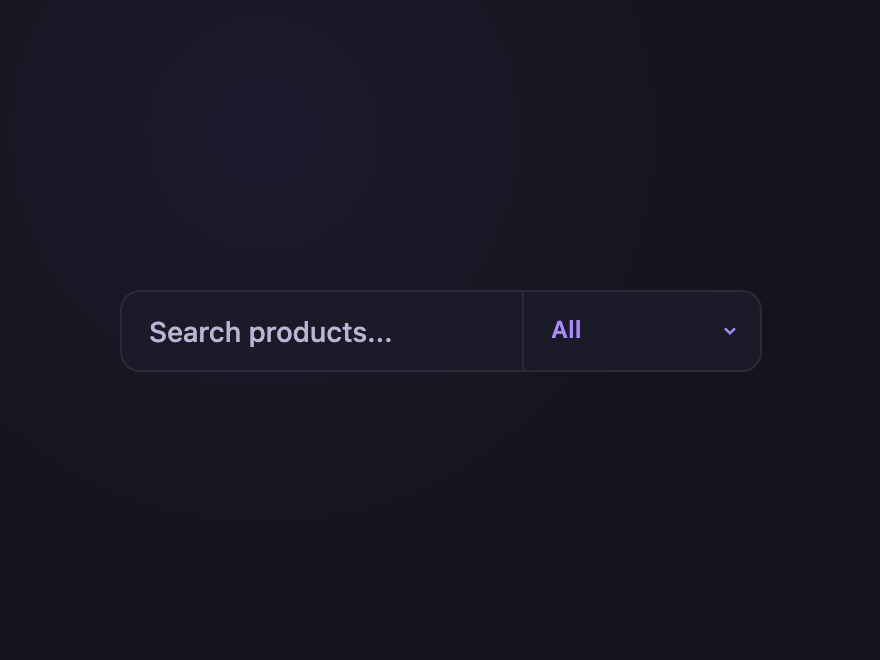
Search + Filter
Pure CSS
Two-column shell: input on the left, scope dropdown on the right, divided by a vertical hairline. The pattern of choice for ecommerce.
.csb-filter {
  display: inline-flex; align-items: stretch;
  background: #1a1a28;
  border: 1px solid rgba(255,255,255,0.08);
  border-radius: 10px;
}
.csb-filter:focus-within { border-color: #7c6cff; }
.csb-filter input {
  flex: 1; padding: 11px 14px;
  border: 0; outline: none; background: transparent;
  color: #f0eeff; font: 500 14px/1 system-ui, sans-serif;
  min-width: 200px;
}
.csb-filter input::placeholder { color: #6b6987; }
.csb-filter select {
  padding: 11px 14px;
  border: 0; border-left: 1px solid rgba(255,255,255,0.08);
  outline: none; cursor: pointer;
  background: transparent;
  color: #a78bfa; font: 600 12px/1 system-ui, sans-serif;
  appearance: none; -webkit-appearance: none;
  padding-right: 28px;
  background-image: url("data:image/svg+xml,%3Csvg xmlns='http://www.w3.org/2000/svg' viewBox='0 0 12 12'%3E%3Cpath d='M3 5l3 3 3-3' stroke='%23a78bfa' stroke-width='1.5' fill='none'/%3E%3C/svg%3E");
  background-repeat: no-repeat;
  background-position: right 10px center;
  background-size: 10px;
}
<form class="csb-filter" role="search">
  <label class="csb-sr" for="csb-filter-i">Search</label>
  <input id="csb-filter-i" type="search" name="q" placeholder="Search products..." />
  <label class="csb-sr" for="csb-filter-s">Category</label>
  <select id="csb-filter-s" name="cat">
    <option>All</option><option>Components</option><option>Tools</option><option>Generators</option>
  </select>
</form>
23 / 32
Inline Loading Bar
CSS + JS
A thin progress bar slides across the bottom of the input while results are loading — gentler than a full spinner for live-search UX.
.csb-bar {
  position: relative; display: inline-flex; align-items: center; gap: 10px;
  padding: 11px 14px;
  background: #1a1a28;
  border: 1px solid rgba(255,255,255,0.08);
  border-radius: 10px;
  overflow: hidden;
}
.csb-bar:focus-within { border-color: #7c6cff; }
.csb-bar svg { width: 15px; height: 15px; fill: none; stroke: #7a7899; stroke-width: 2; stroke-linecap: round; }
.csb-bar input {
  width: 220px; padding: 0;
  border: 0; outline: none; background: transparent;
  color: #f0eeff; font: 500 14px/1 system-ui, sans-serif;
}
.csb-bar input::placeholder { color: #6b6987; }
.csb-bar-progress {
  position: absolute; bottom: 0; left: 0;
  height: 2px; width: 30%;
  background: linear-gradient(90deg, transparent, #7c6cff, transparent);
  transform: translateX(-100%);
  transition: opacity 0.2s;
  opacity: 0;
}
.csb-bar.is-loading .csb-bar-progress {
  opacity: 1;
  animation: csb-bar-slide 1.2s linear infinite;
}
@keyframes csb-bar-slide {
  0%   { transform: translateX(-100%); }
  100% { transform: translateX(400%); }
}
<form class="csb-bar" role="search">
  <label class="csb-sr" for="csb-bar-i">Search</label>
  <svg viewBox="0 0 24 24" aria-hidden="true"><circle cx="11" cy="11" r="7"/><path d="m20 20-3.5-3.5"/></svg>
  <input id="csb-bar-i" type="search" name="q" placeholder="Type to search..." />
  <span class="csb-bar-progress" aria-hidden="true"></span>
</form>
document.querySelectorAll('.csb-bar').forEach(function(form) {
  var input = form.querySelector('input');
  var t;
  input.addEventListener('input', function() {
    form.classList.add('is-loading');
    clearTimeout(t);
    t = setTimeout(function() { form.classList.remove('is-loading'); }, 900);
  });
});
24 / 32
Dual Tone Outline
Pure CSS
The border is split into two halves — left edge stays neutral while the right half lights up violet on focus. A subtle "active half" cue.
.csb-dual {
  position: relative; display: inline-block;
  padding: 1.5px;
  background: linear-gradient(90deg, rgba(255,255,255,0.08) 0%, rgba(255,255,255,0.08) 50%, #7c6cff 50%, #7c6cff 100%);
  background-size: 200% 100%;
  background-position: 0% 0%;
  border-radius: 10px;
  transition: background-position 0.4s ease;
}
.csb-dual:focus-within { background-position: 100% 0%; }
.csb-dual input {
  display: block;
  width: 240px; padding: 11px 14px;
  border: 0; outline: none;
  background: #1a1a28;
  border-radius: 9px;
  color: #f0eeff; font: 500 14px/1 system-ui, sans-serif;
}
.csb-dual input::placeholder { color: #6b6987; }
<form class="csb-dual" role="search">
  <label class="csb-sr" for="csb-dual-i">Search</label>
  <input id="csb-dual-i" type="search" name="q" placeholder="Search..." />
</form>
25 / 32
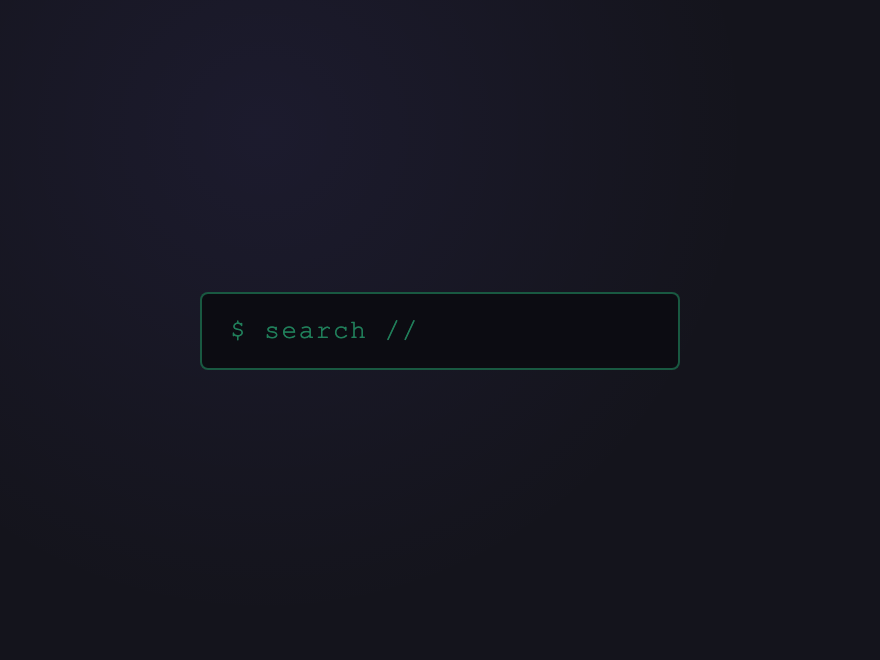
Glitch Search
Pure CSS
RGB-split glitch shudders across the placeholder when focused — leans into a hacker / dev-tool aesthetic.
.csb-glitch {
  position: relative; display: inline-block;
}
.csb-glitch input {
  width: 240px; padding: 11px 14px;
  background: #0c0c12;
  border: 1px solid rgba(46,204,138,0.4);
  border-radius: 4px;
  color: #2ecc8a; font: 500 13px/1 'Courier New', monospace;
  letter-spacing: 0.06em;
  outline: none;
  transition: border-color 0.2s;
}
.csb-glitch input::placeholder { color: rgba(46,204,138,0.6); }
.csb-glitch input:focus {
  border-color: #ff6c8a;
  animation: csb-glitch-shake 0.4s steps(2);
}
@keyframes csb-glitch-shake {
  0%,100% { transform: translateX(0); }
  20%      { transform: translateX(-2px); text-shadow: 2px 0 #ff6c8a, -2px 0 #06b6d4; }
  40%      { transform: translateX(2px);  text-shadow: -2px 0 #ff6c8a, 2px 0 #06b6d4; }
  60%      { transform: translateX(-1px); text-shadow: 1px 0 #ff6c8a, -1px 0 #06b6d4; }
  80%      { transform: translateX(1px);  text-shadow: 0 0 transparent; }
}
<form class="csb-glitch" role="search">
  <label class="csb-sr" for="csb-glitch-i">Search</label>
  <input id="csb-glitch-i" type="search" name="q" placeholder="$ search //" />
</form>
26 / 32
Compact Mobile
Pure CSS
Mobile-first compact pattern — generous tap target, soft rounded chrome, single-line visual rhythm. Ideal for thumb-reach.
.csb-mob {
  display: inline-flex; align-items: center; gap: 8px;
  padding: 12px 16px;
  background: #2a2a3e;
  border-radius: 14px;
  min-height: 44px;
  min-width: 280px;
}
.csb-mob:focus-within { background: #1f1f28; box-shadow: 0 0 0 2px rgba(124,108,255,0.4); }
.csb-mob svg { width: 18px; height: 18px; fill: none; stroke: #9d9bbf; stroke-width: 2; stroke-linecap: round; }
.csb-mob input {
  flex: 1; padding: 0;
  border: 0; outline: none; background: transparent;
  color: #f0eeff; font: 500 16px/1 system-ui, sans-serif;
}
.csb-mob input::placeholder { color: #9d9bbf; }
<form class="csb-mob" role="search">
  <label class="csb-sr" for="csb-mob-i">Search</label>
  <svg viewBox="0 0 24 24" aria-hidden="true"><circle cx="11" cy="11" r="7"/><path d="m20 20-3.5-3.5"/></svg>
  <input id="csb-mob-i" type="search" name="q" inputmode="search" placeholder="Search..." />
</form>
27 / 32
Focus Ring Bloom
Pure CSS
A soft expanding violet halo blooms outward when the input gains focus — disappears smoothly on blur.
.csb-bloom {
  position: relative; display: inline-block;
}
.csb-bloom input {
  width: 240px; padding: 11px 14px;
  background: #1a1a28;
  border: 1px solid rgba(255,255,255,0.08);
  border-radius: 10px;
  color: #f0eeff; font: 500 14px/1 system-ui, sans-serif;
  outline: none;
  transition: border-color 0.2s;
}
.csb-bloom input::placeholder { color: #6b6987; }
.csb-bloom::after {
  content: ''; position: absolute; inset: 0;
  border-radius: 10px;
  pointer-events: none;
  box-shadow: 0 0 0 0 rgba(124,108,255,0.6);
}
.csb-bloom:focus-within input { border-color: #7c6cff; }
.csb-bloom:focus-within::after {
  animation: csb-bloom-pulse 1.6s ease-out infinite;
}
@keyframes csb-bloom-pulse {
  0%,100% { box-shadow: 0 0 0 0 rgba(124,108,255,0.6); }
  50%      { box-shadow: 0 0 0 8px rgba(124,108,255,0); }
}
<form class="csb-bloom" role="search">
  <label class="csb-sr" for="csb-bloom-i">Search</label>
  <input id="csb-bloom-i" type="search" name="q" placeholder="Search..." />
</form>
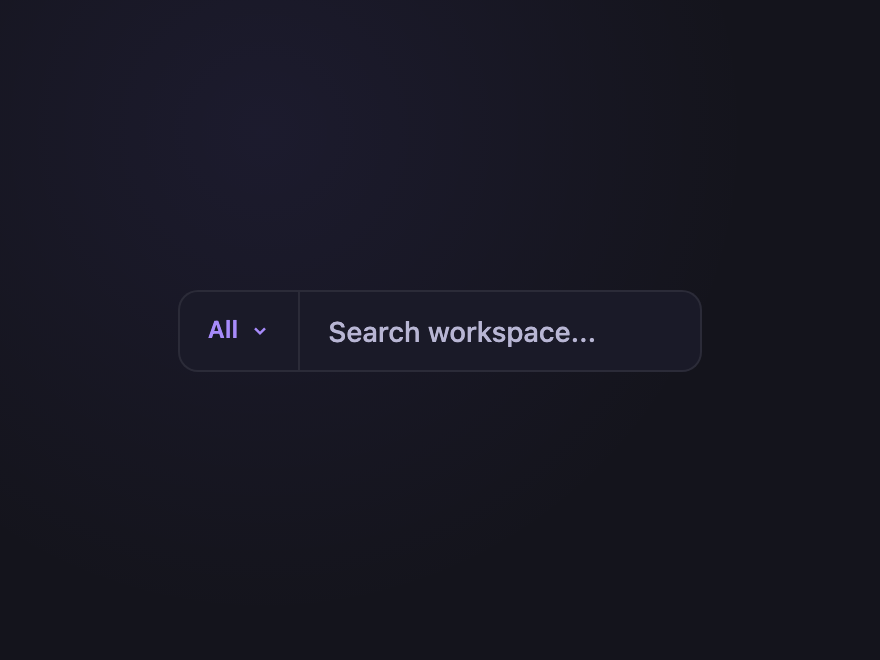
28 / 32
Combo with Scope
CSS + JS
Scope dropdown ("All / People / Posts / Files") inline with the input — the pattern Slack, Linear, and GitHub all converged on.
.csb-scope {
  position: relative; display: inline-flex; align-items: stretch;
  background: #1a1a28;
  border: 1px solid rgba(255,255,255,0.08);
  border-radius: 10px;
}
.csb-scope:focus-within { border-color: #7c6cff; }
.csb-scope-btn {
  display: inline-flex; align-items: center; gap: 6px;
  padding: 0 14px;
  border: 0; border-right: 1px solid rgba(255,255,255,0.08);
  background: transparent; cursor: pointer;
  color: #a78bfa; font: 600 12px/1 system-ui, sans-serif;
}
.csb-scope-btn svg { width: 10px; height: 10px; fill: none; stroke: #a78bfa; stroke-width: 1.5; }
.csb-scope-list {
  position: absolute; top: calc(100% + 4px); left: 0;
  margin: 0; padding: 4px;
  list-style: none;
  background: #1a1a28;
  border: 1px solid rgba(255,255,255,0.1);
  border-radius: 8px;
  z-index: 10;
  min-width: 120px;
}
.csb-scope-list li {
  padding: 7px 10px;
  font: 500 13px/1 system-ui, sans-serif;
  color: #cbd5e1; cursor: pointer;
  border-radius: 5px;
}
.csb-scope-list li[aria-selected="true"] { color: #a78bfa; }
.csb-scope-list li:hover { background: rgba(124,108,255,0.12); }
.csb-scope input {
  flex: 1; padding: 11px 14px;
  border: 0; outline: none; background: transparent;
  color: #f0eeff; font: 500 14px/1 system-ui, sans-serif;
  min-width: 200px;
}
.csb-scope input::placeholder { color: #6b6987; }
<form class="csb-scope" role="search">
  <button type="button" class="csb-scope-btn" aria-haspopup="listbox" aria-expanded="false">
    <span>All</span>
    <svg viewBox="0 0 12 12" aria-hidden="true"><path d="M3 5l3 3 3-3"/></svg>
  </button>
  <ul class="csb-scope-list" role="listbox" hidden>
    <li role="option" aria-selected="true">All</li>
    <li role="option">People</li>
    <li role="option">Posts</li>
    <li role="option">Files</li>
  </ul>
  <label class="csb-sr" for="csb-scope-i">Search</label>
  <input id="csb-scope-i" type="search" name="q" placeholder="Search workspace..." />
</form>
document.querySelectorAll('.csb-scope').forEach(function(form) {
  var btn  = form.querySelector('.csb-scope-btn');
  var list = form.querySelector('.csb-scope-list');
  var label = btn.querySelector('span');
  btn.addEventListener('click', function(e) {
    e.stopPropagation();
    var open = list.hidden;
    list.hidden = !open;
    btn.setAttribute('aria-expanded', open ? 'true' : 'false');
  });
  list.addEventListener('click', function(e) {
    var li = e.target.closest('li[role="option"]');
    if (!li) return;
    list.querySelectorAll('li').forEach(function(x){ x.removeAttribute('aria-selected'); });
    li.setAttribute('aria-selected', 'true');
    label.textContent = li.textContent;
    list.hidden = true;
    btn.setAttribute('aria-expanded', 'false');
  });
  document.addEventListener('click', function() {
    list.hidden = true;
    btn.setAttribute('aria-expanded', 'false');
  });
});
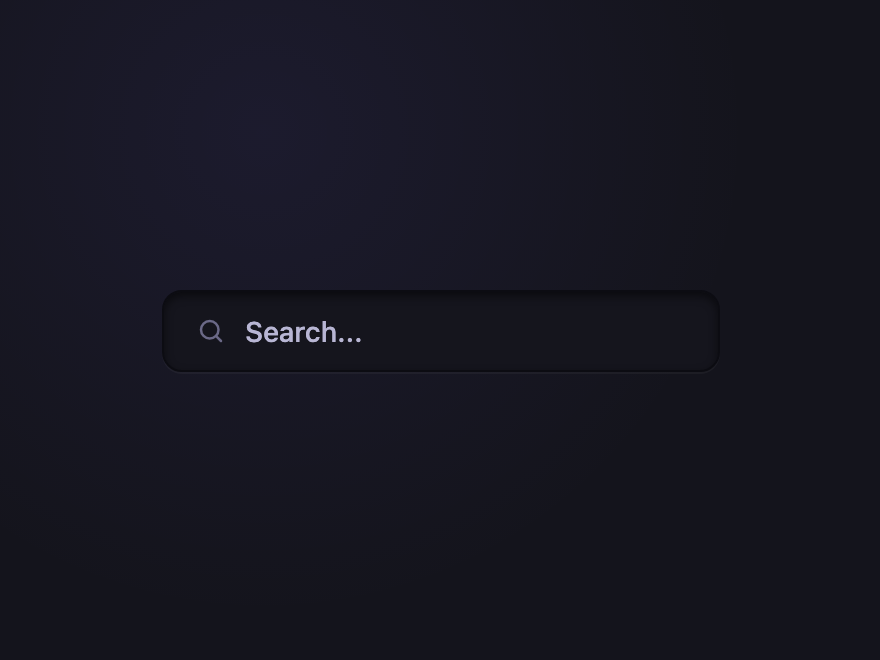
29 / 32
Inset Pressed
Pure CSS
Skeuomorphic inset shadow makes the input look pressed into the surface — a return to depth without the kitsch.
.csb-inset {
  display: inline-flex; align-items: center; gap: 10px;
  padding: 11px 16px;
  background: #15151d;
  border: 1px solid #0c0c12;
  border-radius: 10px;
  box-shadow: inset 0 2px 4px rgba(0,0,0,0.5), 0 1px 0 rgba(255,255,255,0.04);
  transition: box-shadow 0.2s;
}
.csb-inset:focus-within {
  box-shadow: inset 0 2px 4px rgba(0,0,0,0.5), 0 0 0 2px rgba(124,108,255,0.3);
}
.csb-inset svg { width: 15px; height: 15px; fill: none; stroke: #6b6987; stroke-width: 2; stroke-linecap: round; }
.csb-inset input {
  width: 220px; padding: 0;
  border: 0; outline: none; background: transparent;
  color: #f0eeff; font: 500 14px/1 system-ui, sans-serif;
}
.csb-inset input::placeholder { color: #6b6987; }
<form class="csb-inset" role="search">
  <label class="csb-sr" for="csb-inset-i">Search</label>
  <svg viewBox="0 0 24 24" aria-hidden="true"><circle cx="11" cy="11" r="7"/><path d="m20 20-3.5-3.5"/></svg>
  <input id="csb-inset-i" type="search" name="q" placeholder="Search..." />
</form>
30 / 32
Border Trace
Pure CSS
On focus, two halves of a border trace simultaneously around the input — a clean line-drawing reveal. No box-shadow, no gradients.
.csb-trace {
  position: relative; display: inline-block;
  padding: 0;
}
.csb-trace input {
  width: 240px; padding: 11px 14px;
  background: #1a1a28;
  border: 1px solid rgba(255,255,255,0.08);
  border-radius: 8px;
  color: #f0eeff; font: 500 14px/1 system-ui, sans-serif;
  outline: none;
  transition: border-color 0.15s;
}
.csb-trace:focus-within input { border-color: transparent; }
.csb-trace input::placeholder { color: #6b6987; }
.csb-trace-tl, .csb-trace-br {
  position: absolute; pointer-events: none;
  border-color: #7c6cff;
  border-radius: 8px;
}
.csb-trace-tl {
  top: 0; left: 0;
  width: 0; height: 0;
  border-top: 1.5px solid transparent;
  border-left: 1.5px solid transparent;
}
.csb-trace-br {
  bottom: 0; right: 0;
  width: 0; height: 0;
  border-bottom: 1.5px solid transparent;
  border-right: 1.5px solid transparent;
}
.csb-trace:focus-within .csb-trace-tl {
  width: 100%; height: 100%;
  border-top-color: #7c6cff;
  border-left-color: #7c6cff;
  transition: width 0.25s ease, height 0.25s ease 0.25s;
}
.csb-trace:focus-within .csb-trace-br {
  width: 100%; height: 100%;
  border-bottom-color: #7c6cff;
  border-right-color: #7c6cff;
  transition: width 0.25s ease 0.5s, height 0.25s ease 0.25s;
}
<form class="csb-trace" role="search">
  <label class="csb-sr" for="csb-trace-i">Search</label>
  <input id="csb-trace-i" type="search" name="q" placeholder="Search..." />
  <span class="csb-trace-tl"></span>
  <span class="csb-trace-br"></span>
</form>
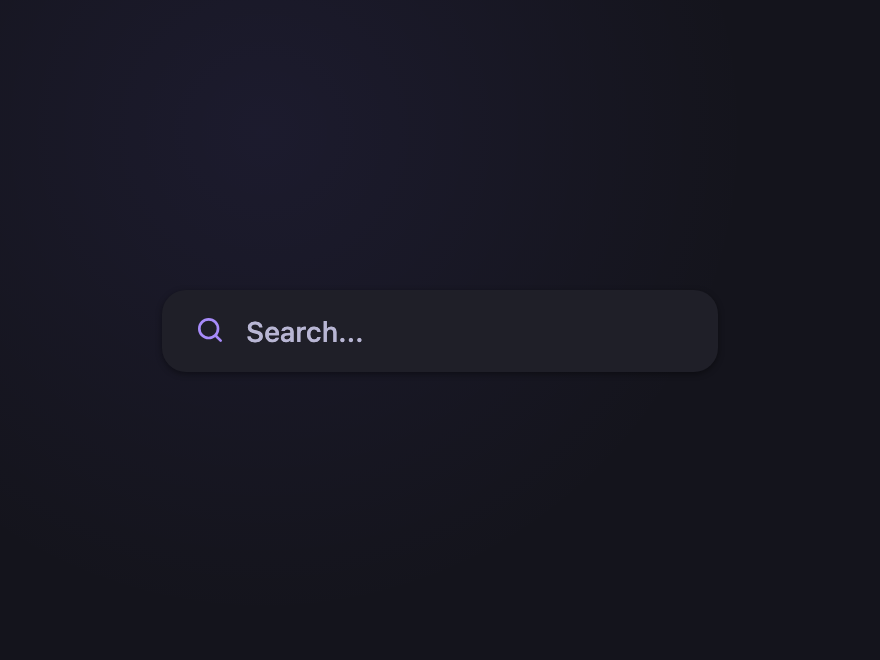
31 / 32
Floating Card
Pure CSS
The whole search bar lifts off the page on focus with a soft shadow and a tiny scale-up — a tactile "pick me up" feel.
.csb-card {
  display: inline-flex; align-items: center; gap: 10px;
  padding: 12px 16px;
  background: #1f1f28;
  border-radius: 12px;
  box-shadow: 0 1px 3px rgba(0,0,0,0.4);
  transform: scale(1) translateY(0);
  transition: transform 0.3s cubic-bezier(0.34,1.56,0.64,1), box-shadow 0.3s;
}
.csb-card:focus-within {
  transform: scale(1.02) translateY(-3px);
  box-shadow: 0 12px 32px rgba(124,108,255,0.3), 0 4px 8px rgba(0,0,0,0.4);
}
.csb-card svg { width: 16px; height: 16px; fill: none; stroke: #a78bfa; stroke-width: 2; stroke-linecap: round; }
.csb-card input {
  width: 220px; padding: 0;
  border: 0; outline: none; background: transparent;
  color: #f0eeff; font: 500 14px/1 system-ui, sans-serif;
}
.csb-card input::placeholder { color: #6b6987; }
<form class="csb-card" role="search">
  <label class="csb-sr" for="csb-card-i">Search</label>
  <svg viewBox="0 0 24 24" aria-hidden="true"><circle cx="11" cy="11" r="7"/><path d="m20 20-3.5-3.5"/></svg>
  <input id="csb-card-i" type="search" name="q" placeholder="Search..." />
</form>
32 / 32
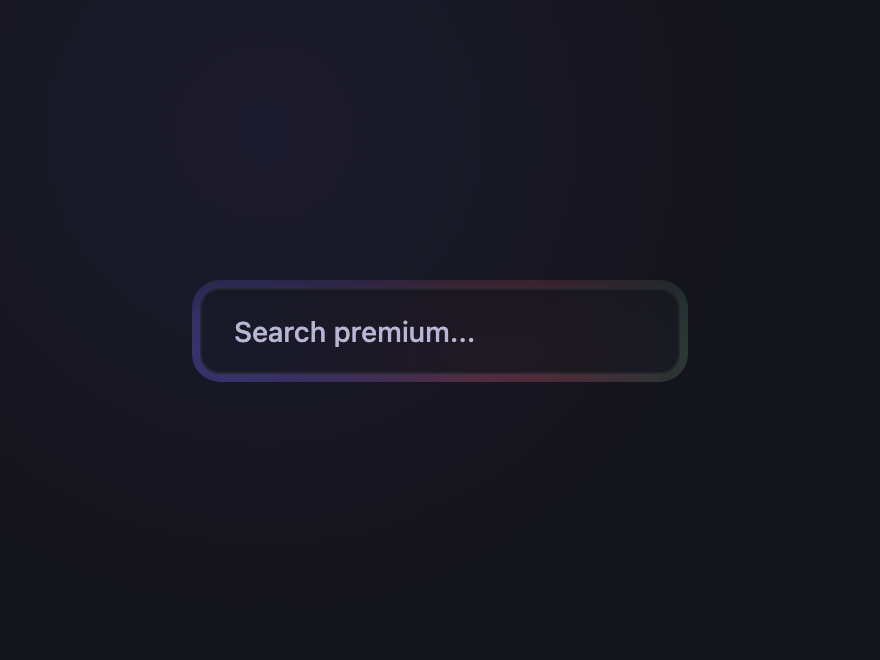
Aurora Drift
Pure CSS
A soft aurora-style gradient blob drifts gently behind the input on a slow, subtle loop — the premium-feel signal without spinning chrome aberration.
.csb-aurora {
  position: relative; display: inline-block;
  padding: 4px;
  border-radius: 14px;
  background: #15151d;
  overflow: hidden;
  isolation: isolate;
}
.csb-aurora::before {
  content: ''; position: absolute;
  top: -40%; left: -20%;
  width: 140%; height: 220%;
  background:
    radial-gradient(ellipse 240px 120px at 20% 50%, rgba(124,108,255,0.55), transparent 60%),
    radial-gradient(ellipse 200px 100px at 60% 50%, rgba(255,108,138,0.45), transparent 60%),
    radial-gradient(ellipse 220px 120px at 100% 50%, rgba(46,204,138,0.35), transparent 60%);
  filter: blur(18px);
  z-index: -1;
  animation: csb-aurora-drift 14s ease-in-out infinite;
  opacity: 0.85;
}
.csb-aurora input {
  display: block;
  width: 240px; padding: 12px 16px;
  border: 1px solid rgba(255,255,255,0.06);
  outline: none;
  background: rgba(21,21,29,0.85);
  backdrop-filter: blur(4px);
  -webkit-backdrop-filter: blur(4px);
  border-radius: 10px;
  color: #f0eeff; font: 500 14px/1 system-ui, sans-serif;
  transition: border-color 0.25s;
}
.csb-aurora:focus-within input { border-color: rgba(167,139,250,0.5); }
.csb-aurora input::placeholder { color: #6b6987; }
@keyframes csb-aurora-drift {
  0%, 100% { transform: translateX(0)    translateY(0); }
  50%       { transform: translateX(-8%) translateY(2%); }
}
<form class="csb-aurora" role="search">
  <label class="csb-sr" for="csb-aurora-i">Search</label>
  <input id="csb-aurora-i" type="search" name="q" placeholder="Search premium..." />
</form>
FAQ

Frequently asked questions

What's the right HTML for a CSS search box?
Wrap input type=search inside a form with role=search and pair it with a real label (visually hidden if needed). The form lets users submit with Enter; the type=search adds a clear button on iOS and triggers SMS-style suggestions on mobile; role=search is the WAI-ARIA landmark that lets screen-reader users jump directly to it.
How do I make a clear button appear only when there's text?
Pure CSS, no JavaScript: use the :placeholder-shown pseudo-class on the input. When the field is empty the placeholder shows, so input:placeholder-shown ~ .clear { opacity: 0; }. When the user types, the placeholder hides, the clear button appears. Combine with :has() to drive parent state too.
Are these CSS search boxes accessible?
Yes. Every demo uses a real label associated with input type=search inside a form role=search. Voice and clear buttons have aria-label. Autocomplete dropdowns implement the full combobox pattern (aria-controls, aria-expanded, aria-activedescendant, role=listbox/option) so screen readers announce options correctly.
Do I need JavaScript for autocomplete and recent searches?
Yes for the data, no for the visuals. The dropdowns themselves open and close via :focus-within or :checked — pure CSS. JS is only needed to filter results based on what the user typed and to persist recent searches in localStorage. Each interactive demo includes a self-contained JS snippet.
Will browser autofill work with these search boxes?
Yes. Each input keeps the native input type=search with name attribute, so browser autofill, suggestion history, and password manager search are all preserved. The custom styling never breaks native behaviour.

Related collections