CSS Spacing Scale Builder — Modular Design Tokens
Free tool No sign-up
Modular ratio
Visual cascade · base 16px · ratio 1.58 steps · base at sm
3xs
0.2963rem
2xs
0.4444rem
xs
0.6667rem
smbase
1rem
md
1.5rem
lg
2.25rem
xl
3.375rem
2xl
5.0625rem
Token table · click any value to copy
Scale
Base size16px
Ratio1.5
Step count8
Base index3
Naming scheme
e.g. xs, sm, md, lg, xl, 2xl
Variable prefix
Becomes
--space-md, space.md in Tailwind.Output unit
rem scales with user font-size — the right default. Use px for fixed pixel grids, em for component-relative spacing.
About this generator
Build a modular CSS spacing scale visually — pick a base size and a ratio (golden, perfect-fourth, modular fifth), see the cascade as side-by-side rectangles, export to CSS variables, Tailwind, design tokens, SCSS, or JS.
Why use this Spacing Scale Builder?
◐
See the cascade, not just the math
AI gives you 4, 6, 9, 14, 21px. This shows the same scale as side-by-side rectangles so you can SEE if step-3 is too close to step-4 — visual judgment beats arithmetic.
⊞
8 modular ratio presets
Minor 2nd through Golden ratio — the same modular scales used in print typography for centuries. Pick one or type any custom ratio.
◉
Three naming schemes
T-shirt sizes (xs, sm, md, lg, xl), numeric (50, 100, 200), or step-based (step-1, step-2). Switch live, the entire export updates.
⎘
Five export formats
CSS variables, Tailwind config, W3C design tokens, SCSS map, JS object. Drop straight into your stack — every format uses the same tokens.
How to build a modular spacing scale
- 01◑Pick a base sizeUsually 16px (1rem) so it aligns with default font-size. The base is your "md" — what every other size is computed from.
- 02⊟Pick a modular ratioLower ratio (1.125 minor 2nd) for subtle scale, higher (1.618 golden) for dramatic jumps. 1.5 perfect-fifth is a safe default for most UI.
- 03◫Set step count + base indexHow many steps total (4–12) and which step is the base (the "md"). Steps below the base get smaller (xs, sm), steps above get larger (lg, xl).
- 04✦Choose a naming schemeT-shirt sizes are conventional (Tailwind, Bootstrap, Material). Numeric is good for design systems with many sizes. Step-N for engineering-led teams.
- 05⎘Export and shipSwitch to CSS, Tailwind, design tokens, SCSS, or JS. Hit copy. Or share the URL — every parameter encodes into the query string.
Modular ratio reference
| Ratio | Vibe | Use for |
|---|---|---|
| Minor 2nd · 1.067 | subtle | Tightest scale — barely-perceptible jumps. Use for dense data UIs where space is at a premium and every step needs to be small. |
| Major 2nd · 1.125 | gentle | Slow, gentle scale. Default for content-heavy sites where you don't want shouty hierarchy. |
| Minor 3rd · 1.200 | balanced | Sweet spot for most product UI. Tailwind's default font-size scale uses 1.2. |
| Major 3rd · 1.250 | clear steps | Each step is clearly bigger than the last. Good when scale needs to be obvious to users (educational, accessible). |
| Perfect 4th · 1.333 | classic | Used in print typography for centuries. Strong but not extreme. Bootstrap's default scale. |
| Aug 4th · 1.414 | paper | √2 — the ratio used in ISO paper sizes (A4, A5, etc.). Each step is exactly twice the area of the next. |
| Perfect 5th · 1.500 | dramatic | Each step is half-again larger. Big visual hierarchy. Good for hero/marketing pages with few but distinctive sizes. |
| Golden · 1.618 | classical | φ — the golden ratio. Subjective preference, mathematically arbitrary. Looks good for premium brands. |
Common spacing-scale patterns
CSS variables — the recommended pattern
:root {
  --space-xs:  0.25rem;   /* 4px */
  --space-sm:  0.5rem;    /* 8px */
  --space-md:  1rem;      /* 16px */
  --space-lg:  1.5rem;    /* 24px */
  --space-xl:  2.25rem;   /* 36px */
  --space-2xl: 3.375rem;  /* 54px */
}

.card {
  padding: var(--space-md);
  gap: var(--space-sm);
  margin-bottom: var(--space-lg);
}
Tailwind config (extends spacing)
// tailwind.config.js
module.exports = {
  theme: {
    extend: {
      spacing: {
        'xs': '0.25rem',
        'sm': '0.5rem',
        'md': '1rem',
        'lg': '1.5rem',
        'xl': '2.25rem',
      }
    }
  }
};

// Usage: <div className="p-md gap-sm mb-lg">…</div>
W3C design tokens (Style Dictionary, Tokens Studio)
{
  "spacing": {
    "xs": { "value": "0.25rem", "type": "dimension" },
    "sm": { "value": "0.5rem",  "type": "dimension" },
    "md": { "value": "1rem",    "type": "dimension" },
    "lg": { "value": "1.5rem",  "type": "dimension" }
  }
}

/* Pipes through Style Dictionary to native iOS/Android too */
SCSS map (legacy projects)
$space: (
  'xs': 0.25rem,
  'sm': 0.5rem,
  'md': 1rem,
  'lg': 1.5rem,
);

.card {
  padding: map-get($space, 'md');
  gap: map-get($space, 'sm');
}Pro tips
01
Use rem, not px
rem scales with the user's browser font-size. Users with vision needs bump font-size up; rem-based spacing scales with them. Px-only spacing breaks accessibility.
02
Keep the scale small
Six steps (xs, sm, md, lg, xl, 2xl) covers 99% of UI needs. Adding 3xs through 6xl looks comprehensive but you'll never use them — every extra token is decision overhead.
03
Match spacing to type
If your type scale uses 1.25 ratio, your spacing scale should too. Mismatched ratios feel subtly wrong even when individual values look correct.
04
Base index = your md
The base step is what your default `padding` and `gap` use. Set it to wherever your "comfortable" UI density sits — usually 16px for content, 12px for dense data tables.
See it used in real designs
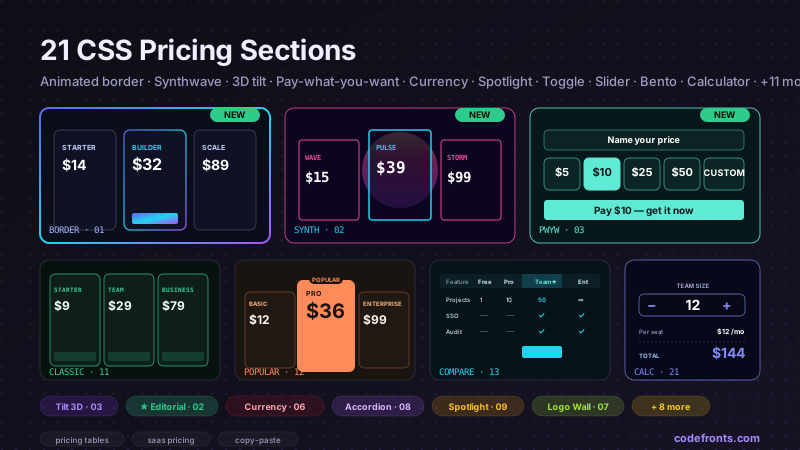
Browse hand-coded collections that put this tool to work.
Related tools
CSS Animation Generator CSS Aspect Ratio Visualizer — 6 Device Viewports CSS Border Radius Generator CSS Box Shadow Generator CSS Clip-Path Generator Color Palette Extractor — Image to CSS Variables CSS Cursor Generator CSS Easing Curve Designer — Visual cubic-bezier CSS Filter Generator CSS Flexbox Generator Font Pairing Finder — Curated Heading + Body CSS Glassmorphism Generator CSS Gradient Generator CSS Grid Generator CSS Outline & Border Generator CSS Text Shadow Generator CSS Transform Generator Letter-spacing & Line-height Previewer