CSS Glassmorphism Generator
Free tool No sign-up
Presets
Preview · Aurora1200×630 social-card aspect
WCAG Contrast · text vs effective surface
✗ 4.5:1✗ 7:1
Sample text3.73:1 over #8b5cf6
Sample text3.22:1 over #ec4899
Sample text2.28:1 over #06b6d4
Sample text15.75:1 over #0f0f1a
✗ Fails AA — raise bgAlpha, add a tint, or switch text color to ensure 4.5:1 against the worst sample.
Notes & browser support
ⓘbackdrop-filter requires Safari 9+ with -webkit- prefix (already included). On older Firefox <103, falls back to the solid bg color.
ⓘsaturate(160%) boosts the colors behind the glass. Effects compound on layered surfaces — test on real content.
Glass
Background alpha0.08
Blur20px
Saturate160%
Border & Shape
Border alpha0.18
Border width1px
Border radius14px
Padding22px
Tint
Text color
About this generator
Build frosted-glass surfaces visually — live preview against six vivid backgrounds, real-time WCAG contrast scoring, and copy-ready output in CSS, Tailwind, CSS Modules, styled-components, SCSS or React.
Advertisement
Why use this Glassmorphism Generator?
Six live backgrounds
Glass needs vivid backdrop to read as glass. Switch between aurora, sunset, mesh, code editor, video still, and plain dark to verify your design holds up everywhere.
Real-time WCAG contrast
Most glass generators ignore accessibility. This one alpha-blends your glass over each background sample and scores text contrast against AA (4.5:1) and AAA (7:1) live as you tune.
Six export formats
Plain CSS, Tailwind utilities, CSS Modules, styled-components, SCSS mixin, and React inline-style. Skip the manual conversion; copy what your stack uses.
Share via URL
Every recipe encodes into the URL. Copy the share link to send a tuned glass to a teammate — they open it and see the exact same surface, no account needed.
How to use this generator
01
Pick a background
Choose one of six vivid backdrops — glass without color behind it looks like a faint outline. Tweak against the worst-case background you expect.
02
Tune the glass
Background alpha controls translucency. Blur is the depth of the frost. Saturate boosts the colors behind for a more vivid frosted effect.
03
Add a tint
Optionally tint the glass with violet, rose, cyan, teal, or amber. Tinted glass works well for color-coded categories or brand-aligned chrome.
04
Verify contrast
Watch the AA/AAA score as you adjust. Failing samples turn red — raise bgAlpha, change tint, or switch text color until every sample passes 4.5:1.
05
Export and ship
Switch the export tab to your stack (CSS, Tailwind, Modules, styled-components, SCSS, React) and copy. Or hit "Share link" to send the recipe.
Glass property reference
| Property | Typical value | What it does |
|---|---|---|
| background | rgba(255, 255, 255, ALPHA) | Translucent white tint sits on top of the page background — alpha 0.05–0.18 is the sweet spot for "frosted" rather than "ghost" or "milk". |
| backdrop-filter | blur(BLUR) saturate(SAT) | Blurs and re-saturates whatever pixels sit behind the element. Without it the glass is just a translucent rectangle. |
| border | 1px solid rgba(255,255,255,ALPHA) | A hairline rim catches light at the glass edge. 0.18–0.32 alpha; thicker for "premium" weight, thinner for subtle. |
| border-radius | 10–18px | Soft corners read as polished glass. Sharp corners (0–4px) read as architectural panels. |
| box-shadow | 0 8px 32px rgba(0,0,0,0.18) | Floats the glass off its background. Keep it soft and dark — competing color shadows fight the glass effect. |
| -webkit-backdrop-filter | same as backdrop-filter | Safari requires the prefix until ~Safari 17. Always include both for cross-browser support. |
Common glass patterns
Frosted card
.glass-card {
  background: rgba(255, 255, 255, 0.08);
  backdrop-filter: blur(20px) saturate(160%);
  -webkit-backdrop-filter: blur(20px) saturate(160%);
  border: 1px solid rgba(255, 255, 255, 0.18);
  border-radius: 14px;
  padding: 22px;
  box-shadow: 0 8px 32px rgba(0, 0, 0, 0.18);
}
Tinted violet glass
.glass-violet {
  background: rgba(139, 92, 246, 0.18);
  backdrop-filter: blur(22px) saturate(180%);
  -webkit-backdrop-filter: blur(22px) saturate(180%);
  border: 1px solid rgba(255, 255, 255, 0.22);
  border-radius: 14px;
  padding: 22px;
}
Heavy frost (modal)
.glass-modal {
  background: rgba(255, 255, 255, 0.12);
  backdrop-filter: blur(40px) saturate(200%);
  -webkit-backdrop-filter: blur(40px) saturate(200%);
  border: 1.5px solid rgba(255, 255, 255, 0.32);
  border-radius: 16px;
  padding: 26px;
} Pro tips
01
Glass needs vivid backdrop
On a flat grey or white background, glass is invisible. Place glass over photos, gradients, or busy mesh — the more color behind, the more "glass" reads as glass.
02
Blur is GPU-accelerated, but layered
backdrop-filter is GPU-friendly, but stacking 4+ blurred surfaces compounds cost. On large surfaces (full-screen overlays) consider reducing blur to 12–16px.
03
Always set saturate too
Pure blur drains color from the underlying pixels. Adding saturate(160–180%) pumps the chroma back up — the difference between "drab fog" and "premium frost".
04
Test on real content
Glass on a static gradient looks fine. Glass over scrolling video, dark code, or a UI screenshot reveals contrast issues. Use the contrast checker against your worst-case background.
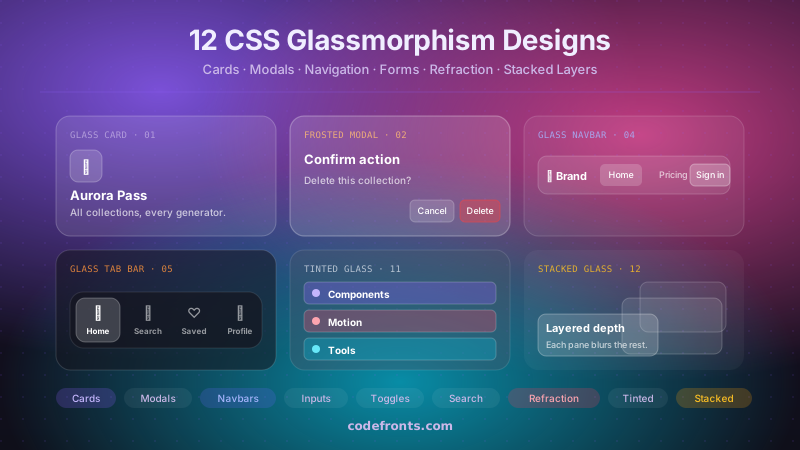
See it used in real designs
Browse hand-coded collections that put this tool to work.
Related tools
CSS Background Pattern Generator CSS Border Radius Generator CSS Box Shadow Generator CSS Button Generator CSS Clip-Path Generator CSS Cursor Generator CSS Filter Generator CSS Loader Generator CSS Outline & Border Generator CSS Scrollbar Generator CSS Text Shadow Generator CSS Wave Generator Neumorphism Generator