Letter-spacing & Line-height Previewer
Free tool No sign-up
Font stack
Live preview16px · LH 1.6 · LS 0em
Setting body copy is the most consequential typographic decision you make. Everything else is decoration. Tune until the eye glides without effort across each line and lands cleanly on the next. The reader should feel nothing — that is the point.
Line-height comparison · pick the one your eye prefers
Body · 16px
Font size16px
Line height1.6
Letter spacing0em
Font weight400
Text transform
Quick presets · this element
About this generator
Tune CSS typography spacing visually — eight font stacks, eight elements (h1 through caption), and a Goldilocks side-by-side comparison so your eye picks the right value, not your guesswork.
Why use this Spacing Previewer?
Goldilocks comparison
Same text rendered at three line-heights side-by-side (tighter · current · looser) so your eye picks the right value, not your guesswork. Click any panel to commit.
Per-element scope
Tune h1, h2, body, caption, mono, and uppercase tracking independently — the same line-height that works for a hero h1 (1.05) destroys body copy (needs 1.6+). Tune the system, not one element.
Real fonts, real sizes
8 web-safe font stacks (system, humanist, geometric, modern serif, slab, mono, display) × every size tier. Swap fonts live to see how the same values render in different families.
Four export formats
CSS, Tailwind notes, styled-components GlobalStyle, and SCSS mixin. Switch the export tab to your stack and copy the entire type system at once.
How to use this previewer
- 01Pick a font stackEight web-safe stacks across humanist, geometric, serif, slab, mono, and display flavors. The same line-height looks different in different families — try a few.
- 02Choose an elementSelect h1, h2, h3, body, small, caption, uppercase label, or mono. Each ships with sensible role-based defaults; tune from there.
- 03Tune the slidersFont size, line-height, letter-spacing, weight, text-transform. Watch the live preview react instantly with the active element's sample text.
- 04Compare and pickThe Goldilocks panel shows tighter · current · looser side-by-side. Click any panel to commit that value. Eyes are better than numbers.
- 05Export the systemSwitch the export tab to CSS, Tailwind, styled-components, or SCSS. The output covers every element you tuned — the whole type scale, not one rule.
Spacing reference
| Value | Use for | Why |
|---|---|---|
| line-height: 1.0 | Display only | Hero headlines at 48px+ where letters can almost touch. Anything smaller becomes unreadable. |
| line-height: 1.15 | Headlines | H1/H2 at 24-40px. Tight enough to feel deliberate, loose enough to breathe. |
| line-height: 1.5 | Minimum body | WCAG 2.1 AAA recommends 1.5 minimum for body copy. Below this, low-vision users struggle. |
| line-height: 1.6-1.7 | Comfortable body | Sweet spot for 14-18px body. Eye glides line-to-line without effort. Default for content sites. |
| line-height: 1.8-2.0 | Long-form | Long articles, novels, narrow measure. The extra leading gives the eye room to track. |
| letter-spacing: -0.02em | Tight headlines | Modern serifs and bold sans at large sizes can use slight negative tracking to feel deliberate. |
| letter-spacing: 0 | Body default | Never adjust tracking on body copy. Designers spent years tuning fonts at this baseline. |
| letter-spacing: 0.04em | Captions | Small text (10-13px) benefits from slight positive tracking to keep letters from cramming together. |
| letter-spacing: 0.12-0.18em | UPPERCASE labels | Uppercase needs significant extra tracking — letters were designed for sentence case spacing. |
Common typography patterns
Hero headline · tight and confident
.hero-title {
  font-family: 'Inter', system-ui, sans-serif;
  font-size: clamp(2.5rem, 6vw, 4.5rem);
  line-height: 1.05;
  letter-spacing: -0.02em;
  font-weight: 800;
}
Comfortable body copy
body {
  font-family: Georgia, 'Times New Roman', serif;
  font-size: 17px;
  line-height: 1.65;
  letter-spacing: 0;
  font-weight: 400;
}
UPPERCASE eyebrow label
.eyebrow {
  font-size: 11px;
  line-height: 1.4;
  letter-spacing: 0.16em;
  text-transform: uppercase;
  font-weight: 700;
  color: var(--accent);
}
Code block — tracking neutral, line-height generous
code, pre {
  font-family: 'JetBrains Mono', 'Fira Code', monospace;
  font-size: 13px;
  line-height: 1.7;
  letter-spacing: 0;
} Pro tips
01
Line-height scales inversely with size
A 48px headline needs LH 1.0–1.15. 16px body needs 1.5–1.7. 11px caption needs 1.4–1.5. The same number doesn't work everywhere — bigger text needs proportionally less line-height.
02
Letter-spacing is fixed-width-aware
Use em not px so letter-spacing scales with font-size. `letter-spacing: 1px` looks dramatic at 11px and invisible at 48px. `letter-spacing: 0.04em` stays proportionally consistent.
03
Never adjust body tracking
Font designers spent months tuning each glyph's sidebearings at default tracking. Adjusting body letter-spacing usually makes it WORSE — designers know better than you here.
04
Measure controls everything
No line-height saves a 120-character measure. Cap body copy at 60-75 characters per line (use max-width: 65ch) and most line-height debates resolve themselves.
See it used in real designs
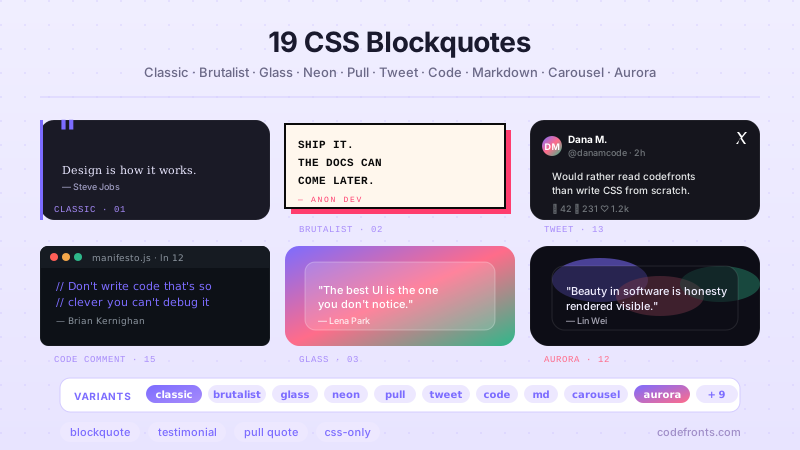
Browse hand-coded collections that put this tool to work.
Related tools
CSS Animation Generator CSS Aspect Ratio Visualizer — 6 Device Viewports CSS Border Radius Generator CSS Box Shadow Generator CSS Clip-Path Generator Color Palette Extractor — Image to CSS Variables CSS Cursor Generator CSS Easing Curve Designer — Visual cubic-bezier CSS Filter Generator CSS Flexbox Generator Font Pairing Finder — Curated Heading + Body CSS Glassmorphism Generator CSS Gradient Generator CSS Grid Generator CSS Outline & Border Generator CSS Spacing Scale Builder — Modular Design Tokens CSS Text Shadow Generator CSS Transform Generator