13 CSS Neumorphism & Soft UI Designs

Neumorphism — Soft UI — is the aesthetic of plastic light: shadows pushing out, shadows pulling in, no hard borders. These 13 hand-coded widgets push the style past its 2020 portfolio era — eleven on warm light palettes, two on dark navy with neon glow accents. Every widget's palette is scoped to its wrapper, so all thirteen can coexist on the same page without their shadows colliding.
13 unique neumorphic widgets 3 Pure CSS 10 CSS + JS 0 dependencies 100% copy-paste ready Published
01 / 13
Breathe
CSS + JS
Breathe — preview
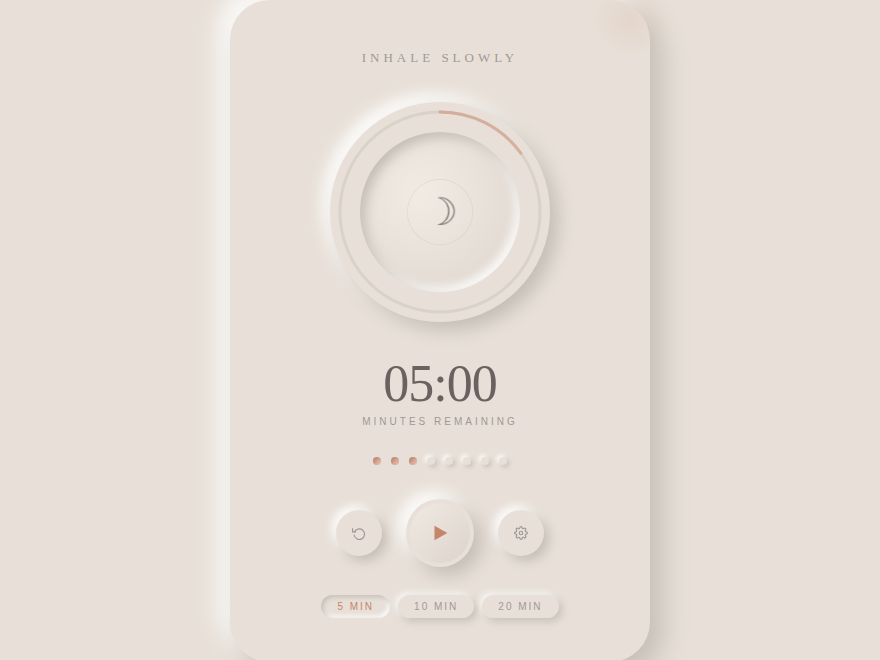
A warm sand-toned neumorphic wellness widget built around a breathing orb. Pulsing concentric-ring progress arc in terracotta gradient, three expanding pulse rings tied to the inhale/exhale cycle, animated phase-label transitions (Inhale → Hold → Exhale → Rest), a live countdown timer, cycle-progress dots, and preset duration pills. Cormorant Garamond for editorial calm. Best for meditation apps, wellness brands, mindfulness tools.
02 / 13
Vinyl Player
CSS + JS
Vinyl Player — preview
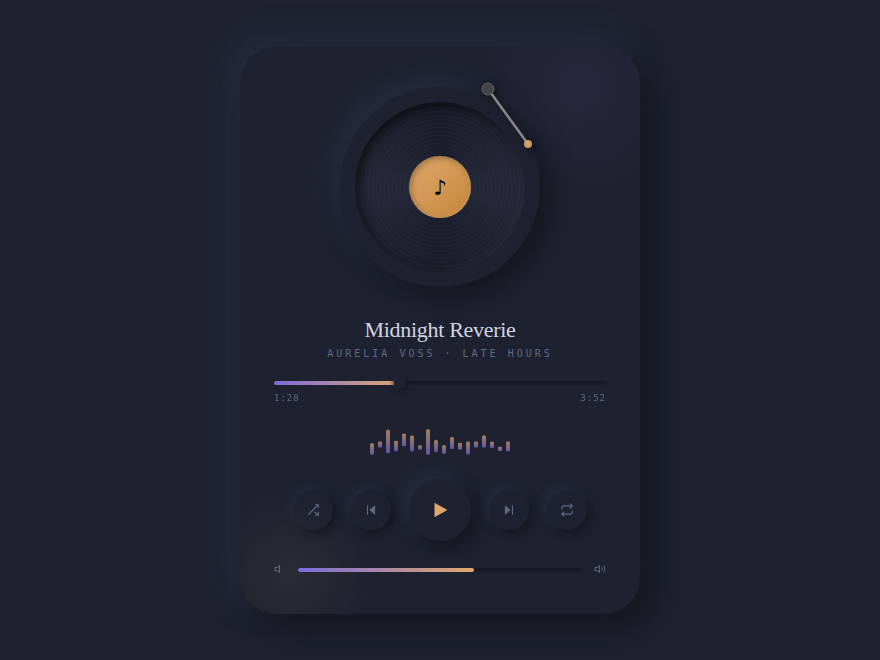
A deep-slate dark-neumorphic music player with a spinning vinyl disc featuring real grooves via repeating-radial-gradient. Includes an 18-bar animated EQ visualizer synced to playback state, arc progress scrubber with glowing gradient thumb, tonearm SVG, amber accent label, and a full transport control set (shuffle, prev, play/pause, next, loop). DM Serif Display for warm sophistication. Best for music apps, podcast platforms, audio dashboards.
03 / 13
Nexus
CSS + JS
Nexus — preview
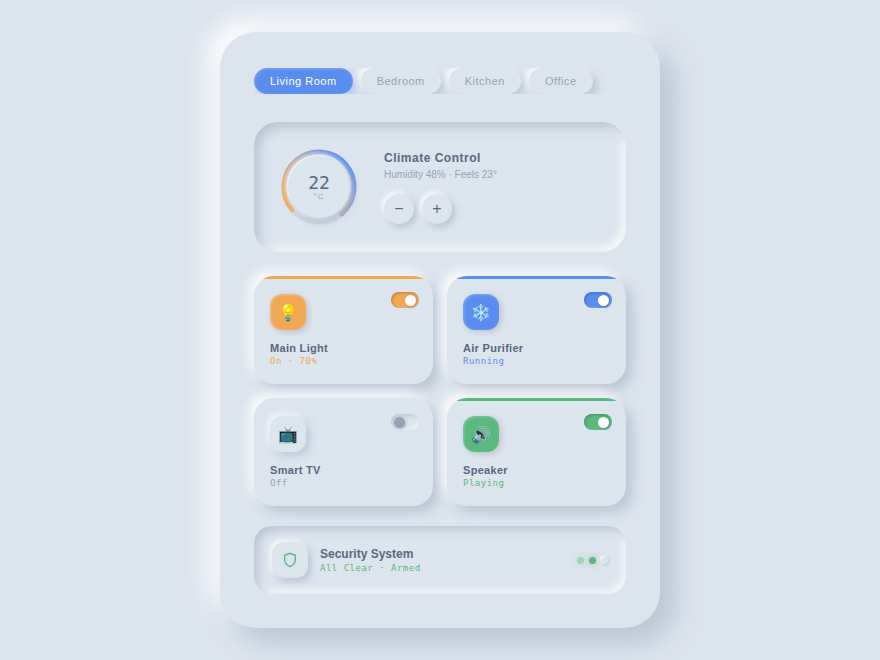
A cool blue-gray light-neumorphic room control dashboard. Features a live arc-dial temperature control with +/− buttons, a 2×2 device card grid (each with inset toggle switches, active color-stripe headers, and individual accent colors), room selector pills, and a security status bar with pulsing indicator dots. Every device card is fully toggleable. Syne typeface for a clean modern edge. Best for smart-home apps, IoT dashboards, control panels.
04 / 13
Soft UI Button Lab
CSS + JS
Soft UI Button Lab — preview
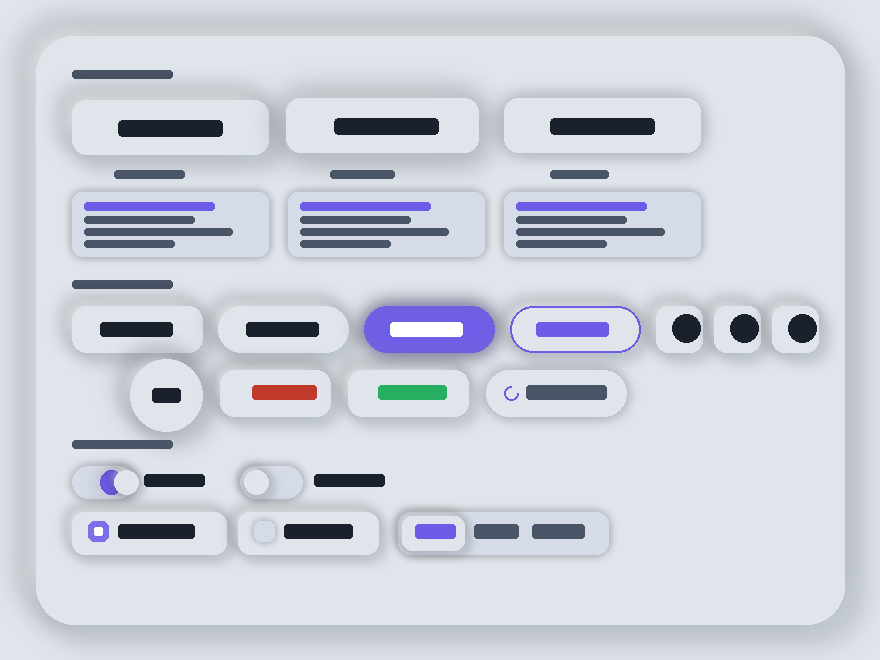
A cool-slate showcase panel demonstrating the full neumorphic vocabulary. Section 1 shows the three core shadow states (resting, hover-lifted, pressed-inset) side-by-side with live box-shadow code snippets beneath each. Section 2 is a shapes row — pill, accent-filled, ghost outline, icon squares, FAB, danger, success, plus a spinner-loading state. Section 3 has draggable toggles, neumorphic checkboxes, and a segmented radio control. Syne + DM Sans typefaces. Best for design-system docs, button libraries, component galleries.
05 / 13
Audio Control Suite
CSS + JS
Audio Control Suite — preview
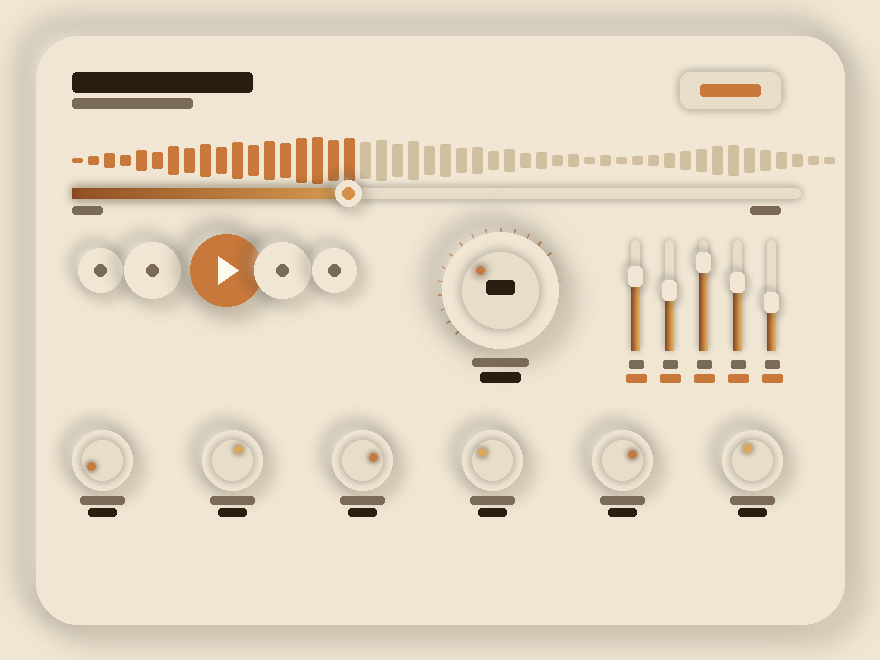
A warm-parchment audio mixing console. Interactive range-input scrubber overlaid on a 49-bar waveform that lights up burnt-gold as you drag through the track. The center volume knob is mouse-draggable with SVG tick marks rendered around its perimeter. Five vertical EQ faders are individually draggable with live dB labels (32Hz, 250Hz, 1kHz, 4kHz, 16kHz). Six rotary mini knobs along the bottom row control Bass, Treble, Reverb, Delay, Width, Drive. Playfair Display + Space Mono. Best for music production tools, DAW dashboards, audio plugins.
06 / 13
Sunken Form Studio
CSS + JS
Sunken Form Studio — preview
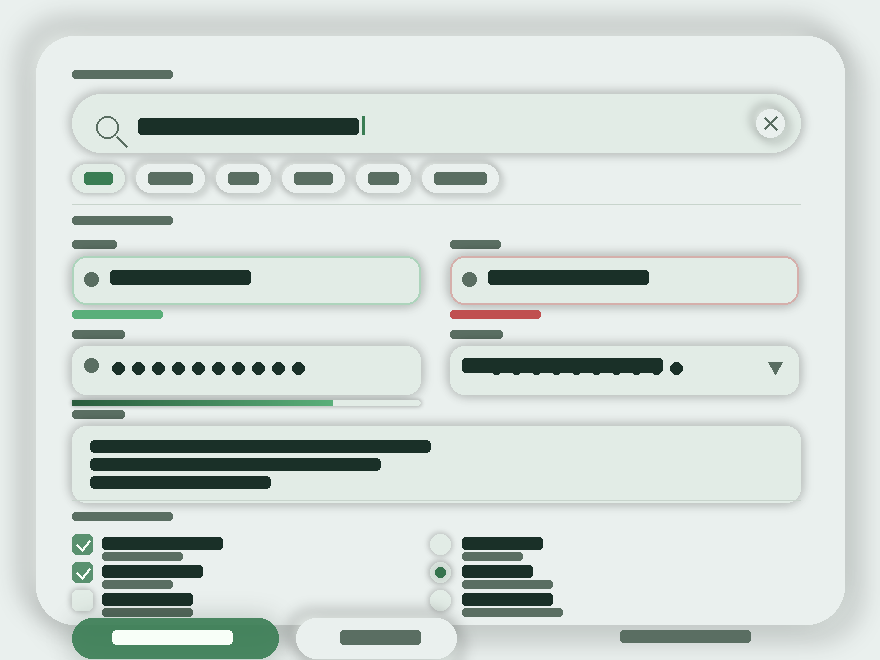
A sage-mist neumorphic form panel. Every input is a sunken pocket via deep inset shadows. Section 1: a pill search bar with active-clear button + filter chips. Section 2: a 2-column field grid demonstrating neutral / valid (green ring) / invalid (red ring) states, a password field with show/hide toggle + 4-segment strength bar, a styled native select, and a textarea. Section 3: neumorphic checkboxes and a radio group. Email field runs real blur validation. Mulish + DM Mono. Best for sign-up flows, settings pages, profile editors.
07 / 13
Smart IoT Control Panel
CSS + JS
Smart IoT Control Panel — preview
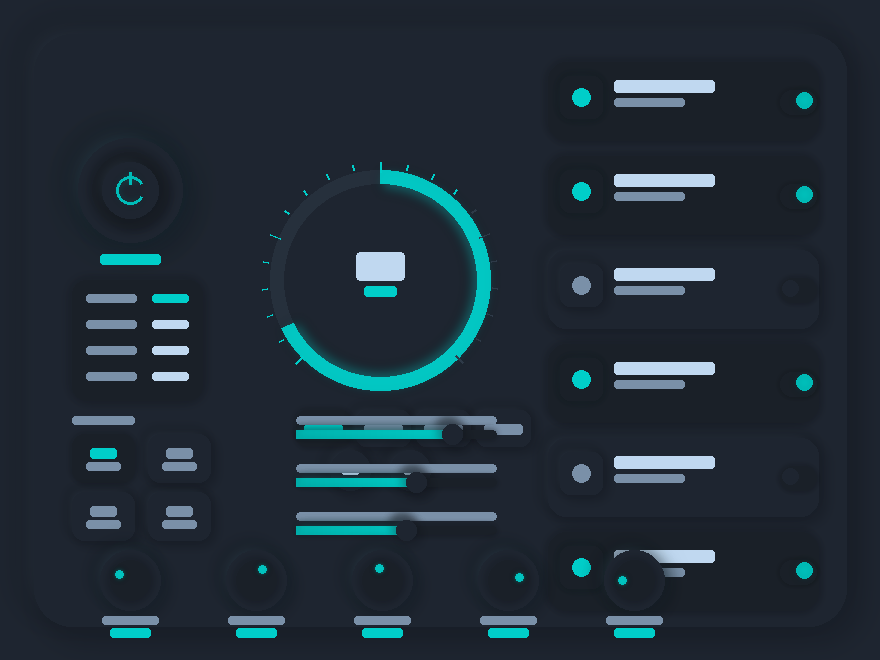
The first dark-neumorphic widget in the collection — deep charcoal with glowing teal accents. Left column: 3-ring embossed power button that glows on activation, a live status readout, and 4 scene presets. Center: full thermostat arc-dial with SVG tick marks in a teal-to-amber gradient, live ± temperature buttons, 4 mode chips (Cool/Heat/Fan/Auto), and 3 interactive sliders (brightness, fan speed, humidity). Right column: 6 device toggle cards with animated pill switches that emit a teal glow when on. Five draggable mini rotary dials along the bottom row. Rajdhani + Share Tech Mono. Best for smart-home hubs, IoT dashboards, building automation.
08 / 13
Aurum Finance Dashboard
Pure CSS
Aurum Finance Dashboard — preview
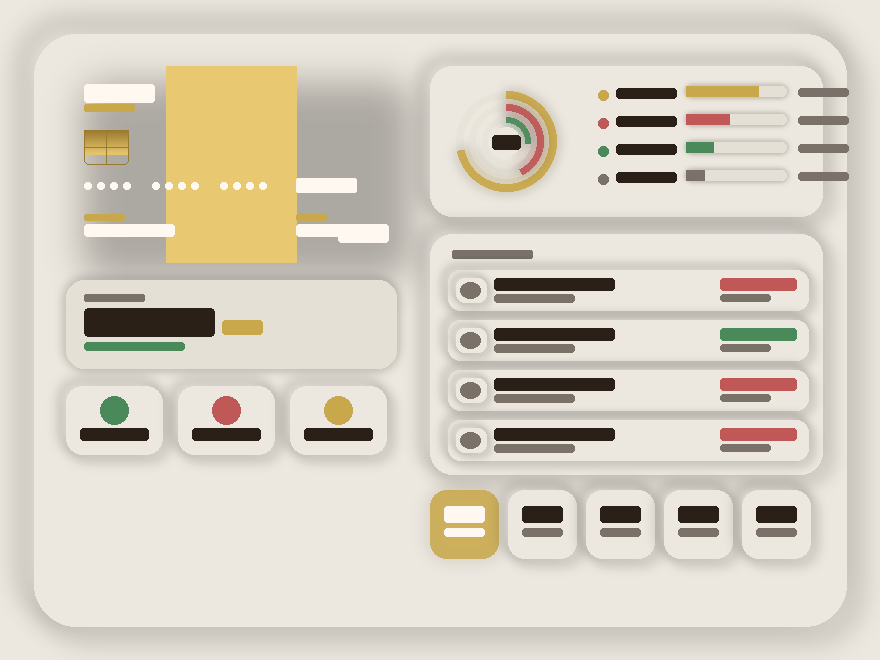
A champagne-toned luxury banking dashboard. The centerpiece is a dark gradient credit card with an animated gold shimmer sweep, an EMV chip with PCB-line detail, masked card-number dots, and a 3D tilt effect on hover. Left column: total balance with up/down change indicator, three stat tiles (Income / Spent / Saved). Right column: three-layer concentric spending ring chart, four category bars, four transactions with debit/credit color coding, and five quick-action buttons including a gold-filled primary CTA. Cormorant Garamond serif for the luxury banking tone. Best for fintech apps, wealth dashboards, banking UIs.
09 / 13
Soft UI Calculator
CSS + JS
Soft UI Calculator — preview
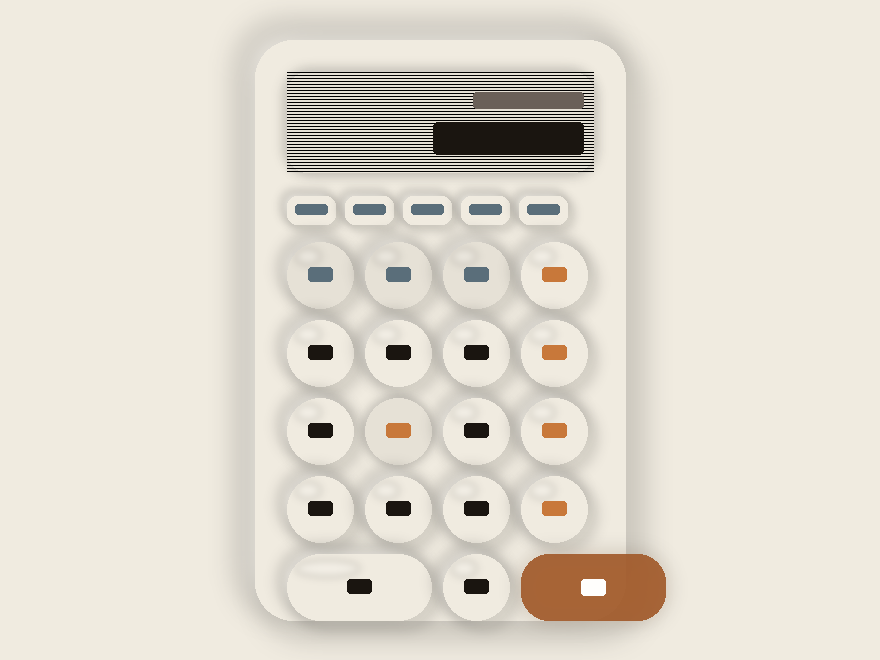
A warm-cream desk calculator where every button is a fully extruded neumorphic circle with a CSS specular shine highlight at the top-left. Pressing triggers an inset shadow flip plus a ripple-ring animation expanding outward. The display is a deep-inset panel with a scanline grid overlay and smooth font-size scaling for long numbers. Operator keys (÷ × − +) are styled in burnt amber, function keys (AC ± %) in slate-gray with a slightly recessed background. The = key spans two columns as a pill-shaped amber gradient. Full keyboard input support — type numbers, operators, Enter, Escape directly. Space Mono numerals + Nunito keys. Best for calculator tools, finance widgets, conversion utilities.
10 / 13
Sky Widgets
CSS + JS
Sky Widgets — preview
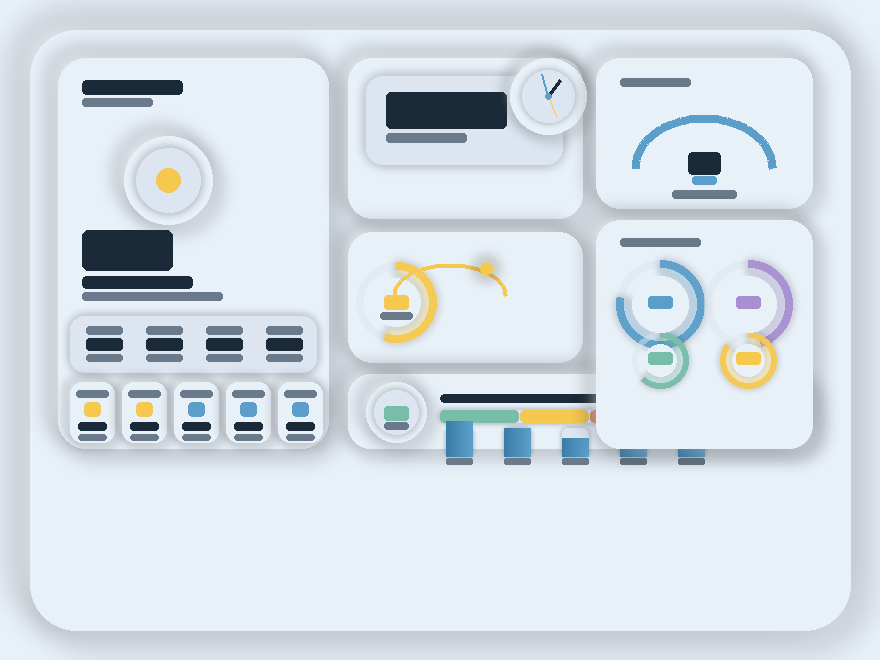
Five asymmetric weather widgets in a sky-mist palette. A main weather card spans two rows with a floating-animated weather emoji, 5-day forecast pills with mini fill bars, and a live stats strip. A real-time clock widget renders both digital (hours/minutes/seconds) and an analog face with CSS-positioned hands updating every second. A sunrise arc traces a gold SVG path with a glowing sun dot at the current position. A semicircular humidity gauge and a wide air-quality widget with five individual pollutant bars round out the bottom row. Nunito + Space Mono. Best for weather apps, dashboard widgets, IoT environmental sensors.
11 / 13
Soft UI Form Controls
Pure CSS
Soft UI Form Controls — preview
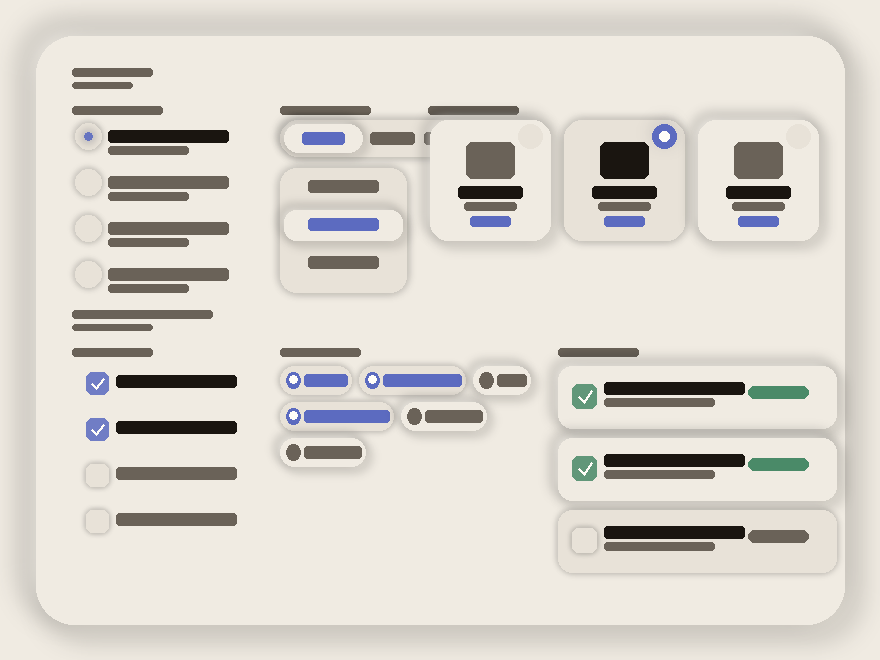
A pure-CSS showcase of soft-UI form controls with zero JavaScript. Style A: concave dimple radios — a sunken circle with a dot that bounces in using cubic-bezier(0.34, 1.56, 0.64, 1) spring easing on :checked. Style B: horizontal pill-select groups + a vertical icon pill variant — both invert from inset-track to extruded-active on :checked. Style C: card radios with a floating badge that fills from gray to indigo and reveals a white center dot. Checkboxes mirror the pattern — dimple box with CSS-drawn checkmark (border-right + border-bottom), stamp pills with animated tick circles, and card checkboxes with a green gradient fill. Raleway + DM Mono. Best for design-system docs, form pattern libraries, settings panels.
12 / 13
Aurum Profile & Testimonial
Pure CSS
Aurum Profile & Testimonial — preview
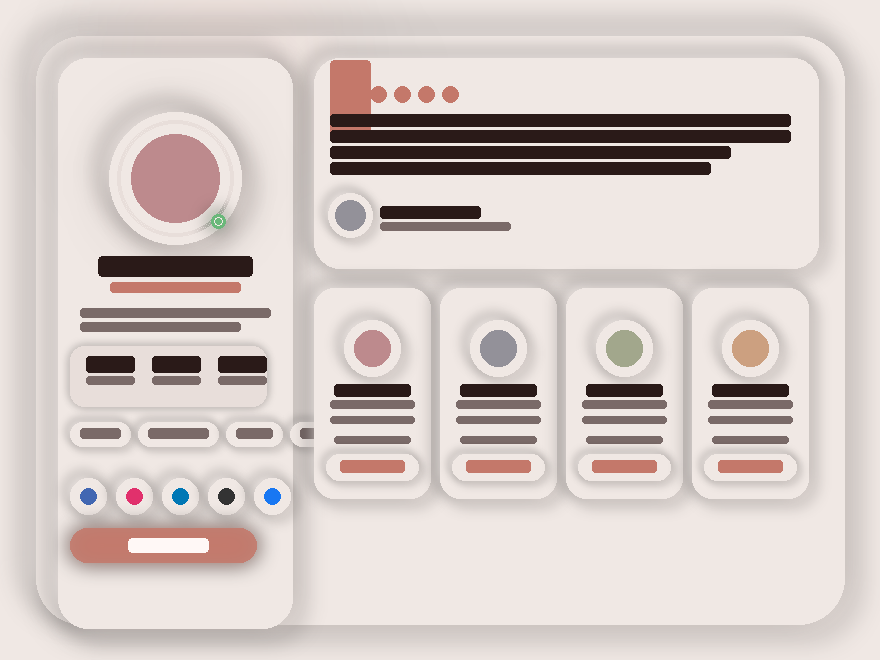
A rose-parchment profile layout. The main profile card uses a triple-layer avatar mount: outer extruded ring → inset groove ring → gradient avatar, so the portrait feels poured into the background rather than placed on top. A pulsing green presence indicator adds life. Deeply inset stats strip, individually extruded tag pills, five social hover-lift buttons, and a gradient follow CTA. A large pull-quote testimonial sits beside it with a decorative 120px ghost quotation mark. Four mini connection cards below each have their own embedded circular avatar and a neumorphic connect button. Playfair Display + DM Sans. Best for portfolios, team pages, social profiles.
13 / 13
Dark Mode Neumorphism
CSS + JS
Dark Mode Neumorphism — preview
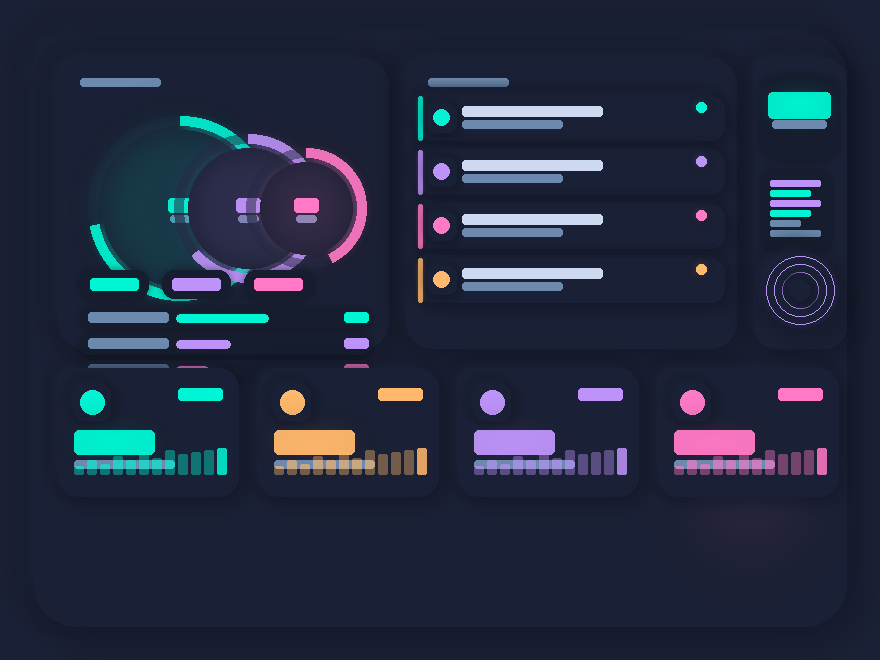
The exact dark-neumorphic formula in action — deep navy with shadow 15% darker / highlight 10% lighter. Three concentric system-monitor rings glow with neon teal, electric violet, and hot pink using filter:drop-shadow layered beneath feGaussianBlur SVG filters. Notifications use colored left-border glows that bleed into the card surface. A live JS clock in teal with luminous text-shadow. An embedded code-snippet widget explains the exact CSS variable formula. A music disc uses repeating-radial-gradient grooves. The bottom metrics grid shows four neon accent colors with sparkline bars, each with a matching box-shadow glow. Exo 2 + JetBrains Mono. Best for dev dashboards, gamer interfaces, futuristic admin panels.
FAQ

Frequently asked questions

What is neumorphism and how is it different from glassmorphism?
Neumorphism (a portmanteau of 'new' + 'skeuomorphism') is the look of plastic light — a surface that looks like it's been pressed up out of, or down into, a single-colored background. The whole effect is built from two shadows: a dark one offset down-right and a light one offset up-left. There are no borders, no fills, no gradients on the controls themselves — just shadow. Glassmorphism, by contrast, is the look of frosted glass on top of a busy background — built from backdrop-filter blur + a thin border + a subtle gradient on a semi-transparent surface. Use neumorphism when you want monochromatic calm; use glassmorphism when you want layered depth on top of imagery.
Is neumorphism accessible? I've heard it has contrast problems.
Yes, it's a real concern. The most-shared critique of neumorphism in 2020 was that the standard implementation — light gray button on light gray background, contrast ratio under 1.5:1 — fails WCAG AA. Fix it three ways: (1) Add a visible state — color, an inset ring, an icon weight change — so disabled vs. active vs. hover are unambiguous. (2) Pair the neumorphic surface with high-contrast type and icons: dark text on light cards, light text on dark cards. (3) Use neumorphism for chrome (panels, dials, big cards) and use solid colors for primary CTAs that need 4.5:1 contrast. Every demo in this collection follows those three rules.
Why do the shadows look wrong when I paste this into my site?
Two reasons, both fixable. (1) Neumorphism only works on a SOLID background that matches the widget's background color — if your site has a gradient or image behind it, the inset/outset shadows visually break. Set the surrounding section to a flat color from the widget's palette. (2) The light and dark shadow colors must be derived FROM that background color, not arbitrary. The rule of thumb: dark shadow ≈ background darkened 8%, light shadow ≈ background lightened 8%. Each widget here ships its own --shadow-dark / --shadow-light pair tuned to its background — change one without changing the other and the illusion breaks.
Why does each widget have its own scoped CSS prefix?
Because all three widgets render together on this collection page, and each one defines its own --bg, --shadow-dark, --shadow-light, etc. If we left them in :root, the last widget's palette would override the others. So every variable is scoped: .nm-bre { --nm-bre-bg: ... }, .nm-vin { --nm-vin-bg: ... }, .nm-nex { --nm-nex-bg: ... }. The same trick lets you drop two neumorphic widgets onto the same page in production — give each one its own scope and they coexist without conflict.
How heavy is the box-shadow performance?
Neumorphic widgets typically have 2–4 box-shadows per visible element (outer dark + outer light + sometimes inset pair). On a panel with 10 controls that's 20–40 shadow paints per frame on hover/animation. Modern GPUs handle that fine for static layouts, but if you stack ten widgets on a page and animate them all simultaneously you'll feel it on mid-range phones. Mitigations: avoid `box-shadow` inside CSS animations (animate `transform` or `opacity` instead, which doesn't repaint shadows), and use `will-change` sparingly — only on widgets that genuinely move.
Can I customize the colors and accents?
Yes — the palette is the first block of CSS in every widget. Change the four core tokens (--bg, --shadow-dark, --shadow-light, --accent) and the whole widget rebrands. The Breathe demo uses a warm sand palette (#e8e0d8 background, #c4856a terracotta accent), Vinyl uses a deep slate (#1e2230 background, amber + violet accents), Nexus uses a cool blue-gray (#dce4ee background, blue + warm orange + green per-device accents). Pick a background color first, then derive the shadow pair from it (±8% lightness), then pick an accent that has 4.5:1 contrast against the background for text.

Search CodeFronts

Loading…